4) From the System Setup screen in the code reader, use the
SCROLL button to select Update Mode, and press the
ENTER/Exit button.
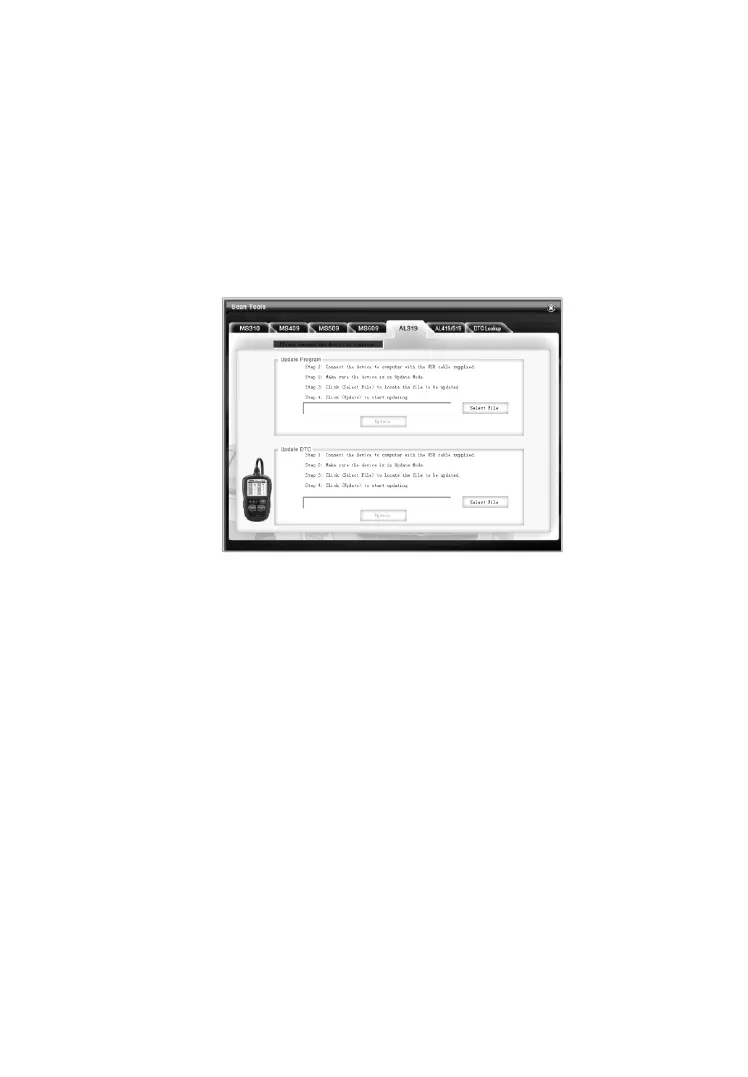
5) Select the programs to be updated in your computer. There are
two types of programs: operating system and DTC library.
(Figure 3.11)
6) Click Update in the MaxiLink Tool Kit window to begin
updating.
Figure 3.11
7) During the update procedure, the code reader displays a
message “Update Program. Please wait…”.
8) When the update has finished, the code reader will display a
message “Program Update has been done!”
9) Restart the code reader to finish the whole update.
NOTE: When you made a wrong choice and the code reader is unable
to work properly, you may need to update the programs. By holding
the ENTER/Exit button and powering on the code reader, you will
enter the Update Mode forcedly. Then follow the update procedure to
refresh the program.



 To Next Page