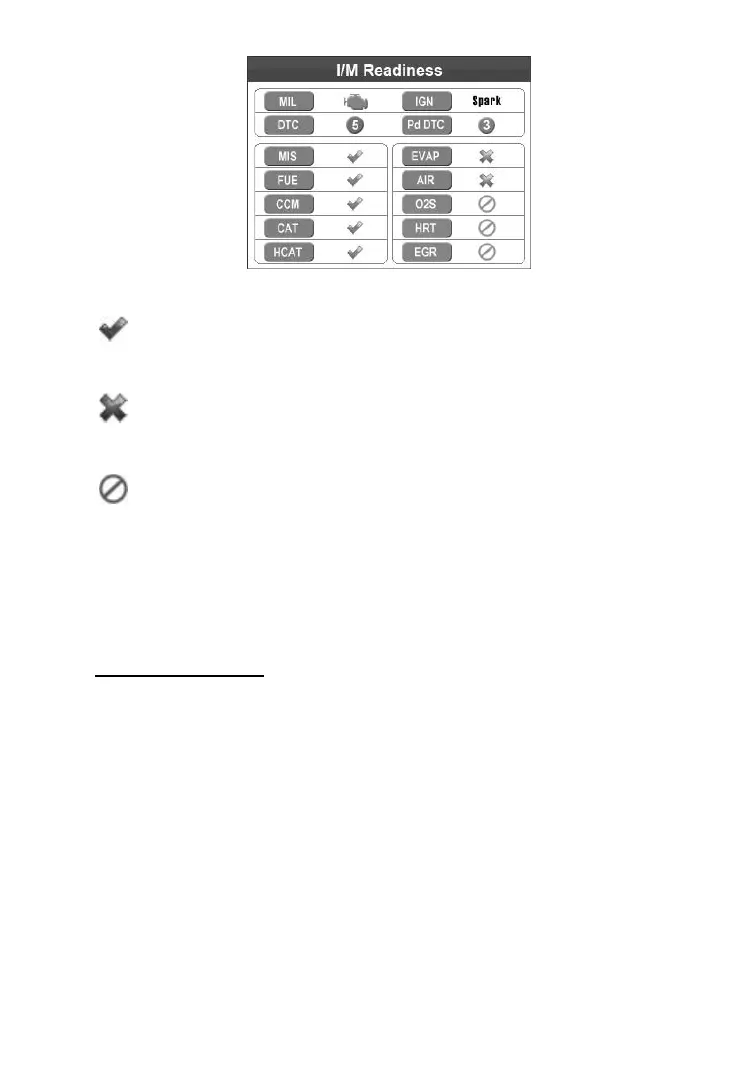
Figure 4.14
“OK” -- Indicates that a particular monitor being checked
has completed its diagnostic testing.
“INC” -- Indicates that a particular monitor being checked
has not completed its diagnostic testing.
“N/A” -- The monitor is not supported on the vehicle.
The green, yellow and red LEDs provide a quick way to help you
determine if a vehicle is ready for an Emission Test.
The LED and audio tone indications are interpreted as below:
LED Interpretation
1) GREEN LED – Indicates that engine systems are “OK” and
operating normally (the number of Monitors supported by the
vehicle which have run and performed their self-diagnostic
testing is in the allowed limit. MIL is off. ).There are no stored
and pending DTCs. The vehicle is ready for an Emissions Test,
and there is a good possibility that it can be certified.
2) YELLOW LED – With MIL off, there may be three possible
conditions to cause the yellow LED to light.



 To Next Page