EasyManua.ls Logo

Seaory S21 - Card Placement and Weight Module

Seaory S21
32 pages
Print Icon
To Next Page IconTo Next Page
To Previous Page IconTo Previous Page
Loading...
e.In
clic
k
and
f. A
f
ope
ligh
t
Se
a
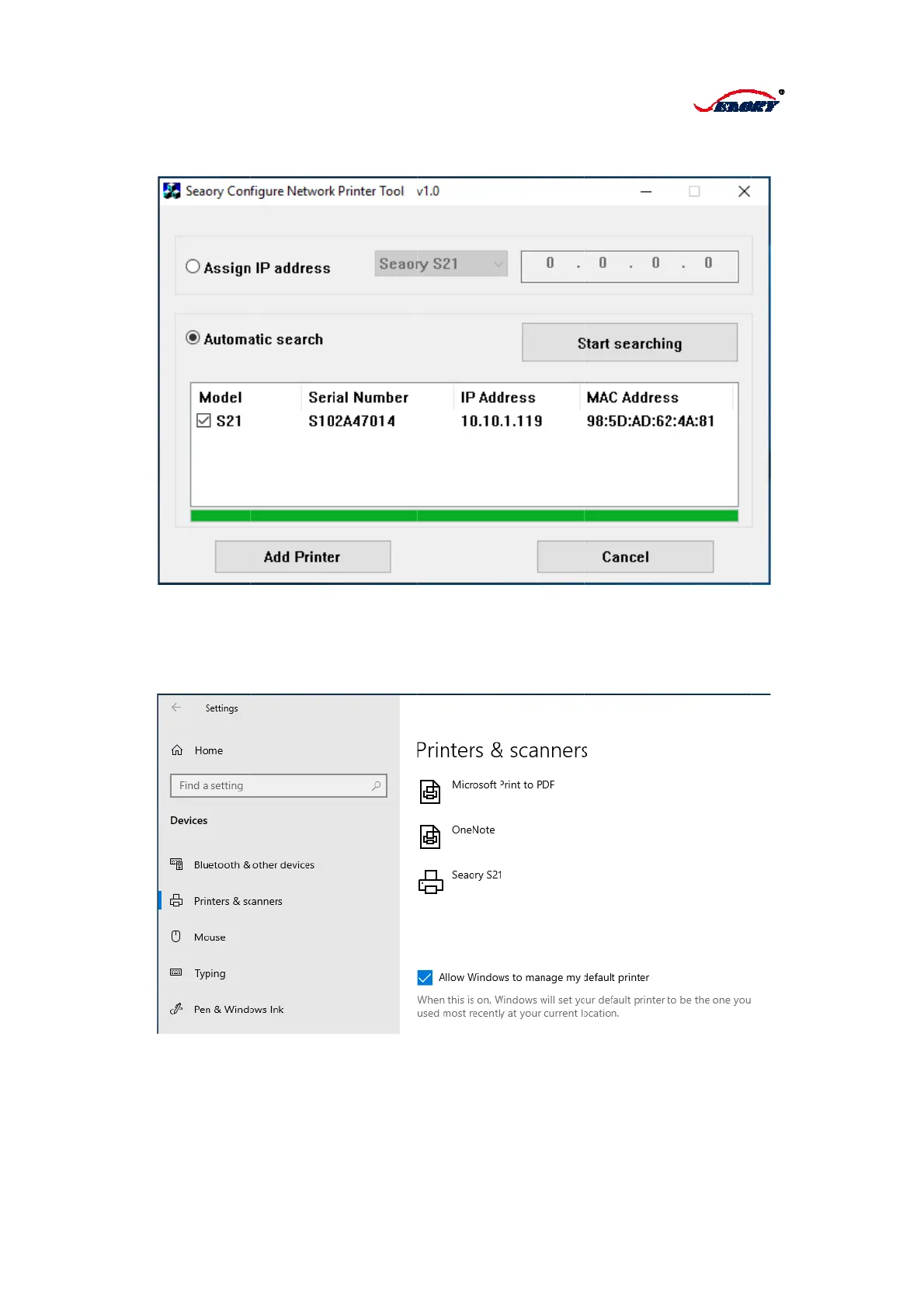
the pop-up
k
"Start Sea
r
the IP add
r
f
ter clicking
t
n the powe
r
t
is on in t
h
a
ory S21 wa
"Serre Net
w
r
ch". At this
r
ess is auto
m
t
he button o
r
switch of
p
h
e same ti
m
s installed
c
w
ork Printe
r
time, the S
2
m
atically ob
t
f “Add Print
e
p
rinter, whe
n
m
e. And clic
c
ompletely.
12
r
Setting To
o
2
2 model ca
t
ained. For
t
er
”, connect
n
it reads “
P
k “Start”/“D
e
o
l" dialog b
o
rd printer wi
t
his model,
c
the printer
w
P
rinter is Re
a
e
vices and
o
x, select "A
ll be autom
a
c
lick on "Ad
d
w
ith compu
t
a
dy” on the
Printers” th
uto Search
"
a
tically sear
c
d
Printer".
t
er by USB
c
LCM and g
en you can
"
and
c
hed,
c
able,
reen
find

Other manuals for Seaory S21

Related product manuals