key
4. STEP、TEMPETURE—/ Keep Fresh 、
PRECOOLING ON-Off / HARDNESS SET/
TEMPETURE、SET key
5. STEP/PROCESS display
6. COUNTER display
7. FEED BASIN PRECOOLING TEM. display
8. LED indicator
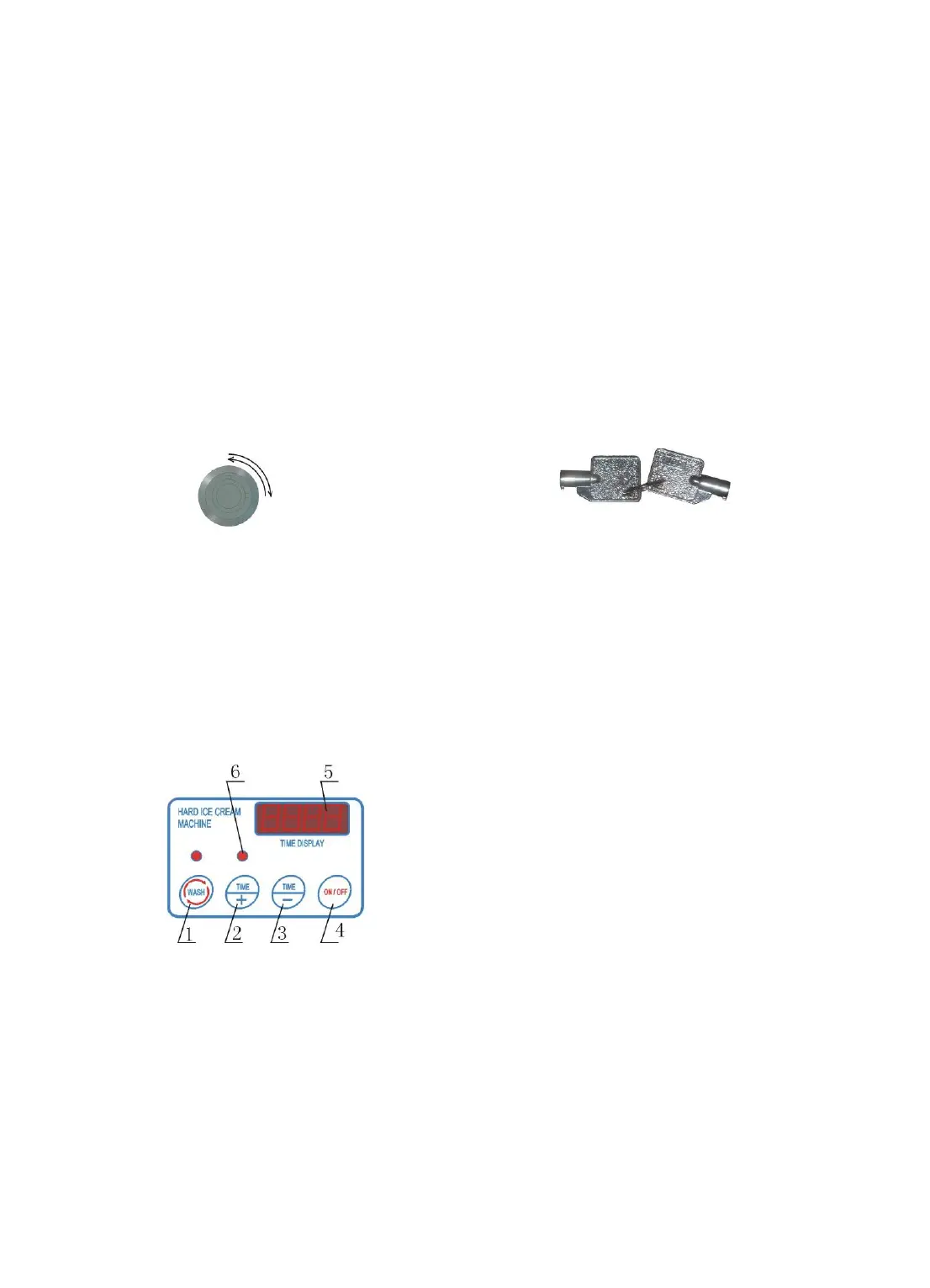
D. Electronic Lock-switch for Batch Number Reset Key for Lock Switch
Counter: it will show you the figure when each ice cream is made out.The
maximum figure is “999”. An electronic lock switch is located on front or below the
control panel, which is used for reset the figure to zero. Insert the key to the slot
of lock-switch, turn the key round, the figure reset to “000”.
E. The models for hard ice cream machine
1. WASH key
2. Time+ key
3. Time — key
4. PRODUCE ON-OFF/WASH STOP key
5. Washing Of The Machine
6.LED indicator
5. Washing Of The Machine



 To Next Page