RF Module
Tx
Rx
CTx1
CRx1
CTx2
CRx2
16 vac in
ADDR
LEDS
Expand Port
SED-901 MASTER
CARDAX
MODE
D 9
POWER
CHARGE
LINK
MEMORY
A
B
C
D
on
COPY PROG
TEST
Signal
RS232
@115k in
batt Volts
N0 C NC
Battery in
RS 485 Port
IN range relay
on
4 way i/o
board
+12 A B GND
+ --
Output XXXX
Data
clock
led
beep
com
------
Output XXXX
Data
clock
led
beep
com
------
CARDAX CONTROLLER
reader 1
reader 2
data 1
out 2
com
------
data 0
out 1
com
------
WHITE
BLUE
BLUE
WHITE
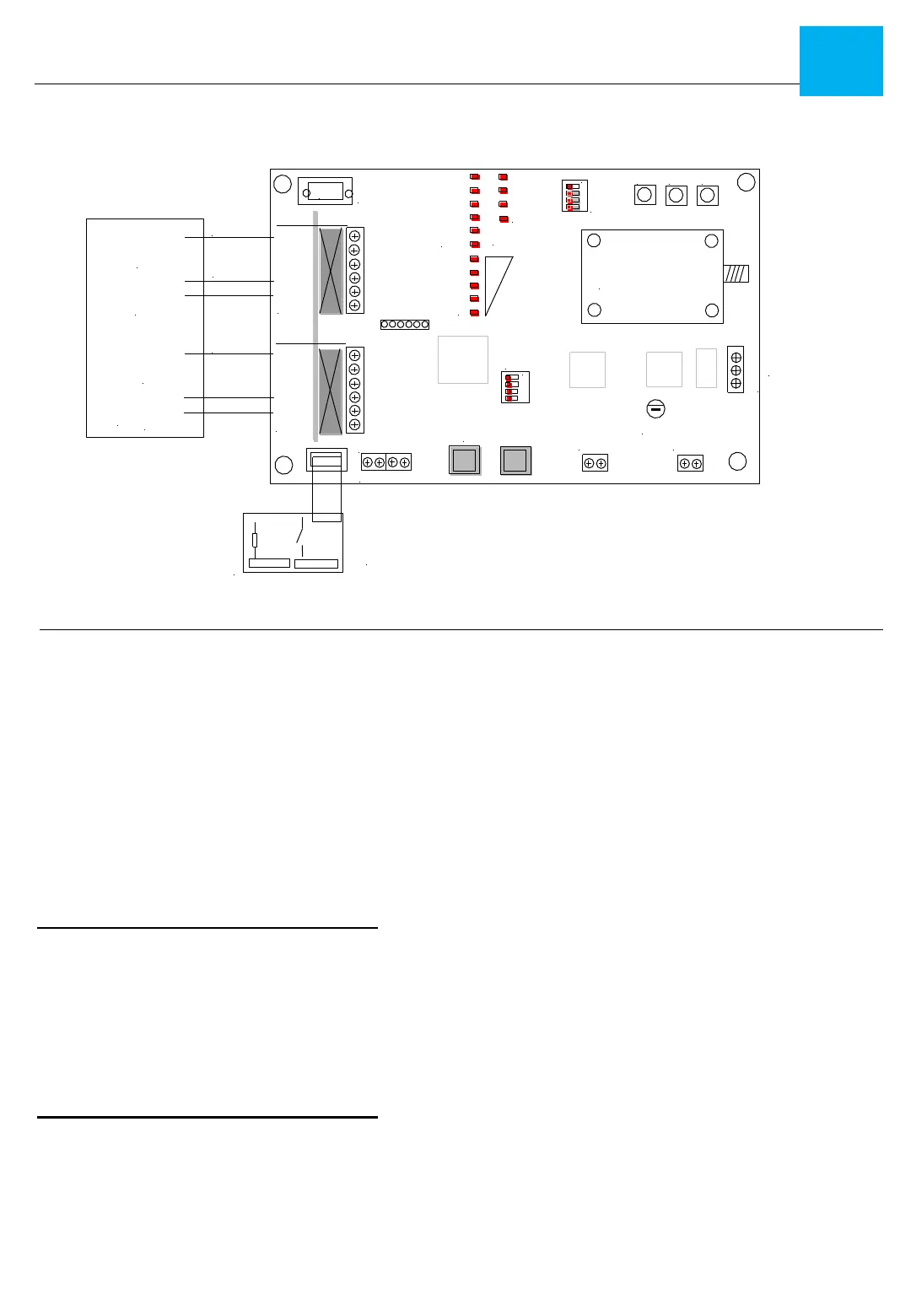
SED-901 MASTER CONNECTION
DIP SWITCHES
NOTE: Mode switch sets Master or Remote
and Wiegand or Cardax
1 A off = Remote
2 B off = Wiegand
3 C off = not used
4 D off = on for programming via Serial 8n115k
NOTE: Address switch used for expanders
ACCESS CONTROL 1 Connections
DATA = DATA 0 on Cardax (White)
CLOCK= N/A
LED = N/A
BEEP= OUT 1 on Cardax (Blue)
COM= GND or COMMON
+12V= DO NOT WIRE
•Battery in = 12v back battery 7 amp hr
•16v AC in plug pack where required
•RS 485 Port not used
Fault relay
Used for RF signal link when in Range
DB 9 Serial
for PC configuration 8,n,1 @115k
RJ 45 EXPANDER Port
Used to link boards via RJ 12 jumper cable
Relay Board Operation
The Relay System is simple - inputs on the
Relay board follow outputs
Example: If you trigger Input 1 on either
Relay board, it will then trigger Relay 1
on the opposite board
INSTALLATION - SED 901 Wiegand Master
7
SED-901 MASTER Board Layout & Connections
Note: The SED-901 has dual markings for MASTER & REMOTE
ACCESS CONTROL 2 Connections
DATA = DATA 1 on Cardax (White)
CLOCK= N/A
LED = N/A
BEEP= OUT 2 on Cardax (Blue)
COM= GND or COMMON
+12V= DO NOT WIRE


 To Next Page
 Loading...