SecuRam Systems Inc. USA Page 14
Step 3: Using a poke tool, depress the reset button on the back of the lock 3 times.
This discharges any latent energy within the locks capacitors.
Step 4: Now the part that requires 3 hands… Depress the reset button and hold it
in its depressed position. While the reset button is depressed, connect the
battery to the entrypad.
Step 5: Continue to hold the reset button in its depress position for another 5
seconds; and release.
A communication signal has now been sent to the Lock body telling it to convert
from analog to digital mode. The ProLogic will now be able to operate the lock
body.
Q: How do you know if the lock has been reset?
• The ProLogic will not sound or beep when it resets, when a button is
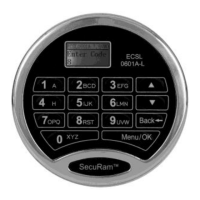
pressed, the LCD will report “Link with Lock OK”. This indicates that the
lock is now in digital mode and has been successfully paired and the
default codes will operate the lock. If the LCD reports “Fail to Link with
Lock”, repeat the process.
Specifications:
➤Registration Capacity: 30 codes
➤Code length: 6 digits
➤Static current: 50μA
➤Power supply: one standard 9V Alkaline battery
➤Battery Life Span: About 1 year
➤Batter Low Voltage: 5.4±0.2V
➤Working Humidity (Max): 90%


 To Previous Page
 Loading...