Smart Hub Operation Instructions
3
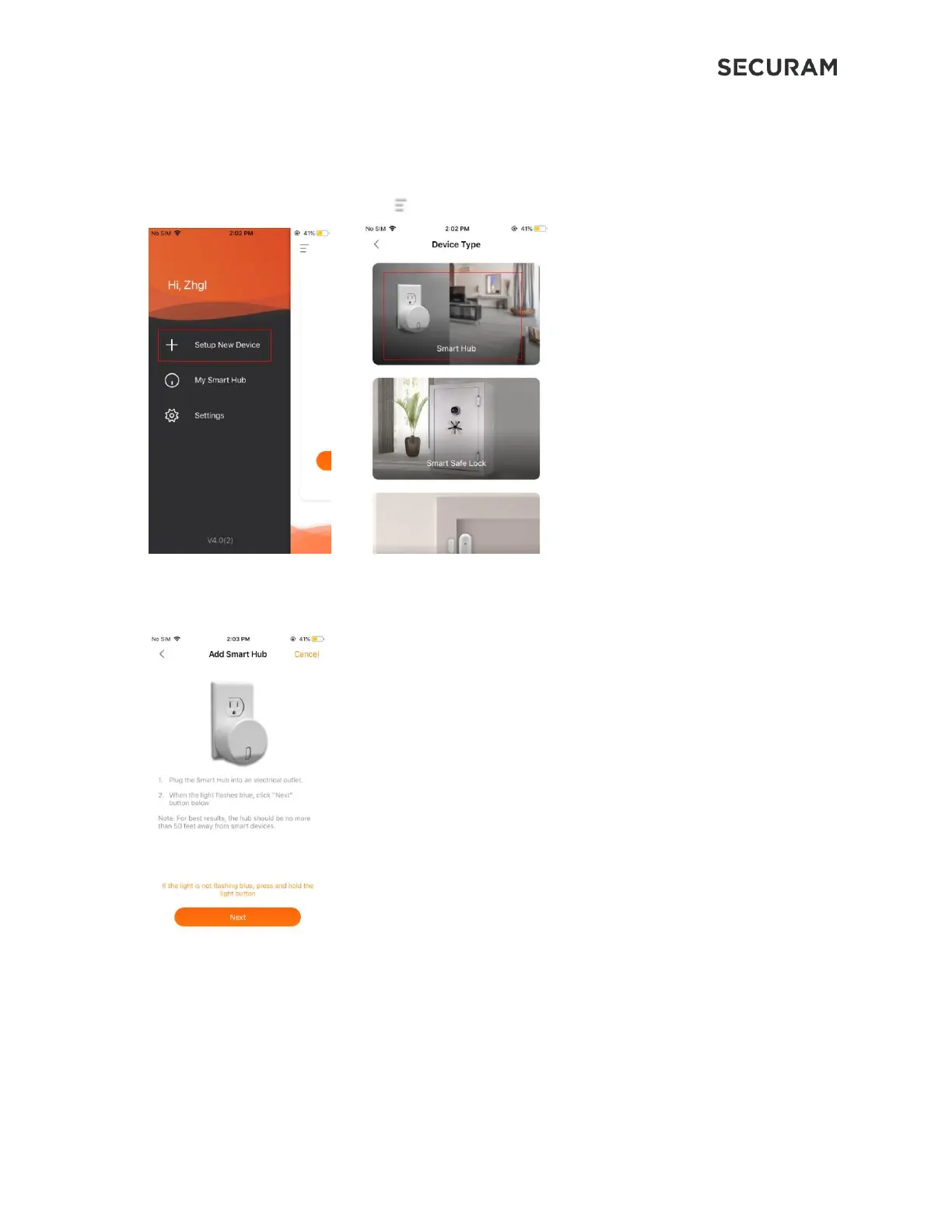
Follow the instructions on the SECURAM app to add and configure the Smart Hub.
2.1 Pairing the Smart Hub
Step 1: on the App home page, click the on the top right side of screen, then select Setup New Device.
o Step 2: On the Smart Hub, press and hold the light indicator button until it becomes
solid blue, then release. The blue light should start flashing in approximately 5-10
seconds → click “Next”.
Step 3:
On your phone’s Wi-Fi Setting, connect to the Smart Hub. Then, enter or select your 2.4 Ghz Wi-Fi name
(SSID) and password.


 To Next Page