Smart Hub Operation Instructions
7
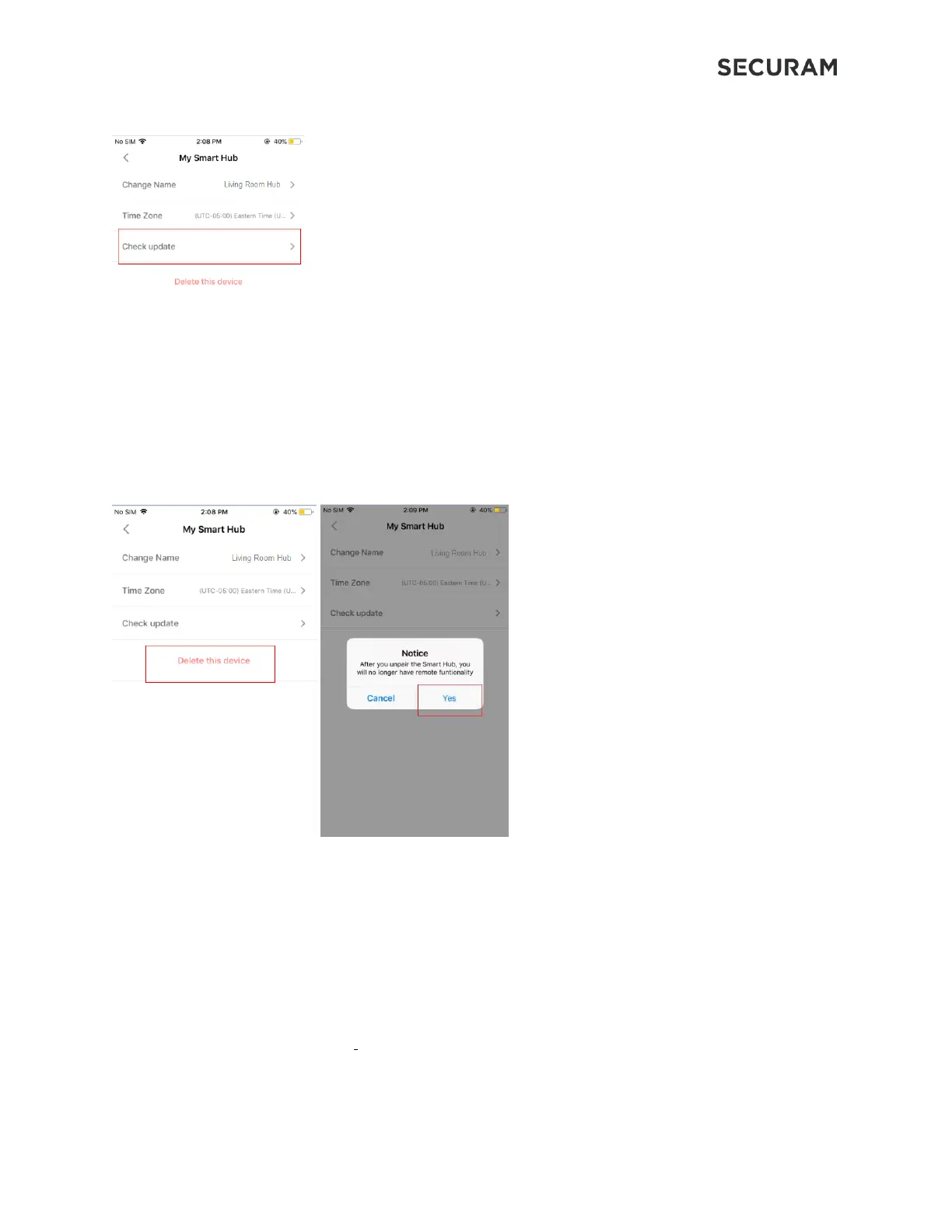
In “My Smart Hub” function menu, click “Check update” to update the firmware.
3.4 Delete Smart Hub
In “My Smart Hub” function menu, click “More” → Click “Delete this device” → Click “Yes” to delete
4.0 FAQ: Frequently Asked Questions
1. In the app device management menu, Smart Hub shows offline. How do I fix this?
Answers:
a. Check to see that the Smart Hub has power.
b. Check that the 2.4 GHz Wi-Fi network is available for connection. The HUB can only connect to a 2.4
GHz Wi-Fi network.


 To Next Page