Secureo GmbH | office@secureo.at | +43 512 932791
Instruction Manual – Secureo Key Box with combination
lock (4 digits)
FIRST OPENING OF THE KEY BOX
1. Please open the cover plate.
2. Enter the preselected code (factory settings: 0-0-0-0)
3. Push down the OPEN button.
SETTING UP THE PERSONAL CODE
1. Open the door of the key box.
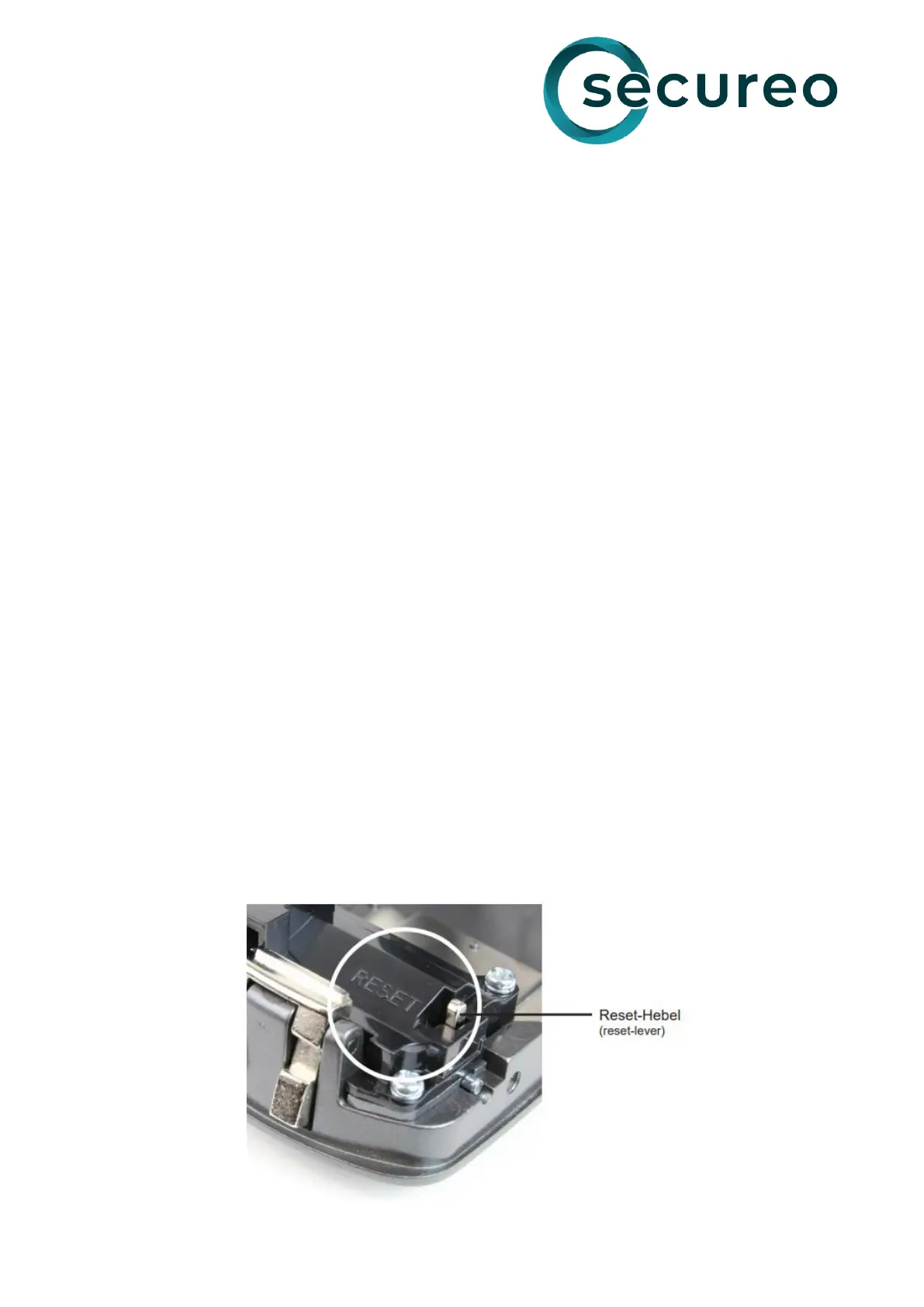
2. Push the reset lever on the back of the door towards yourself. The reset lever remains in the
position.
3. Select your desired code by setting the digits of the combination lock on the front side
(without closing the box).
4. Then push the reset lever away from you so that it snaps back to its original position. Please
check again your selected combination, before closing the box.
5. Close the key box.
6. Please set the digits in that way that the code is no longer visible.
7. Close the cover.
Attention: Please test your code before closing the box. Write down your code and keep it in a
safe place, as an emergency opening is not possible, if you have forgotten your code!
Note:
• The code can be changed anytime. For resetting the key box, please repeat step 1-7
described under „Setting up the personal code“. We recommend mounting the key box in a
safe location which is not directly visible.
• Please keep the cover closed for protecting the box against weather conditions and for
hiding the keypad.



 To Previous Page
 Loading...