
 Need help?
Do you have a question about the SECURICO GALAXY 4016 GSM A6 and is the answer not in the manual?
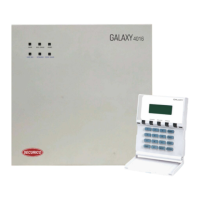
Provides an overview of the control panel's front and back views.
Explains how to restore the system to its previous ARM/DISARM status.
Describes how to reset the system to its factory default settings.
Details default codes and zone configurations for the A6 model.
System operational status when not armed, detailing 24-hour active zones.
System operational status when armed, detailing active zones triggering alarms.
Operating the panel using remote keypads.
Operating the panel using SMS commands via a GSM SIM card.
Operating the panel using a dedicated mobile application.
Zones allowing a programmed delay for entry/exit before alarm sounds.
Zones that trigger an immediate alarm when entered while armed.
A 24-hour zone that triggers an alarm when the panic switch is pressed.
A 24-hour zone that triggers an alarm upon fire detection.
A 24-hour zone that triggers an alarm for tamper violations or wire cuts.
Instructions on how to arm the security system using the remote keypad.
Steps to fully arm all zones of the system via the keypad.
Temporarily converts delay zones to immediate zones for night use.
Arms the system silently without audible arming beeps.
Procedure to disarm the system using the admin code.
Accessing system menus using the admin code for configuration.
Allows temporary omission of zones before arming the system.
Displays the last 500 alarm events with time and zone details.
Allows the user to change the system's administrator code.
Enables users to change their individual access codes.
Procedure for setting the system's current time.
Procedure for setting the system's current date.
Configures the delay time for entering the premises after arming.
Configures the delay time for exiting the premises after arming.
Sets the duration for which the alarm sounder will operate.
Sets the time for automatic arming of the system.
Sets the time for automatic disarming of the system.
Configures holiday schedules for system operation.
Details the types of alarm SMS sent by the system.
Details the types of status SMS sent by the system.
How to trigger a panic alarm using the keypad.
How to trigger a fire alarm using the keypad.
Command to arm the system via SMS.
Command to disarm the system via SMS.
Command to change the admin code via SMS.
Command to change entry/exit delay times via SMS.
Command to change sounder duration via SMS.
Command to set automatic arming/disarming via SMS.
Command to set automatic disarming time via SMS.
Command to set holiday status via SMS.
Command to edit system schedules via SMS.
Command to add/edit intrusion telephone numbers via SMS.
Command to remove a specific intrusion telephone number via SMS.
Command to remove all intrusion telephone numbers via SMS.
Command to add/edit fire telephone numbers via SMS.
Command to remove a specific fire telephone number via SMS.
Command to remove all fire telephone numbers via SMS.
Command to set a signature/address for SMS messages.
Command to reset alarm sounder, SMS, and dialing.
Command to stop the alarm sounder only.
Command to record intrusion voice messages.
Command to record fire voice messages.
Command to play intrusion voice messages.
Command to play fire voice messages.
Procedure for resetting the panel to factory settings if the code is forgotten.
Details on keypad and LCD screen illumination features.
Information about safety fuses within the control panel.
Feature to retrieve previous settings after a power failure.
How the system bypasses triggered 24-hour zones temporarily.
Details connectivity for ZONE, PANIC, FIRE, TAMPER, and SOUNDER circuits.
Details connectivity for Remote Key Pads.
Details connectivity for ZONE, PANIC, FIRE, TAMPER, and SOUNDER circuits.
Details connectivity for Remote Key Pads.
 General
| Brand | SECURICO |
|---|---|
| Model | GALAXY 4016 GSM A6 |
| Category | Control Panel |
| Language | English |

 To Next Page