Need help?
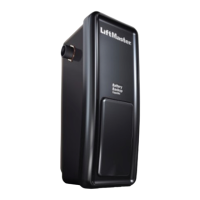
Do you have a question about the Security + M75 and is the answer not in the manual?
Explains safety symbols and signal words for hazard identification.
Guides on disabling locks, checking door balance, and ensuring it's free of binding.
Lists essential hand tools required for installing the garage door opener.
Guides on assessing garage area and door type for opener installation.
Lists parts included in the opener package and installation hardware.
Secures the T-rail to the motor unit, forming the main rail assembly.
Connects the chain to the sprocket and installs the protective cover.
Adjusts chain tension for smooth and quiet operation of the opener.
Provides essential safety warnings to prevent severe injury or death during installation.
Guides on finding the correct position for the header bracket based on door type.
Details mounting the header bracket to the wall or ceiling securely.
Connects the opener's T-rail to the installed header bracket.
Guides on correctly positioning the opener unit relative to the garage door.
Details securely mounting the opener unit to structural supports.
Mounts the wall-mounted control for operating the opener.
Installs the light bulb and protective lens into the opener unit.
Attaches the manual release mechanism for safety and emergency use.
Covers proper wiring and grounding for the opener's power connection.
Installs and aligns the safety reversing sensors for door operation.
Details mounting the sensor brackets to the door track, wall, or floor.
Guides on connecting and aligning the safety sensors for functionality.
Secures the door bracket to the garage door for arm attachment.
Links the garage door arm to the opener's trolley mechanism.
Sets the full open and closed positions for the garage door.
Regulates the force applied to open and close the door, ensuring safety.
Verifies that the door reverses upon encountering an obstruction.
Tests the function of the safety reversing sensors during closing.
Provides essential safety guidelines for operating the garage door opener.
Explains how to operate the opener using remotes and the door control.
Details how to use the wall-mounted push button for opening and closing.
Describes how to manually open or close the door using the release handle.
Notes that weather can affect adjustments and directs to relevant pages.
Outlines monthly, bi-annual, and annual maintenance tasks for the opener.
Instructions for replacing the battery in the remote control.
Troubleshoots issues where the opener doesn't respond to controls.
Addresses remote control problems like no operation or short range.
Diagnoses why the door control fails to operate the opener.
Suggests a kit to minimize operational noise in living quarters.
Step-by-step guide to program or reprogram remote controls for the opener.
Instructions on how to clear all previously programmed remote codes.
Procedures for managing Keyless Entry Personal Identification Numbers.
Instructions for setting up temporary PINs for limited access.
Lists and illustrates parts for rail assembly and installation.
Lists and illustrates parts of the opener's motor unit.
Lists optional accessories available for the garage door opener.
Provides contact information for service, support, and ordering parts.
Details the limited warranty terms and conditions for the garage door opener.
 General
| Brand | Security + |
|---|---|
| Model | M75 |
| Category | Garage Door Opener |
| Language | English |

 To Next Page