2
Overview
SecuX Wallet (the device) is for securing your crypto assets in a safe place and providing
you with an easy way to receive, send and manage these crypto assets. To make the
device work, you need to initialize the device first and then connect to the SecuXcess
Web Wallet or Mobile App (for iOS devices) for further applications.
The user’s manual contains the following sections:
1. Unboxing
2. Device initialization
3. Introduction to the main menu of the device
4. Connect the device to the host
5. How to operate the SecuXcess Web Wallet
6. Introduction to SecuX Mobile App
1. Unboxing
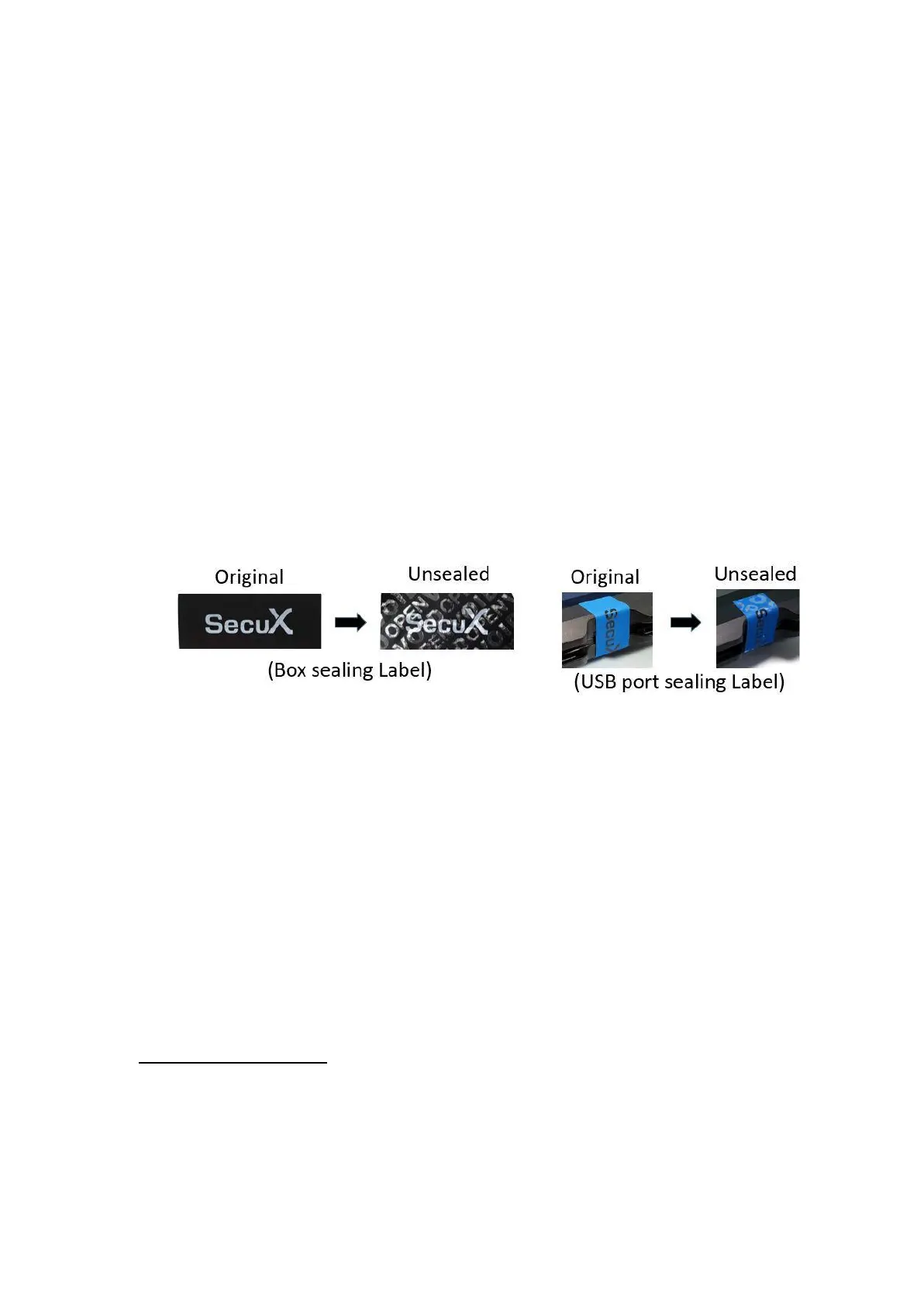
- Anti-tamper labels
To make sure your package has NOT been opened during transportation. Please do
check carefully the anti-tamper labels on the packaging box and USB port of the device
below are intact.
- Package contents
Each package comes with the following items:
■ SecuX Wallet Device
■ USB cable (USB Type-C or Micro-B)
■ Wallet Pouch
■ Quick Start Guide
■ Recovery Sheets (2pcs)
2. Device Initialization
When the device leaves the factory, there is no private key pre-set in the device. You will
be asked to generate your own unique private key or restore an existing private key
(using recovery words) during device initialization. If you are not asked to create a pin
and generate recover words when you first power on the device, please contact us via
support@secuxtech.com for further assistance.
Step 1: Charge the device (V20/W20 only)
Charge the device by connecting the device to a USB power adapter via the supplied
USB cable. For the 1
st
time charging, it is suggested to charge for at least 2 hours.


 To Next Page
 Loading...