Start the Arduino IDE
1. Open the Arduino IDE on your PC.
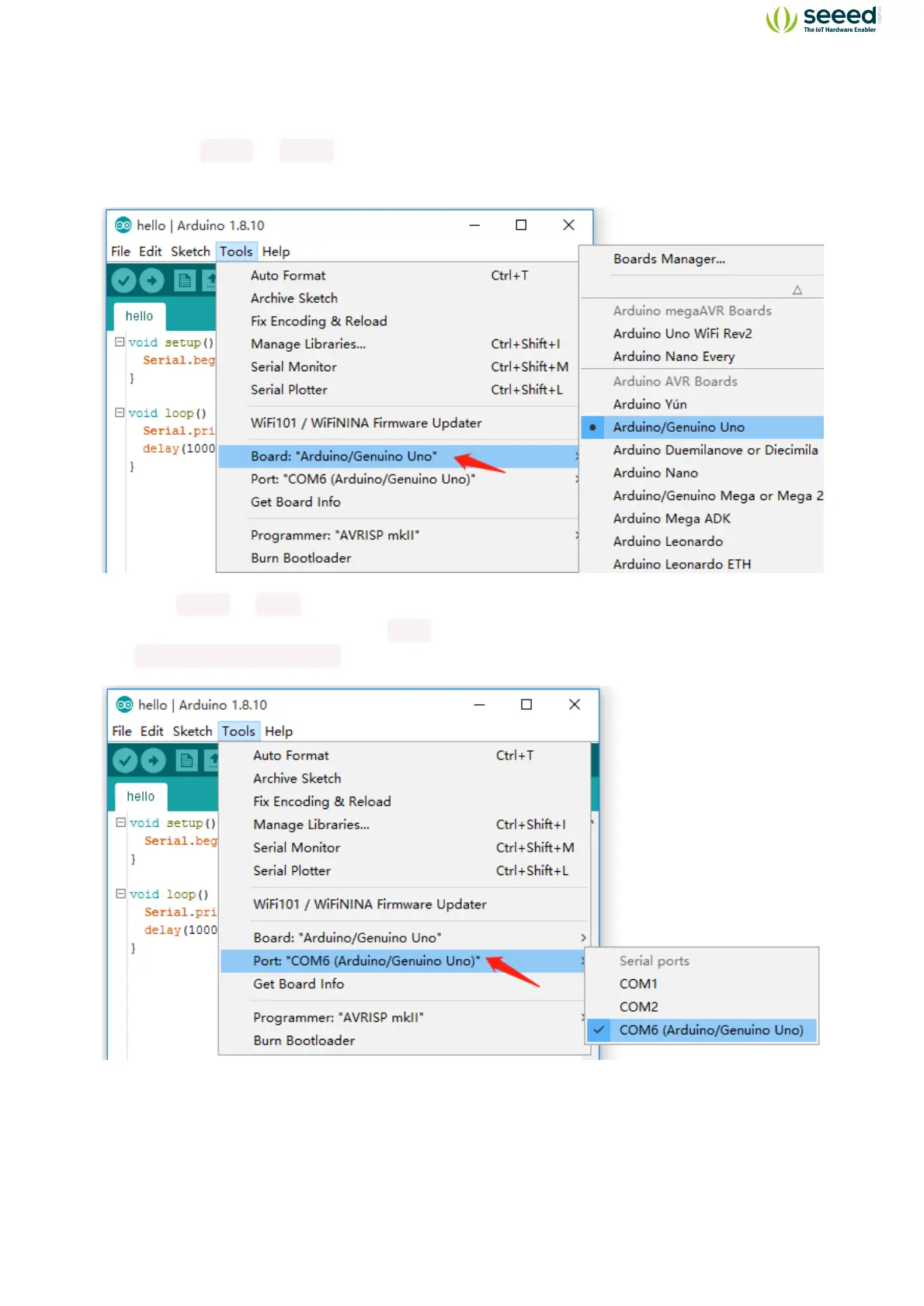
2. Click on
Tools -> Board to select the correct Development Board Model. Select
Arduino/Genuino Uno as Board.
3. Click Tools -> Port to select the correct Port (the Serial Port showed in Device Manager
in the previous step). In this case,
COM6 is selected. For Mac OS users, it should be
/dev/cu.SLAB_USBtoUART .


 To Next Page