1. Create a new Arduino file and name it Hello.ino , then copy the following code into it:
void setup() {
Serial.begin(9600); // initializes the serial port with a baud rate of
9600
}
void loop() {
Serial.println("hello, world"); // prints a string to a serial port
delay(1000); //delay of 1 second
}
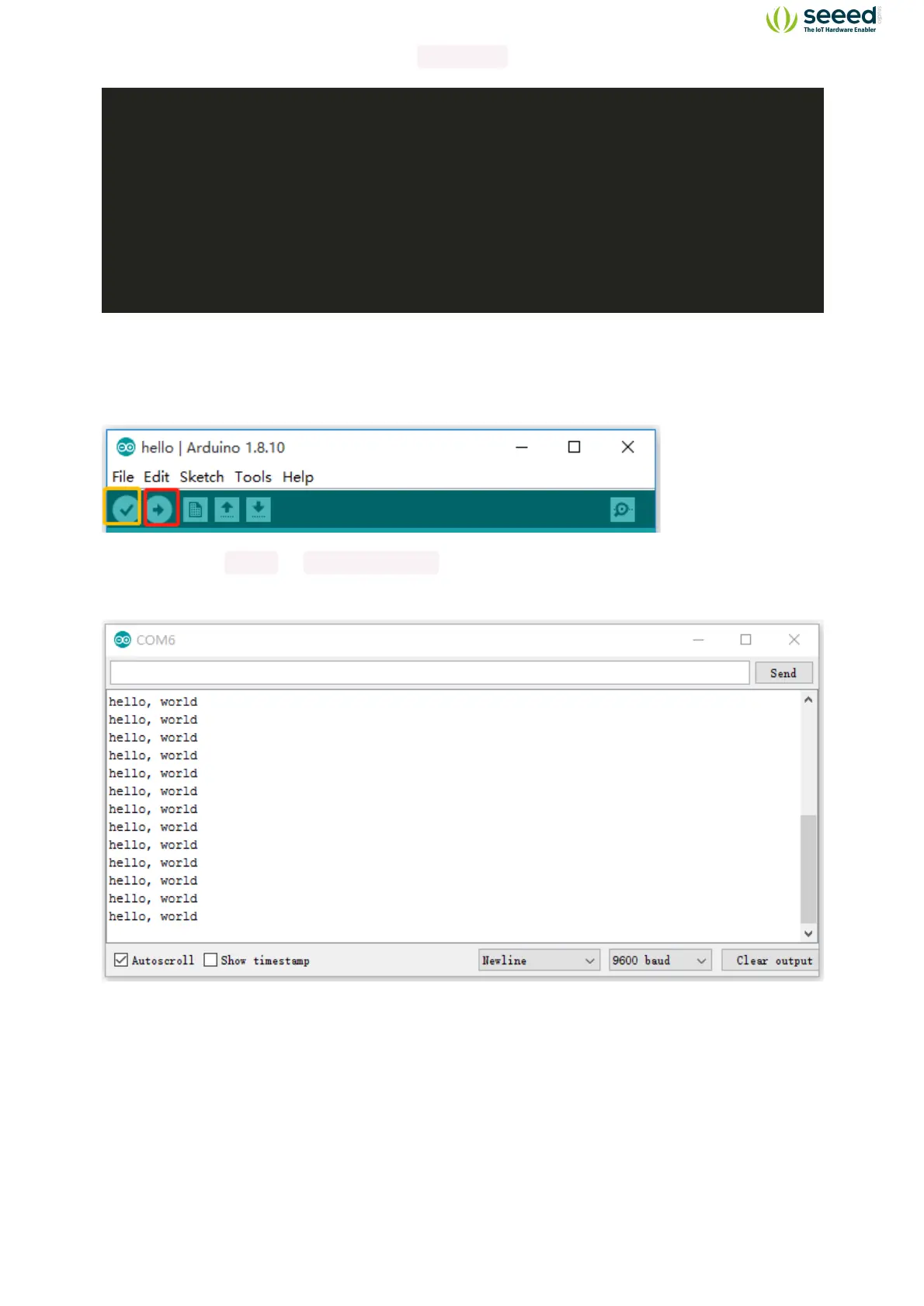
5. In the upper left corner of the Arduino IDE, there are two buttons, Verify and Upload. First,
press the Verify button(✓) to compile. After the compilation is successful, press the upload
button(→).
6. Navigate to Tools -> Serial Monitor , or click the Serial Monitor in the upper right
corner(Magnifier Symbol), you can see the program running results:
Note: If you installed the portable Arduino IDE from our USB Drive, you can find all the module
demos in the Files -> Sketch Book, as well as all the module libraries, are pre-installed with
Arduino IDE!


 To Next Page