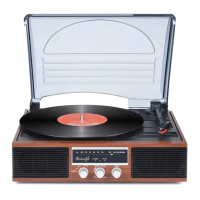
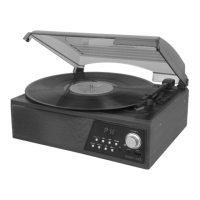
The SEE YING TT-918 is a turntable system designed for playing vinyl records and streaming music via Bluetooth. It is an owner-operated device with a focus on ease of use and maintenance.
Function Description
The primary function of the TT-918 is to play vinyl records at multiple speeds (33 1/3, 45, and 78 RPM). It features a tone arm, a platter, and a spindle adaptor for different record types. The system also includes a Bluetooth function, allowing users to wirelessly stream music from Bluetooth-enabled devices such as cell phones, tablet PCs, and computers. An auto-stop switch is integrated to automatically stop the platter rotation at the end of a record, though it can be manually overridden. For external audio connectivity, the unit provides a line-out socket (RCA) to connect to a larger hi-fi system. The device has built-in speakers and volume controls for standalone operation.
Important Technical Specifications
- AC Power: 120V ~ 60Hz
- Bluetooth Communication Range: Approximately 10 meters (30 feet) line of sight.
- Record Speeds: 33 1/3, 45, 78 RPM (selectable via speed selector)
- Indicators: Bluetooth LED indicator (Blue for pairing/connected, Red for phono mode), Power LED indicator.
- Outputs: Line out socket (RCA)
Usage Features
Turntable Operation:
- Power On: Turn the volume knob to switch on the system. The Bluetooth LED indicator will flash blue, indicating pairing mode.
- Speed Selection: Set the speed selector (8) to the appropriate RPM for the record being played.
- Record Placement: Place the record on the platter. Use the spindle adaptor (7) if required for records with larger center holes.
- Playing a Record: Lift the tone arm from its rest (9) and slowly move it to the record side. The platter will begin to rotate, and the Power LED indicator (4) will turn red.
- Positioning the Tone Arm: Place the tone arm to the desired position on the record.
- Volume Adjustment: Adjust the volume using the volume knob (5).
- Auto-Stop Function: At the end of the record, the platter will automatically stop rotating. Lift the tone arm from the record and return it to the rest (9).
- Manual Stop: To stop playback manually, lift the tone arm from the record and return it to the rest (9).
- Auto-Stop Override: If a record's auto-stop area is outside the unit's setting, the auto-stop switch (11) can be set to "off." This allows the record to play to the end without automatically stopping. To stop the platter in this mode, either turn off the unit or switch the auto-stop switch back to "on."
Bluetooth Connection and Music Playback:
- Power On: Turn the volume knob (5) to power on the system. The Bluetooth LED indicator (4) will flash blue, indicating pairing/discoverable mode.
- Device Pairing: Activate Bluetooth on your external device (phone, tablet, etc.) and search for "TT-918" in the device list.
- Connection: Select "TT-918" to pair. Once successfully paired, the Bluetooth LED indicator (4) will stop flashing and remain solid blue.
- Re-pairing: To connect to a different Bluetooth device after an initial pairing, turn off Bluetooth on the previously paired device, and the unit will re-enter pairing mode (flashing blue LED).
- Music Playback: Use your Bluetooth device to select and play songs. The Play/Pause, Next, and Previous track functions are controlled via the Bluetooth device.
- Volume Control: Adjust the volume using both the unit's volume knob (5) and your Bluetooth device's volume controls.
- Call Handling: Incoming calls will automatically pause music playback. Playback resumes when the call ends.
- Important Notes: Ensure your Bluetooth device supports A2DP profile for music playback. Remember to turn off the unit and your Bluetooth device when finished listening.
Line Out Connection:
- The system can be connected to an external hi-fi system using an RCA cable (not included) from the line out socket (10) to the auxiliary input socket of the hi-fi system.
Maintenance Features
General Care:
- Placement: Avoid direct sunlight, hot, humid, or dusty environments. Keep away from heating appliances and sources of electrical noise (e.g., fluorescent lamps, motors).
- Malfunction: Unplug the unit immediately from the power outlet in case of malfunction.
Cleaning the Unit:
- Safety First: Always disconnect the unit from the AC power source before cleaning to prevent fire or shock hazards.
- Dusting: The unit's finish can be cleaned with a dust cloth. Use caution when cleaning plastic parts.
- Cabinet Cleaning: For dusty cabinets, use a soft, dry dust cloth. Do not use wax or polish sprays.
- Front Panel/Fingerprints: If the front panel is dirty or smudged with fingerprints, clean it with a soft cloth slightly dampened with a mild soap and water solution. Avoid abrasive cloths or polishes, as they can damage the finish.
- Liquid Precaution: Never allow water or other liquids to enter the unit.
Precaution for Use:
- Unpack all parts and remove protective material.
- Do not connect the unit to the mains before checking the mains voltage and ensuring all other connections are made.
- Ensure adequate ventilation by not covering any vents and maintaining a space of several centimeters around the unit.
Warranty and Support:
- The product comes with a warranty card.
- Customer support is available via email (seeyingtech@outlook.com) for inquiries, technical support, and feedback.
- The brand "Retrolife" is a sub-brand of SeeYing.

 Need help?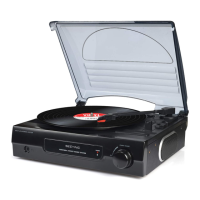

 To Next Page
 General