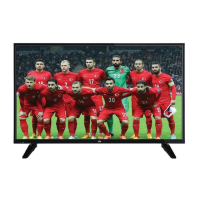
This document serves as a user manual for the SEG 32SD5150 32" Satellite Receiver LED TV. It provides comprehensive information on the television's functions, technical specifications, usage, and maintenance.
Function Description
The SEG 32SD5150 is a remote-controlled color LED TV with a 32-inch screen, featuring a fully integrated digital/cable/satellite TV (DVB-T/C/S-S2) tuner. It includes HDMI inputs for connecting devices with HDMI sockets, a USB input for media playback, and a SCART socket for external devices like DVD players and video game consoles. The TV supports a stereo sound system, Teletext, and a headphone connection. It offers an On-Screen Display (OSD) menu system for easy navigation and configuration.
Important Technical Specifications
- TV Broadcasting: PAL B/G D/K K I/I'
- Receiving Channels: VHF (BAND I/III) - UHF (BAND U) - HYPERBAND
- Number of Preset Channels: 10000
- Channel Indicator: On Screen Display
- RF Aerial Input: 75 Ohm (unbalanced)
- Operating Voltage: 220-240V AC, 50Hz.
- Audio: German+Nicam Stereo
- Audio Output Power (WRMS.) (10% THD): 2 x 6
- Power Consumption: 65 W
- Weight: 6.55 kg
- TV Dimensions DxLxH (with foot): 185 x 735 x 478 mm
- TV Dimensions DxLxH (without foot): 77/97 x 735 x 438 mm
- Operation Temperature and Humidity: 0°C up to 40°C, 85% humidity max
- Supported USB File Formats:
- Video: mpg, mpeg (MPEG1, MPEG2), vob (MPEG2), mp4 (MPEG4, Xvid, H.264), mkv (H.264, MPEG4, VC-1), avi (MPEG2, MPEG4, Xvid, H.264), flv (H.264/VP6/Sorenson), 3gp (MPEG4, H.264). Max resolution for most video formats is 1920x1080 @ 30P.
- Audio: .mp3 (MPEG 1 Layer 2 & 3). Bit rates from 32Kbps to 448Kbps (Layer 2) and 32Kbps to 320Kbps (Layer 3). Sampling rates include 32K, 44.1k, 48k Hz, etc.
- Photo: .jpg, .jpeg (Baseline JPEG, Progressive JPEG), .bmp. Max WxH up to 17000x10000 pixels.
- Subtitle: .sub, .srt
- HDMI Signal Compatibility: Supports PAL 50/60, NTSC 60, RGB 50/60, 480i/P, 576i/P, 720P, 1080i/P at various refresh rates (24Hz, 25Hz, 30Hz, 50Hz, 60Hz).
- PC Input Typical Display Modes: Supports resolutions from 640x480 to 1920x1080 at 60 Hz, and 800x600 at 56 Hz, 1024x768 at 60/66 Hz, 1280x768/960/1024 at 60 Hz, 1360x768 at 60 Hz, 1400x1050 at 60 Hz, 1600x1200 at 60 Hz.
Usage Features
- Power On/Off: Connect the power cord to a 220-240V AC, 50 Hz socket. Turn on from standby using the remote's "O" button, P+/P- buttons, a numeric button, or the side function button. To turn off, press the "" button on the remote or the side function button until the TV enters standby mode. For complete power off, unplug the TV.
- First Time Installation: Upon first power-on, select your preferred language. The First Time Installation (FTI) screen will guide you through setup. Choose "Store Mode" for display in retail environments or "Home Mode" for typical home use.
- Antenna Connection: Connect an aerial or cable TV plug to the AERIAL INPUT (ANT) socket or a satellite plug to the SATELLITE INPUT (LNB) socket on the back of the TV.
- Channel Setup: Options include "Aerial Installation" for digital antenna TV, "Cable Installation" for cable TV, and "Satellite Installation" for satellite channels. Satellite setup includes "Direct," "Single Cable," or "DiSEqC Switch" options.
- Remote Control: The remote includes buttons for standby/on, play, fast reverse/advance, colored buttons, numeric input, channel list, navigation, OK (confirm), menu on/off, return, media browser, EPG, Teletext/Mix, volume up/down, mute, program up/down, image size, info, and exit. "My button 1" and "My button 2" can be programmed for quick access to specific functions or sources.
- TV Control Switch: A single control button on the TV allows for volume, program, source, and standby/on functions. Push up/down for volume/channel, press once for channel info, press twice for source list, and press and hold for standby.
- Media Playback: Connect a USB disk (2.5" or 3.5" external hard drives or USB memory sticks) to the TV's USB inputs to play photo, music, and movie files. The Media Browser mode offers loop and shuffle playback options.
- Quick Menu: Access quick settings like Power Save Mode, Picture Mode, Equalizer Settings, Favourites, and Sleep Timer using the Q.MENU button on the remote.
- Picture Menu: Adjust settings such as Mode (Cinema, Game, Dynamic, Natural), Contrast, Brightness, Sharpness, Color, Power Save Mode (Eco, Picture Off, Disabled), Backlight (Optional), Noise Reduction, Dynamic Contrast, Color Temp, Picture Zoom, HDMI Real Black (Optional), Film Mode, Skin Tone, Color Shift, RGB Gain, and Reset. VGA (PC) mode has specific picture settings.
- Sound Menu: Adjust Volume, Equalizer (customizable in User mode), Balance, Headphone volume, Sound Mode, AVL (Automatic Volume Limiting), and Digital Out type.
- Settings Menu: Configure Conditional Access modules, Language, Parental settings (PIN, Menu Lock, Maturity Lock, Child Lock), Timers, Date/Time, Sources, Satellite Settings, Menu Timeout, Scan Encrypted Channels, Blue Background, Software Upgrade, Application Version, Hard of Hearing, Audio Description, Auto TV Off, Standby Search (Optional), Store Mode, Power Up Mode, and Biss Key settings.
- Electronic Programme Guide (EPG): View current and upcoming program information using the "C" button. Navigate with colored buttons for previous/next day, zoom, filter, select genre, and search.
- Parental Settings: Lock channels and menus using a PIN (default 0000) to restrict viewing. Options include Menu Lock, Maturity Lock, and Child Lock.
- Software Upgrade: Check for new software updates via the Settings menu.
Maintenance Features
- General Safety:
- Ensure at least 10 cm free space around the TV for ventilation.
- Do not block ventilation holes.
- Avoid placing the TV on sloping or unstable surfaces.
- Use in moderate climates.
- Ensure the power cord plug is easily accessible and not damaged. Do not touch with wet hands.
- Do not expose the TV to direct sunlight, open flames, or intense heat sources.
- Avoid excessive volume with earphones/headphones to prevent hearing loss.
- Securely attach the TV to a wall if wall mounting is used.
- Do not scratch the screen with fingernails or hard objects.
- Unplug the TV from the wall socket before cleaning. Use only a soft, dry cloth.
- Troubleshooting: The manual provides solutions for common issues like TV not turning on (check power cord, remote batteries), poor picture (check TV system, signal, antenna connection, manual tuning), no picture (check input source, antenna connection), no sound (check mute, volume, balance), and remote control not operating (check batteries).
- Pixel Policy: The TV uses TFT LCD Display technology. The manual explains that "sub-pixel errors" (continuously lit or dim sub-pixels) may occur due to manufacturing processes. These are not considered failures if they fall within ISO 13406-2 standards.
- Screen Care: Avoid continuous fixed images on the screen to prevent "burning" effects. Do not watch 4:3 videos on a 16:9 TV for extended periods. Try to use minimum contrast and brightness settings.
- Physical Impact: The TV's panel is composed of layers. Avoid any external mechanical impact, as this can cause internal damage even without visible external cracks, and such damage is considered a usage error, voiding manufacturer responsibility.
- Usage Type: The appliance is designed for home-type use only. Commercial or collective use may void warranty and free repair provisions.
- Warranty: The product is covered by a 2-year warranty. The repair period is a maximum of 20 working days. Warranty is void if the original serial number is tampered with, if unauthorized personnel attempt repairs, or if damage is caused by external equipment, abnormal voltage, transport, misuse, or natural disasters.
- Disposal: Equipment and batteries with specific symbols should not be disposed of as general household waste. Use appropriate collection systems for recycling. Batteries containing lead are marked with "Pb." The product conforms to the WEEE Regulation.

 Need help?

 To Next Page
 General