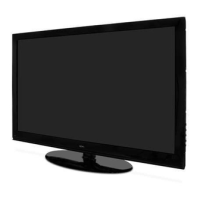
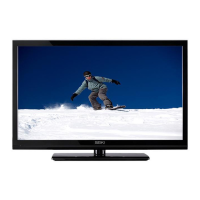
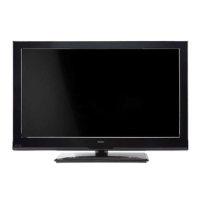
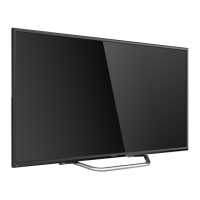
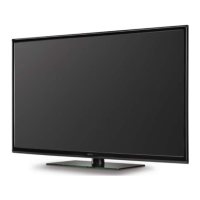
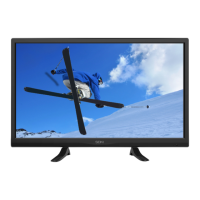
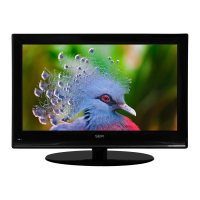
This document is an instruction manual for the SEIKI Flat Panel LCD Television, model SC261FS. It provides comprehensive information on the television's operation, safety, setup, and maintenance.
Function Description
The SEIKI SC261FS is a flat panel LCD television designed for home entertainment. It allows users to watch TV channels, connect to various external devices such as DVD players, Blu-ray players, game consoles, cameras, and VCRs, and display PC content. The television supports high-definition multimedia interface (HDMI) technology for high-quality audio and video transmission. It also includes features for channel management, picture and audio customization, parental control, and sleep timer functionality.
Important Technical Specifications
- Panel Size: 26 inches diagonally
- Display Type: LCD
- Panel Technology: TFT
- Panel Refresh Rate: 60 Hz
- Display Resolution: 1080i (up to 1080i compatible)
- Panel Resolution: 1366 x 768
- Aspect Ratio: 16:9
- Contrast Ratio (panel): 800:1
- Brightness (Centre Typ.): 400 cd/m²
- Response Time (G to G): 5 ms
- Lamp Life (Typ. Hours): 50,000 hours
- Horizontal Viewing Angle (At CR>10): 160 degrees
- Vertical Viewing Angle (At CR>10): 150 degrees
- Power Consumption (Home Mode): Less than 42.3W
- Power Consumption (Sleep Mode): Less than 1W
Connectivity:
The rear panel of the TV offers a variety of input and output options:
- HDMI: 3 HDMI inputs (HDMI1, HDMI2, HDMI3) for digital audio and video.
- VGA: 1 VGA input for PC connection.
- PC Audio: 1 PC audio input.
- Component: 2 Component input terminals (COMPONENT1, COMPONENT2) for Y/PB/PR video.
- AV: 2 AV inputs (AV1, AV2) for composite video and L/R audio.
- S-VIDEO: 1 S-VIDEO input (shares audio with AV1).
- Coaxial Audio: 1 Coaxial audio signal out plug.
- Antenna: 1 Antenna input (75 Ohm VHF/UHF) for TV channels.
- SERVICE port: 1 port for service purposes.
Usage Features
- Setup Wizard: Guides users through initial setup, including language selection, time zone setting, and connection device configuration (Antenna/cable scan or external players).
- Onscreen Display (OSD): A user-friendly menu system accessible via the remote control or side panel buttons for navigating and adjusting settings.
- Channel Management:
- Channel Selection: Directly enter channel numbers using numeric keys or scroll with CH+/- buttons.
- Auto Scan: Automatically searches and memorizes receivable channels from Antenna or Cable input (AUTO, STD, IRC, HRC cable systems).
- Favorite Channels: Allows users to create a list of preferred channels for quick access.
- Show/Hide Channels: Enables users to manage the visibility of channels in the channel list.
- Channel Label: Displays the label of the current channel.
- DTV Signal: Displays the quality of the current DTV signal.
- Picture Menu Options:
- Picture Mode: Selects predefined picture settings (e.g., Energy Saving, Standard) or allows user customization.
- Contrast, Brightness, Color, Tint, Sharpness: Adjustable parameters for fine-tuning picture quality.
- Color Temp.: Selects color temperature modes (Cool, Warm, Normal).
- Blue Screen: Toggles blue screen display on/off when no signal is present.
- Noise Reduction: Adjusts the level of noise reduction (Weak, Middle, Strong, Off).
- Advanced Options (VGA mode): H-POS, V-POS, Clock, Phase, Auto for precise display adjustments.
- Zoom Mode: Selects display zoom options (Wide, Wide Zoom, Zoom, Standard).
- DLC (Dynamic Luminance Control): Toggles dynamic luminance control on/off.
- Audio Menu Options:
- Sound Mode: Selects predefined sound settings (User, Standard, Music, Movie) or allows user customization.
- Bass, Treble, Balance: Adjustable parameters for audio output.
- Surround Sound: Toggles surround sound on/off.
- Auto Volume: Automatically controls volume levels.
- SPDIF Type: Selects digital audio output type (PCM or RAW).
- Audio Language: Selects audio language (English, French, Spanish).
- Time Menu Options:
- Sleep Timer: Sets a timer for the TV to automatically power off (5 Min to 240 Min).
- Time Zone: Sets the local time zone.
- Daylight Saving Time: Toggles daylight saving time on/off.
- Setup Menu Options:
- Menu Language: Selects OSD language (English, French, Spanish).
- Transparency: Adjusts OSD menu transparency.
- Closed Caption: Configures closed captioning settings (CC Mode, Basic Selection, Advanced Selection).
- Restore Default: Resets all settings to factory defaults.
- Lock Menu Options (Parental Control):
- Password Protection: Requires a 4-digit password (default 0000) to access parental control settings.
- Change Password: Allows users to set a new password.
- System Lock: Enables/disables the system lock, which controls access to rating options.
- US Rating: Sets viewing restrictions based on Motion Picture Association of America (MPAA) ratings (G, PG, PG-13, R, NC-17, X).
- Canada Rating: Sets viewing restrictions based on Canadian TV Parental Guideline ratings (TV-Y, TV-Y7, TV-G, TV-PG, TV-14, TV-MA) in both English and French.
- RRT Setting: Rating Region Table setting.
- Reset RRT: Resets RRT settings.
- Clear Lock: Clears the RRT lock.
- Remote Control: Full-function remote control with dedicated buttons for power, mute, numeric input, channel setup, picture mode, sound mode, input source, volume, aspect ratio, EPG, menu navigation, and more.
- Energy Efficiency: "Home Mode (Energy Saving)" setting optimizes video settings for ENERGY STAR® qualification, resulting in lower power consumption.
Maintenance Features
- Cleaning the Screen: Use a soft cloth dampened with a mixture of lukewarm water and a mild detergent. Wring the cloth until almost dry before wiping the screen. Allow the screen to air-dry before turning on the TV.
- Cleaning the Cabinet: Use a soft, dry, lint-free cloth to wipe the cabinet. Avoid using wet cloths.
- Extended Absence: Unplug the power cord if the TV will be dormant for a long time (e.g., vacation) to protect against lightning or power surges.
- Troubleshooting Guide: The manual includes a detailed troubleshooting section to help users diagnose and resolve common issues related to power, picture, sound, remote control, and VGA mode problems. It advises checking connections, settings, and external devices before contacting technical support.
- Safety Information: Emphasizes important safety instructions, including electrical safety (correct voltage, avoiding overloads, proper cord handling, avoiding moisture) and physical safety (ventilation, screen care, cleaning, avoiding heat sources, professional servicing only). It also highlights warnings regarding electric shock and battery handling.

 Need help?

 To Next Page

 General