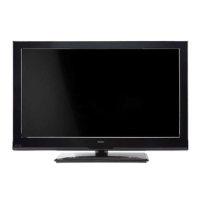
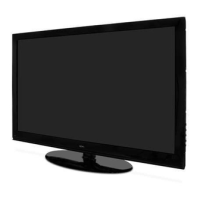
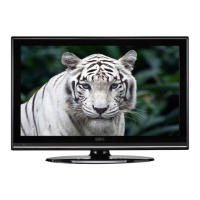
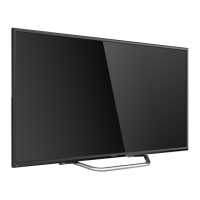
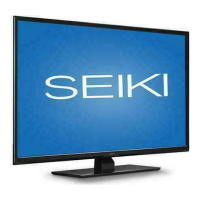
This document serves as the instruction manual for a Seiki Flat Panel LCD Television, model SC391TS. It provides comprehensive guidance on the setup, operation, and maintenance of the television, ensuring users can maximize its features and longevity.
The primary function of this device is to display video content from various sources, including broadcast television, external media players, and computers. It is designed for home entertainment, offering a range of options for picture and sound customization to suit individual preferences. The television can be operated using either the physical buttons located on the unit itself or a dedicated remote control, providing flexibility and convenience.
Getting Started and Basic Operations:
The manual outlines a straightforward setup process. Users are instructed to connect the main power cable, which places the TV in standby mode, indicated by a red LED. The television can then be powered on using the POWER button on the unit or the remote control. Turning the TV off also returns it to standby mode.
A "Setup Wizard" guides new users through initial configurations. This wizard helps in selecting the display language (English, French, or Spanish) and setting the correct time zone (Hawaii, Alaska, Pacific, Mountain, Central, Eastern). It also prompts users to choose a "Power On Mode":
- Home Mode (Energy Saving): This mode optimizes standard video settings for energy efficiency, resulting in a darker picture and meeting ENERGY STAR® qualification requirements. The ON-MODE power consumption in this mode is less than 72W, and sleep mode power is less than 1W.
- Retail Mode: This mode provides a brighter picture but may consume more energy, potentially exceeding ENERGY STAR® requirements.
The wizard further assists in connecting external devices, such as game consoles, Blu-ray players, DVDs, or scanning channels from an antenna or coaxial cable input. If channels are not found during the scan, the TV will automatically display a frame indicating this and offer options to return to the scanning program or connect other devices.
Remote Control Key Functions:
The remote control is equipped with a variety of buttons for comprehensive control:
- Power button: Turns the TV on or off.
- Mute button: Disables or enables audio.
- Numeric buttons (0-9): Directly select TV channels. The "-" button is used for multiple program channels (e.g., 2-1).
- Return channel button: Switches back to the previously watched channel.
- P.MODE (Picture mode button): Adjusts picture settings.
- S.MODE (Sound mode button): Adjusts sound settings.
- MTS button: Selects audio channels (STEREO, MONO, SAP), particularly useful for multichannel television sound.
- SLEEP button: Sets a timer for the TV to power off automatically.
- SOURCE button: Selects the input source (TV, AV, Component, HDMI1/2/3, VGA).
- INFO button: Displays current channel information.
- CH+/- (Channel selection button): Navigates through channels.
- VOL+/- (Volume adjust button): Adjusts the volume level.
- FREEZE button: Freezes the picture on the screen.
- CH.LIST button: Displays the program list.
- ASPECT button: Selects display modes (Wide, Wide Zoom, Zoom, Standard).
- EPG button: Accesses the Electronic Program Guide.
- Directional buttons (Up/Down/Left/Right): Navigate OSD menus and select items.
- OK button: Confirms selections in the OSD menu.
- MENU button: Enters or exits the TV setup menu.
- EXIT button: Exits current operations.
- CC button: Controls Closed Caption settings (ON, OFF, CC ON Mute).
- V-CHIP button: Configures parental control settings.
- FAV button: Displays the favorite program list.
- ADD/ERASE button: Adds or deletes favorite channels.
Users are advised to remove batteries from the remote control if it will not be used for an extended period.
Navigating the Onscreen Display (OSD):
The MENU button brings up the main menu, which is navigated using the directional buttons. The OSD is organized into several categories:
- Picture Menu Options: Allows users to select various picture modes (e.g., Energy Saving, Standard) and adjust settings such as Contrast, Brightness, Color, Tint, Sharpness, Color Temperature (Cool, Warm, Normal), and Blue Screen (On/Off).
- Audio Menu Options: Provides control over sound modes (User, Standard, Music, Movie), Bass, Treble, Balance (adjusting audio output between left and right speakers), Surround Sound (On/Off), Auto Volume (On/Off for automatic volume control), SPDIF Type (PCM or RAW), and Audio Language (English, French, Spanish).
- Time Menu Options: Includes settings for Sleep Timer (Off, 5 Min, 10 Min, up to 240 Min), Time Zone, and Daylight Saving Time (On/Off).
- Setup Menu Options: Configures general TV settings like Menu Language, Transparency (On/Off), Zoom Mode (Wide, Wide Zoom, Zoom, Standard), Noise Reduction (Weak, Middle, Strong, Off), and Advanced options for VGA source mode (H-POS, V-POS, Clock, Phase, Auto). It also includes Closed Caption settings (CC Mode, Basic Selection, Advanced Selection), DLC (Dynamic Luminance Control On/Off), and a "Restore Default" option to revert to factory settings.
- Lock Menu Options: This section is password-protected (default password: 0000) and allows users to change the password, enable/disable System Lock, and configure US and Canadian parental ratings (Canada English: E, C, C8+, G, PG, 14+, 18+; Canada French: E, G, 8ans+, 13ans+, 16ans+, 18ans+). It also includes RRT Setting (Rating Region Table) and Reset RRT options, as well as Clear Lock to clear all locks.
- Channel Menu Options: Manages channel-related settings, including Air/Cable input signal selection, Auto Scan for automatic channel searching (with options for Cable System: Auto, STD, IRC, HRC), Favorite channel list management (adding/removing channels), Show/Hide channels, Channel No. display, Channel Label display, and DTV Signal quality display.
Parental Control:
The Parental Control feature allows users to block undesirable programming based on MPAA and TV Parental Guidelines ratings. Users can set a 4-digit password to access these settings and define acceptable program ratings for general audiences and children. The system automatically blocks more restrictive categories once a rating is set. It also allows for blocking auxiliary video sources and specific content parameters like Strong Dialog, Bad Language, Sex Scenes, Violence Scenes, or Fantasy Violent Scenes. This feature remains active even if the TV is disconnected from power, with block hours automatically resetting to original settings.
Maintenance and Troubleshooting:
The manual provides a troubleshooting guide for common issues:
- No power/LED lit: Check power connections and press the Power/Standby button.
- No signal/Blue screen: Select the correct input source.
- Noisy/snowy picture: Adjust antenna position and check connections.
- No sound: Check mute status, volume settings, and external audio connections.
- Remote control not working: Check for obstructions, battery polarity, and replace batteries if needed.
- TV turns off suddenly: Check sleep timer settings, power control settings, and broadcast signal.
- Slow picture after switching on: This is normal during startup; contact service if it persists for over 5 minutes.
- Poor color/picture: Adjust color settings, ensure distance from VCRs, check video cables, and activate functions to restore brightness.
- Horizontal/vertical bars/picture shaking: Check for local interference and adjust auto configure/clock/phase/H/V position.
- Poor reception on some channels: Tune to another station, reorient antenna, or check for interference sources.
- Lines/streaks in pictures: Check antenna direction.
- No output from one speaker: Adjust balance in the audio menu.
For VGA mode specific issues, users are advised to adjust resolution/frequency, check signal cable connections, and re-install the PC video card if necessary.
Cleaning:
- Screen: Use a soft cloth dampened with lukewarm water and a little fabric softener or dishwashing detergent. Wring the cloth until almost dry, then wipe the screen. Allow to air-dry before turning on the TV.
- Cabinet: Wipe with a soft, dry, lint-free cloth. Avoid wet cloths.
Extended Absence:
If the TV will be dormant for a long time (e.g., during a vacation), it is recommended to unplug the power cord to protect against lightning or power surges.
This comprehensive guide ensures users can effectively set up, operate, and maintain their Seiki LCD Television, addressing potential issues and maximizing their viewing experience.

 Need help?
 General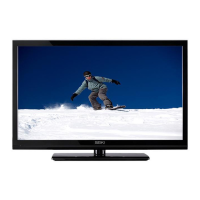

 To Next Page