How to wind the mainspring
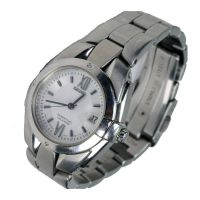
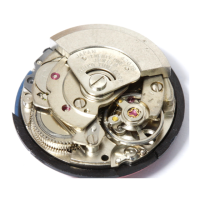
• This is an automatic mechanical watch with a manual winding mechanism.
• When the watch is worn on the wrist, the mainspring is wound automatically through normal wrist
movement. The watch can also be wound up by turning the crown.
• To start the watch after it stops completely, wind it up either by turning the crown or swinging it from side
to side until the seconds hand starts moving. Then, set the time and date before putting the watch on
the wrist. To wind up the watch, turn the crown clockwise slowly. The watch cannot be wound by turning
the crown counterclockwise. In this way, the watch can be wound up fully. Furthermore, turning the crown
further will not break the spring.
* For the watch with screw down crown, please unlock the crown before operating it and be sure to lock the crown
after operating it.
• Once the watch is wound up fully, it operates for about 41 hours.
EN
16
1
HOW TO USE
* If the watch is used without being wound up fully, gain or loss of time may result. To avoid this, wear the watch for
more than 10 hours a day. If the watch is used without being worn on the wrist, be sure to wind it up fully every day
at a fixed time.
* If you use a watch that has stopped with the mainspring unwound, winding the mainspring with the crown will not
start the watch immediately. That is because the mainspring torque or force is low at the beginning of its winding
due to the characteristics of mechanical watches. The seconds hand will start to move when a certain degree of
torque is reached after the mainspring has been wound up. However, swinging the watch from side to side to
forcibly turn the balance can start the watch sooner.
EN
17
1
HOW TO USE
How to set the time and date (4R35)
The watch is provided with a date function and is so designed that the date changes once every
24 hours.
The date changes around 12 o’clock midnight. If AM/PM is not properly set, the date will change
at 12 o’clock noon.
b
CAUTION
Do not set the date between 9:00 p.m. and 1:00 a.m.
Amending the date during this time period may cause problems such as the date failing
to change the next day.
EN
18
1
HOW TO USE
Pull out the crown to the first
click
2
The date can be set by turning the crown.
Turn it until the previous day’s date appears.
Ex.) To display the date as “6,” then set this to “5.”
Turn the crown counterclockwise to set the date.
1
Pull out the crown to the first
click.
* For models with screw down crown,
please unlock the crown before operating
it.
EN
19
1
HOW TO USE



 To Next Page