English
6
●
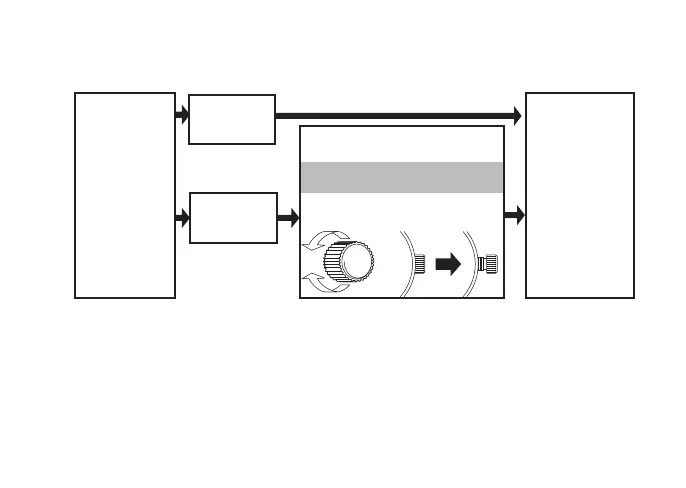
Check the type of the crown of your watch
Turn the
crown
clockwise.
The crown
turns.
Go to
"HOW TO
USE"
The crown
does not
turn.
Unscrew the crown by turning it
counterclockwise.
To set the watch
The crown of your watch is
*the screw lock type.
* If your watch has a screw-lock crown, the crown will screw into the watch case
for added protection.
• After completing all settings of the watch, screw the crown in again by turn-
ing it clockwise while pressing it.
• If the crown turns out to be too stiff to be screwed in, turn the crown coun-
terclockwise once and then give another try.
• Do not screw it in by force as it may damage the slots of the crown.


 To Next Page