English
8
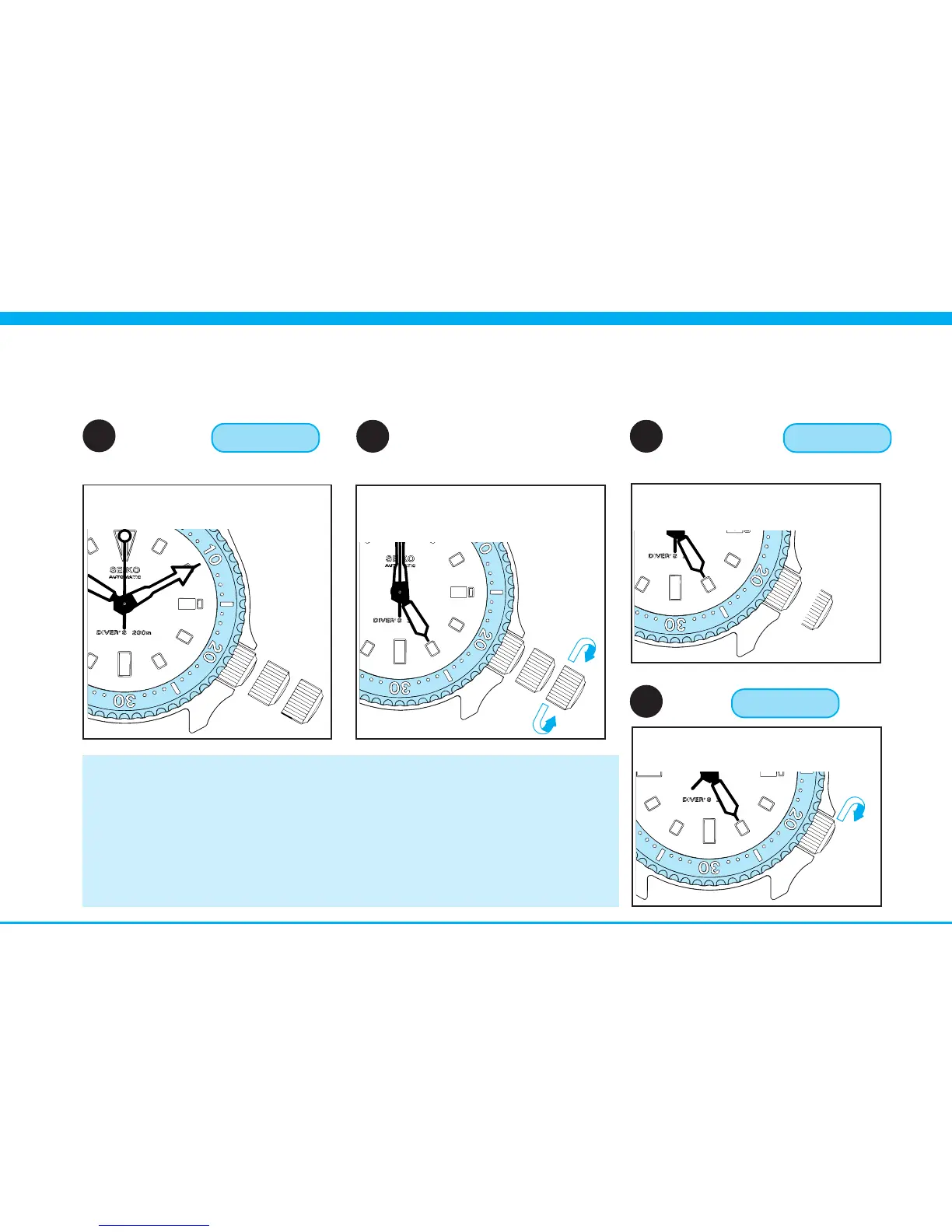
4 Pull out
to SECOND CLICK
6 Push back
in to NORMAL POSITION
5 Set the timeCROWN
CROWN
Time setting
▼
▼
1 First set the hands to a time a few minutes earlier than the
correct time, and then advance them to the exact time.
2 Check that AM/PM is correctly set.
* Turn the hands past the 12 o’clock marker. If the date changes, the
time is set for the A.M. period. If it does not change, the time is set
for the P.M. period.
NOTES
▼
7 Lock CROWN
While pressing, turn clock-
wise.
Pull out when SECOND hand
is at the 12 o’clock position.
2
➠
Advance HOUR & MINUTE
hands until the desired date
appears. Then adjust the time.
Push in in accordance with
a time signal.
3



 To Next Page