TECHNICAL GUIDE
Cal. 7T04A
18/21
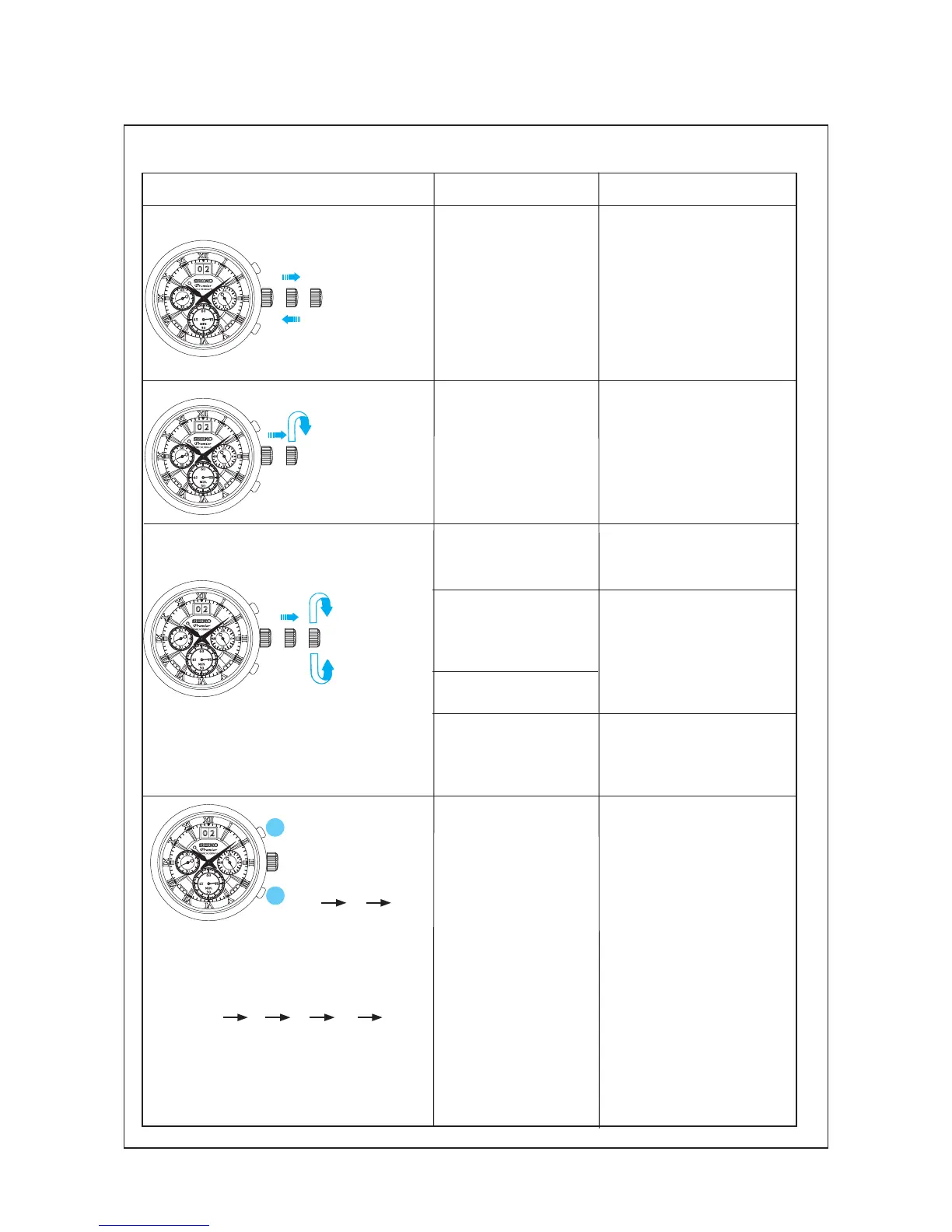
Operation
Function
Checkpoint
P u l l o u t t h e
cr o w n to th e
2nd click and
push it back in
to the normal
p o s i t i o n .
R e p e a t t h e
same several
times.
Set ting mechanism
switching the function
of the time setting.
Make sure that it has a click
at each position and the
stem is not pulled off.
P u l l o u t t h e
cr own to the
1st click, then
turn it counter-
clockwise.
Hands installation
Make sure that the hour
and minute hands move
s m o o t h l y ( w i t h o u t
touchin g eac h o the r of
touching the surface of the
dial or inside of the glass).
Ma ke sure tha t t he d ay
changes smoothly.
Calendar mechanism
- correcting the day.
Ma ke sure t ha t th e da te
changes when the hour and
minute hands pass around
midnight.
Calendar mechanism
- date change.
l
Function check
<Standard Measure-
ment>
Press but ton A to
stop the stopwatch.
Press but ton B to
reset the stopwatch.
A A B
Start Stop Reset
Stopwatch mecha-
nism
<Split Time Measurement>
A B B A B
Start Split Split Stop Reset
Release
M a k e s ur e t h a t t h e
Stopwatch hands start/
stop smoothly.
M a k e s ur e t h a t t h e
Stopwatch hands are
reset to the “0” posi-
tion.
P u l l o u t
th e cr own
to the 2nd
click, then
turn it.
Set ting mechanism
hour and minute hand
setting.
S e co n d h a n d s t o p
function
Make sure that the second
hand stops when the crown
is pulled out to the 2nd click.



 To Next Page