7
TECHNICAL GUIDE
Cal. 9T82A
9 Stopwatch 1/10 second hand
10 Stopwatch second hand
11 Stopwatch hour and minute hands
• How to install
1. Reset the stopwatch to “00”.
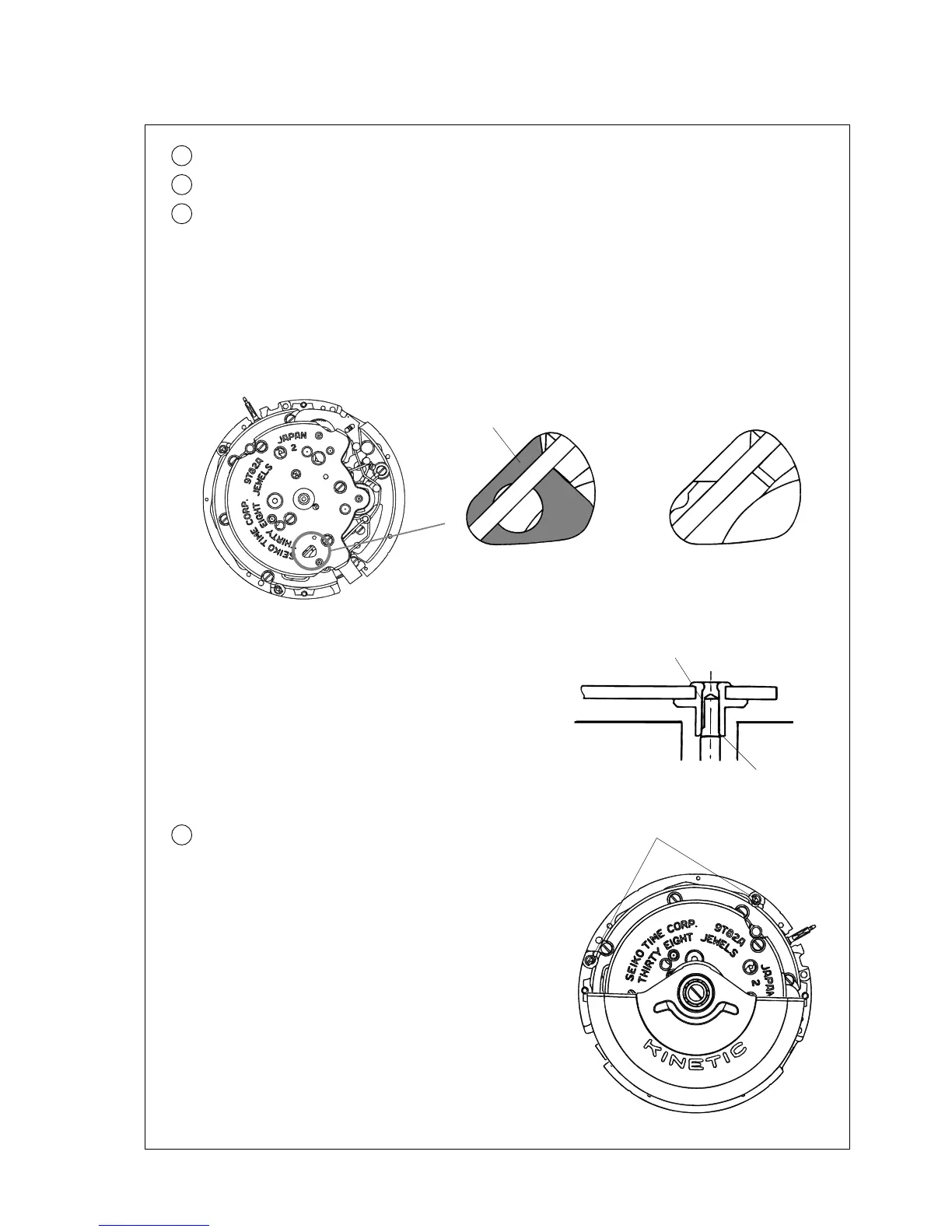
When the stopwatch is properly reset to “00”, the hammer appears in the eyehole “A” as shown
below.
* When reassembling the watch, be sure to use a new set of stopwatch hands.
If the old stopwatch hands are reused, they may come off from the shock when they are reset to “0”
position.
Hammer
When the stopwatch
is reset to “00”
[]
When the stopwatch
is not reset to “00”
[]
2. Set all the stopwatch hands accurately to the 12 o’clock position, and push them in completely.
Notes:
* Push in the hand securely until the lower end of the
hand installing pipe (“A” in the illustration) reaches
below the “D”-shaped notch of the arbor.
* Check that the stopwatch hour and minute hands do
not touch each other.
“D”-shaped notch
A
12 Dial
• How to remove
Turn the eccentric posts counterclockwise to release
the dial legs, and remove the dial.
The dial is fitted to the movement by fixing the two dial
legs with the eccentric posts.
Eccentric post
• How to install
Set the dial in position. While pressing down the dial
at the 12 o’clock side so that the dial is well-seated on
the movement, turn the eccentric posts clockwise to
fix the two dial legs.
Note: If metal chips are generated from the eccentric
posts, be sure to remove them.
▼


 To Next Page