Component Description Use method
Operating instructions of function:
- 5 -- 4 -
3
8
4
5
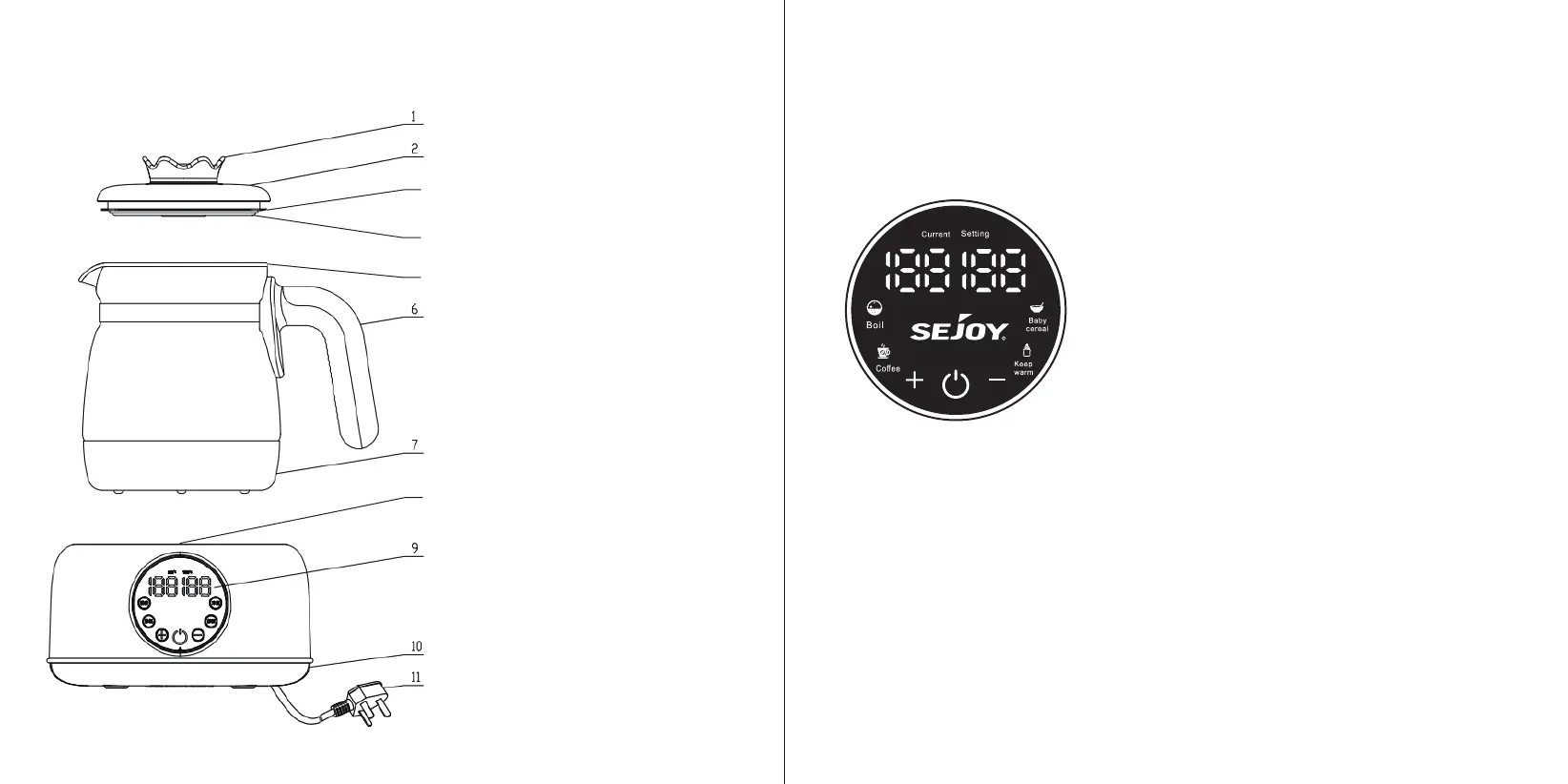
Kettle cover handle
Used for grasping the kettle cover assembly
Kettle cover
Used for covering the glass kettle body
Kettle cover sealing ring
Used for sealing connection between the kettle
cover and the glass kettle body
Inner steel cover
Used for separating water from plastic
Glass kettle body
Used for holding water with heating components.
Handle
Used for grasping the glass kettle body.
Glass kettle bottom cover
Used for isolating the heating body, preventing contact
and being the safety protection components.
Upper base shell
Used for isolating internal electrical components , preventing
contact and being the safety protection components.
Control panel
Used for selecting functions and other operations.
Lower base shell
Used for isolating internal electrical components , preventing
contact and being the safety protection components.
Power cord
Used for connecting power supply
Control panel
1.Before using this product, please read this manual carefully, especially “Precautions for Safe Use”
2. Power-on: plug in the power supply, the buzzer will beep, and all the function lights will be turned off after 1
second.
1. Switch: after power-on, press the switch to enter the standby state,
and the screen-- --.
2. Function selection: Press the function key after starting the
machine, followed by boil, coffee, baby cereal and keep warm. After the
function is selected, this function and the preset temperature will flash to
show the selected function and temperature. Two seconds after the
selection, the function and preset temperature stop flashing, enter the
set function and temperature, and enter the keep warm after the heating
is completed.
3. Increase and decrease keys: boil, coffee, baby cereal, and keep
warm function can adjust the keep warm temperature. Long press to
increase or decrease at high speed (5℃ as the unit), short press to increase or decrease at low speed (1℃ as
the unit).
4. Function:
1. Boil: In the standby state, press the “Boil” key to select “Boil”, the corresponding indicator light flashes, and
there is no operation for 3 seconds, and the corresponding indicator light is always on for confirmation; The
current temperature shows the actual temperature, and the preset temperature shows the set temperature; After
the machine is heated to boil, continue to heat for 15 seconds, then stop heating with a sound and switch to
keep warm. At this time, the keep warm light is on synchronously; When the water temperature reaches the set
temperature, it sounds three times to finish; The default boil holding temperature is 45°C, and the holding time is
72 hours. Press the “Increase, Decrease” key to adjust the setting temperature, and the adjustment range is
35~95°C. Short press to increase or decrease by 1°C and long press to rapidly increase or decrease by 5°C.
2. Coffee: In the standby state, press the “Coffee” key to select “Coffee”, the corresponding indicator flashes,
and there is no operation for 3 seconds, and the corresponding indicator lights up for confirmation; The current


 To Next Page
 Loading...