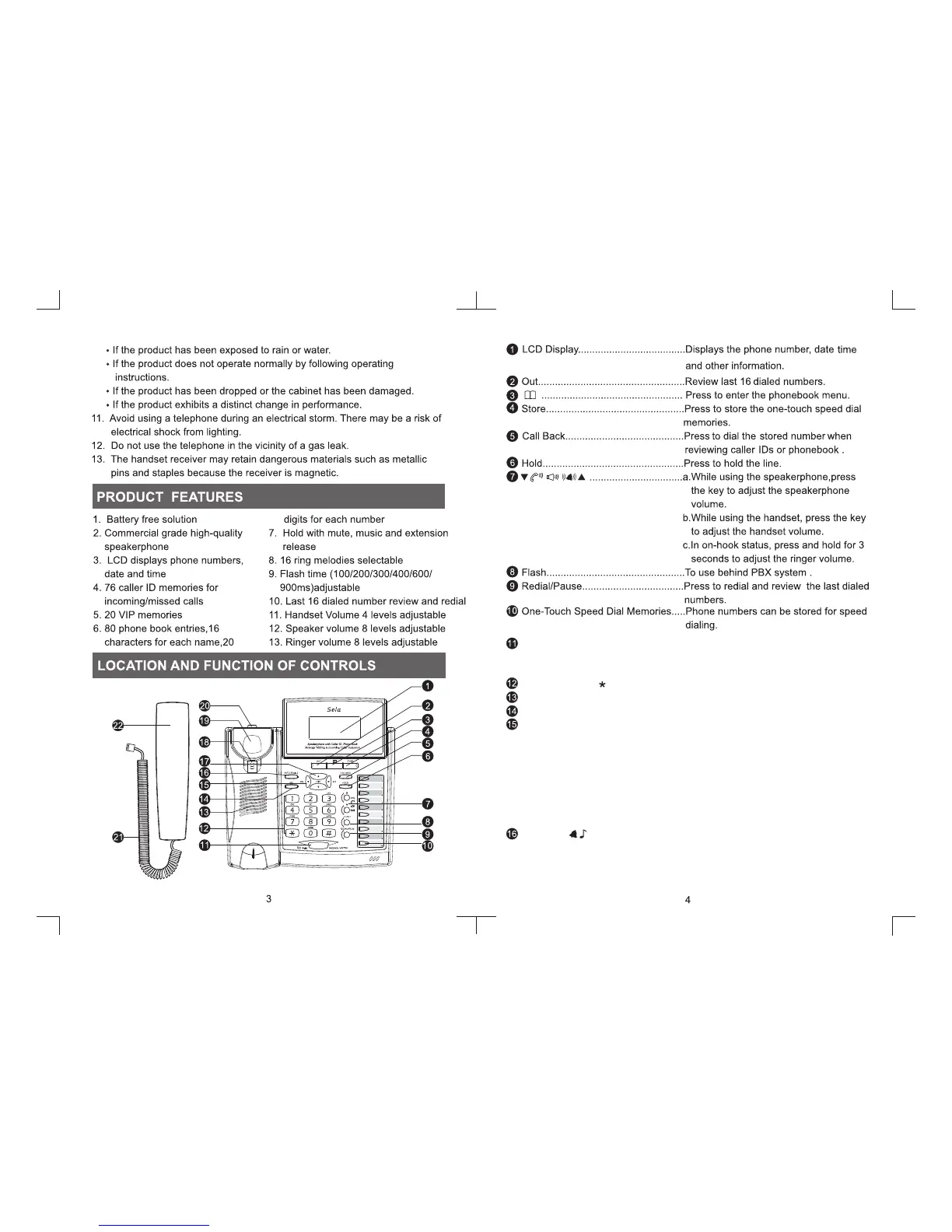
Message Waiting/Incoming Call
Indication..........................................Will flash when the unit has message or
Incoming Call
Dialing Key (0-9, ,#).......................Dial phone numbers and extensions.
Speaker............................................For Ringer & speakerphone.
VIP....................................................Press to set or remove the VIP numbers.
Del/Set..............................................a. Press and Hold for 3 seconds to
bring up setup menu. (In on-hook
status)
b. Press to delete or edit the telephone
number when editing phone book or
viewing call IDs.
c. Press to delete or edit the telephone
number when reviewing caller IDs.
AUTO RD/ (Auto Redial/Change
Ring Tone)........................................ a.
Press to auto redial the last dialed number
b. Press and hold for 3 seconds to change
the ring tone(16 melodies).


 To Next Page