4.4
4. ADD A BLIND
Before adding a blind to the MOTION bridge, the end positions of the blind must be programmed with a
remote control.
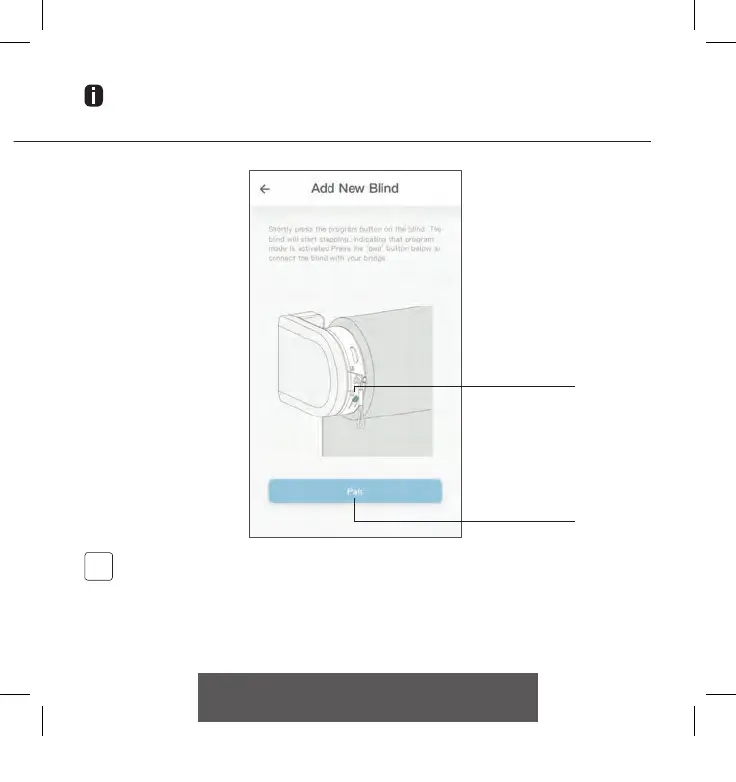
Pair button
Program button on
motor
Shortly press the program button on the blind. (Please see the manual of your motor to see
where the program button is located.) The blind will start stepping, indicating that program
mode is activated. Press the ‘pair’ button to connect the blind with your bridge.
CM20 Motion Wi-Fi bridge 115x115.indd 13 18-10-18 16:27



 To Next Page