16
15
MOTION CM-01/02 LI-ION TUBULAR MOTOR
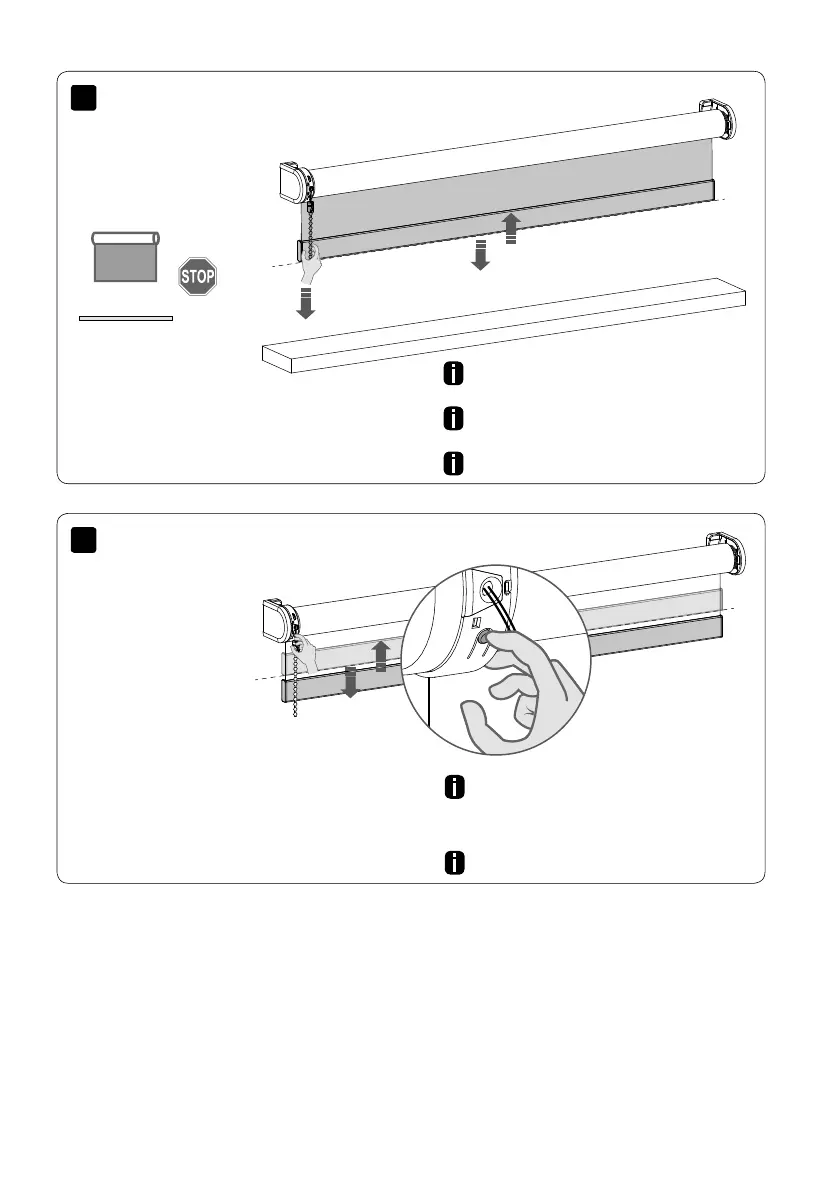
The favourite position can only be deleted when
the blind is placed in the favourite position.
Hold the button for approximately 10 seconds.
After 5 seconds, the blind will move up and
down. Keep pushing the button until the blind
moves up and down again.
Repeat steps 6 - 9 to save new end limits.
Pull and hold the chain for approximately
7 seconds untill the blind moves up and down.
Go to step 11 to program a new favourite
position.
Delete end limits
Delete favourite position



 To Next Page