ECO
Operation manual
1. POWER ON / STAND-BY
Press the key to turn on the device or to enter the "Stand-by" mode.[On/Stand-by]
NOTE: When the device goes into "Stand-by" mode it beeps twice for 0.5s. When the
device is activated it beeps once for 1s.
IMPORTANT !
The "Night" temperature has to be always lower than or equal to the "Comfort"
temperature. For this reason, the "Night" temperature can be set between 7 ° C and the
temperature "Comfort".
The "Comfort" temperature can be set in the entire range of 7 ° C to 32 ° C (when a
"Comfort" temperature is set below the "Night" temperature, the system automatically
regulates the "Night" temperature to the same value of the "Comfort" temperature)
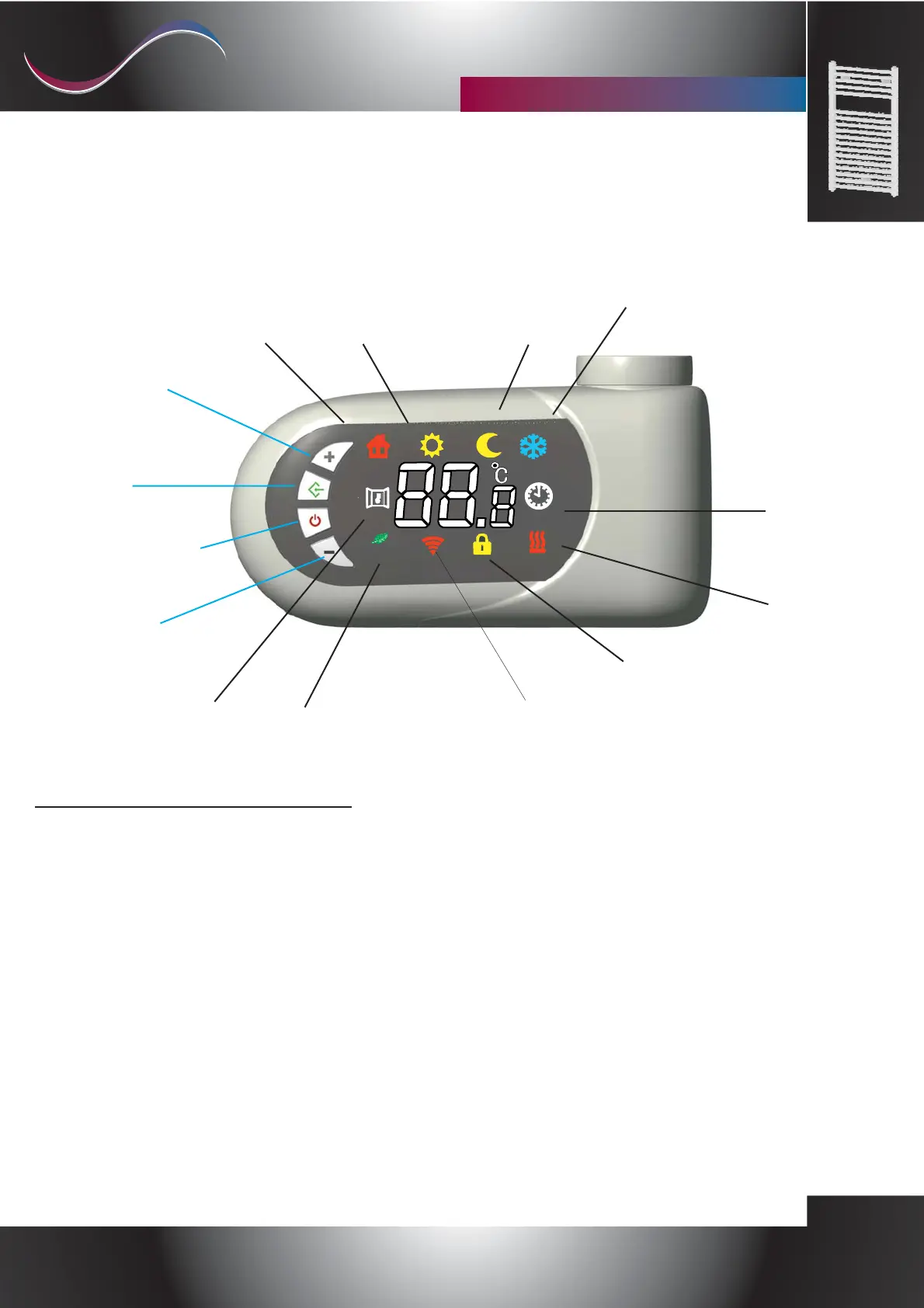
Mode
"Crono"
Mode
"Antifreeze"
Mode
"Night"
Mode
"Comfort"
Mode
"Fil-pilote"
Button
[+]
Button
[Mode]
Button
[-]
Active
Heating
Element
.Symbol
Key lock
symbol.
Active eco
function symbol
Open window
detection
Symbol
Wifi-active Symbol
(only in versions where provided)
Button
[On/Stand-by]
Selmo Electronic
Via Pacinotti, 24 - 35030 Rubano www.selmo.it(PD) Italy- Tel 049.8976761, Fax 049.8976085 -
Selmo Electronic
Via Pacinotti, 24 - 35030 Rubano www.selmo.it
“”Synthesis Plus
cronothermostat for towel rail
EN
Comfort technology division
Selmo
Rev. 01- Sept. 2017


 To Next Page
 Loading...