User and settings manual
7
USER MANUAL
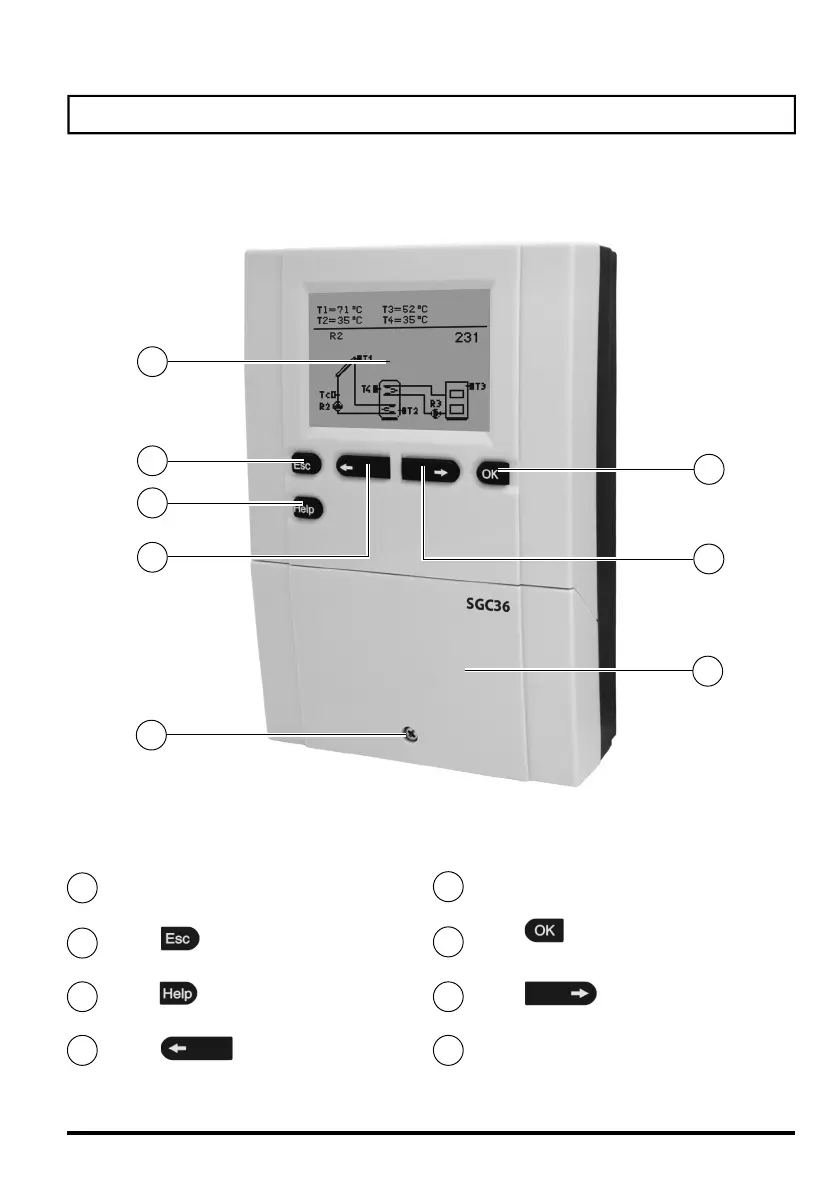
APPERANCE OF CONTROLLER
Graphic display
Button
(Esc - return back)
Button (Help)
Button
(move to left, decreasing)
Screw for fastening the cover
Button
(menu entry, confirmation of selection)
2
1
3
5
4
6
7
8
Button
(move to right, increasing)
Cover for connection area
1
2
3
4
5
6
8
7


 To Next Page