Day
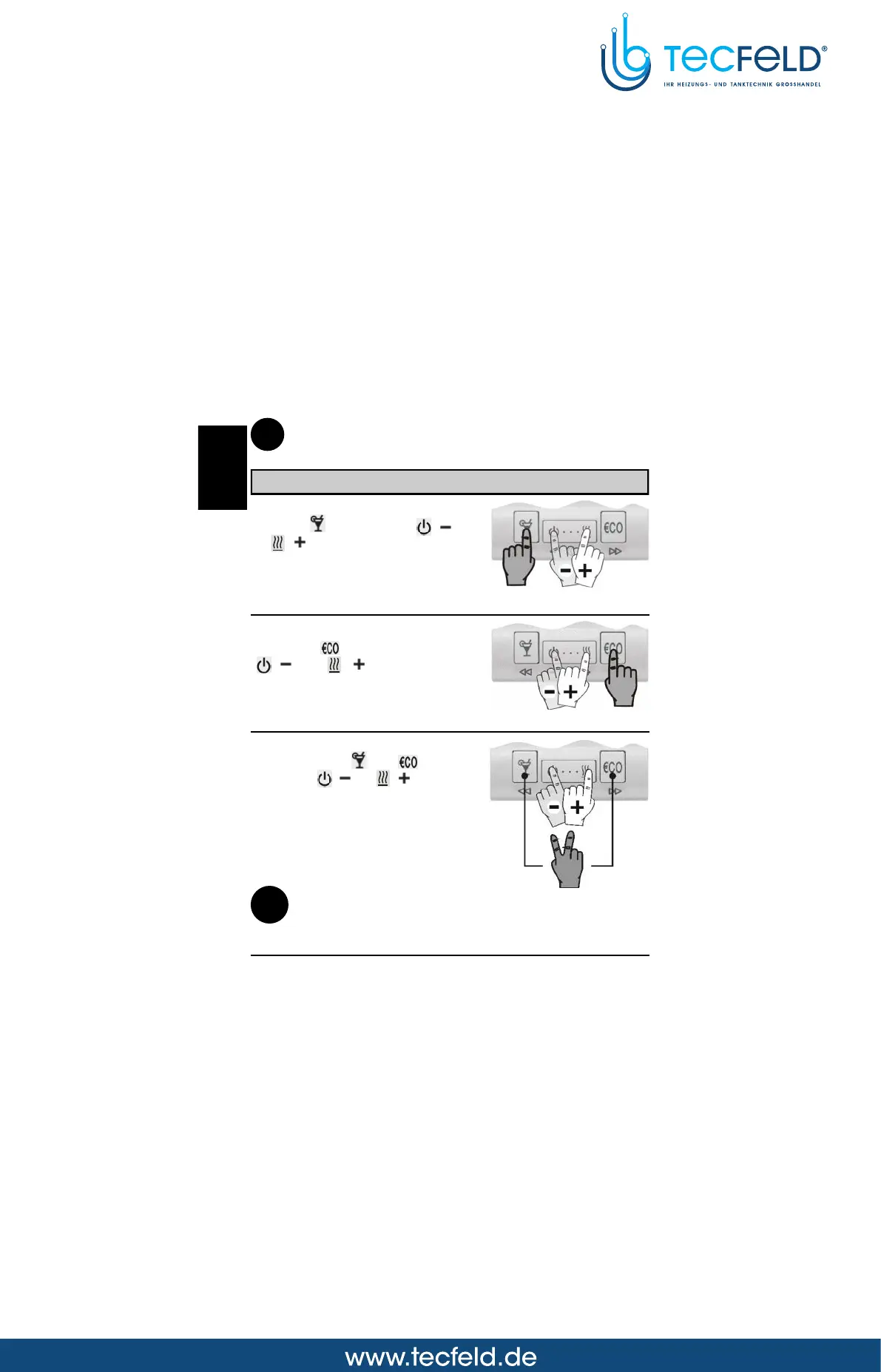
Hold both keys and , then
press key ( ) or ( ) to set
the day (Picture 9). The days are
marked from 1 to 7. Monday is
marked as 1 and Sunday as 7.
i
If the battery exchange isn't completed within 20 s, the time is set to
Monday, 20:00.
Picture 9
Setting the accurate time
Hours
Hold key and press key ( )
or ( ) to set the hours (Picture
7).
Minutes
Hold key and press key
( ) or ( ) to set the
minutes (Picture 8).
Picture 8
Picture 7
USER MANUAL
8
The HOLIDAY mode temperature is setted in program group P1.4 (page 15).
Factory default HOLIDAY temperature is 12 °C.
i
GB



 To Next Page