USER MANUAL
9
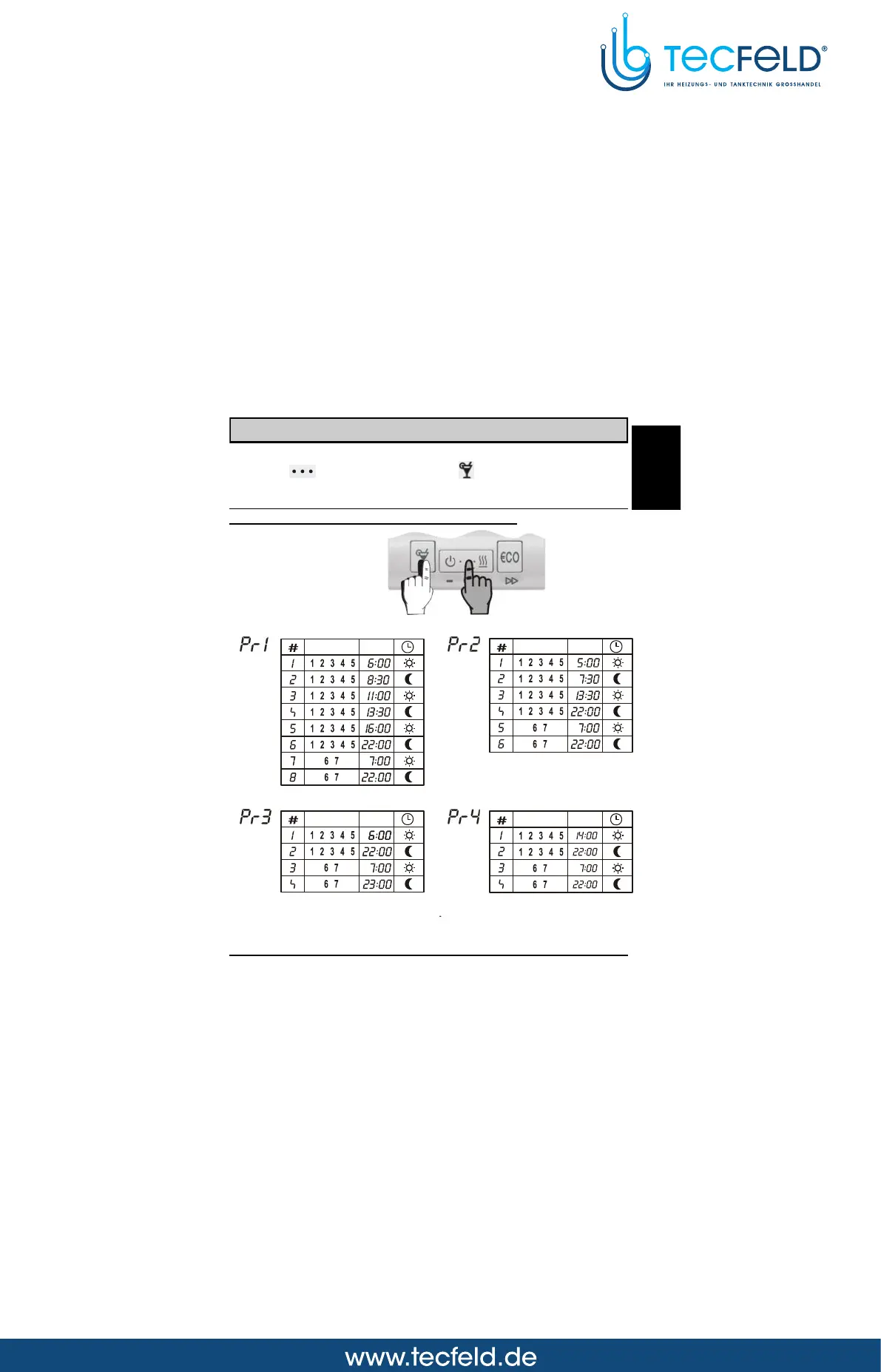
Pre-setted time programs
Program selection
Hold key and by pressing key select the suitable time
program (Picture 10). Select between Pr1, Pr2, Pr3, Pr4 and - - -.
The selected time program always overwrites the previous one. To
keep the current time program active, select - - -.
Table of pre-setted time programs
Picture 10
Day Time Day Time
Day Time Day Time
GB



 To Next Page