EasyManua.ls Logo

Sempre GT-WT-02 - User Manual

Sempre GT-WT-02
52 pages
Print Icon
To Next Page IconTo Next Page
Loading...
11/13
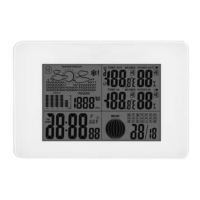
Digital radio-controlled weather station
Operating instructions
Warranty
Base station:
GT-WS-08s
GT-WS-08w
GT-WS-09s
GT-WS-09w
Radio sensor:
GT-WT-02
YEARS
WARRANTY
Question and Answer IconNeed help?

Do you have a question about the Sempre GT-WT-02 and is the answer not in the manual?

Summary

Digital Radio-Controlled Weather Station

Safety Instructions

Designated Use and Child Hazards

Outlines intended use and hazards for children, including suffocation risks.

Safety Precautions

Injury and Property Damage Risks

Details risks from battery handling and property damage from environmental factors.

Weather Station Features

Weather Station Overview

Initial Setup Procedures

Radio Sensor Battery Insertion

Provides step-by-step instructions for inserting batteries into the radio sensor.

Air Pressure Setting

Time Signal Reception

Radio Clock Synchronization

Explains the process of receiving radio signals for accurate time and date synchronization.

Manual Radio Reception

Manual Time and Date Configuration

Setting Time and Date Components

Provides step-by-step instructions for manually setting the year, month, day, hour, and minute.

Time Format and Zone Settings

Radio Connection Factors

Display Information Overview

Base Station Display Elements

Details the various segments and indicators shown on the base station's display.

Sensor Data Display

Time and Date Display

Time and Day of Week Breakdown

Illustrates and explains the components of the time and date display, including the day of the week.

Alarm Functionality

Setting and Activating Alarms

Provides instructions for setting two different alarm times (A1 and A2) and activating them.

Alarm Management Features

Alarm Repeat and Stop Functions

Details how to use the alarm repeat (snooze) and complete stop functions for alarms.

Weather Data Display

Temperature and Humidity Readings

Explains the display of indoor and outdoor temperature and humidity measurements.

Display Indicators Explained

Indoor Measurement Display

Weather Trend Interpretation

Air Pressure Monitoring

Pressure History and Forecast Link

Describes the historical air pressure display and its connection to weather forecasting.

Weather Forecast Function

Forecasting Data and Radius

Explains that the forecast uses gathered data and air pressure changes within a 30-50 km radius.

Weather Forecast Symbols

Temperature Unit Conversion

Weather Station Reset

Time Zone Management

Troubleshooting Common Issues

Faults and Rectification Steps

Lists common problems like signal loss and incorrect readings with corresponding solutions.

Technical Specifications

Radio Sensor Specifications

Warranty Claim Procedures

Sempre GT-WT-02 Specifications

General IconGeneral
BrandSempre
ModelGT-WT-02
CategoryWeather Station
LanguageEnglish

Related product manuals