EasyManua.ls Logo

Senco Duraspin DS230 - User Manual

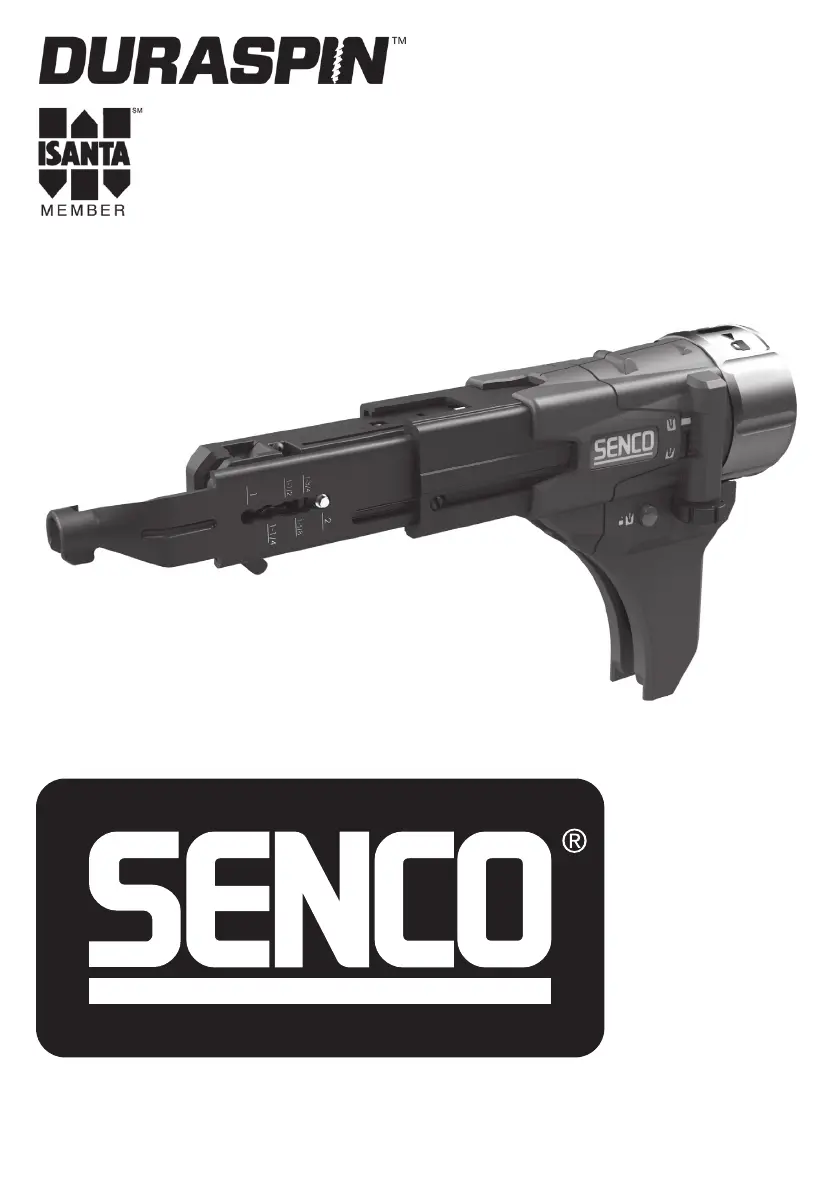
Senco Duraspin DS230
45 pages
Print Icon
To Next Page IconTo Next Page
Loading...
KYOCERA SENCO Industrial Tools
4270 Ivy Pointe Blvd.
Cincinnati, OH 45245
1-800-543-4596
www.senco.com
© 2019 by KYOCERA-SENCO Industrial Tools, Inc.
NFD89Z • Issued October 29, 2019
DS230
AUTO-FEED SCREW
SYSTEM ATTACHMENT
Operating Instructions
IMPORTANT: Read before use.

Table of Contents

Questions and Answers

  • S
    sjohnsonAug 16, 2025
    Why does my Senco Power Tool Accessories tool not fully drive the fastener?
    • M
      Mrs. Lisa Cain DVMAug 16, 2025
      Several factors can prevent your Senco power tool from fully driving fasteners. The bit may be worn and needs replacement. The tool's power capabilities might be exceeded for the application, so discontinue use in that scenario. Ensure the tool is set to forward, not reverse. Verify that the correct bit type and length are installed. Also, the depth of drive may not be set properly; see page 10 for proper adjustment.
  • A
    Ashley KennedyAug 19, 2025
    What to do if my Senco Power Tool Accessories bit slips off screw or screw is driven at an angle?
    • T
      Tina DiazAug 19, 2025
      If the bit slips off the screw or the screw is driven at an angle with your Senco power tool accessories, it could be due to a few reasons. The tool might have slid forward during the drive; hold the tool firmly while driving. The bit could be worn or broken, in which case you should replace it. The nosepiece may also be worn or damaged, requiring replacement or repair at a Senco authorized service center.
  • D
    Dale ManningAug 22, 2025
    What to do if my Senco Power Tool Accessories tool does not advance fastener?
    • M
      Melissa RothAug 22, 2025
      If your Senco power tool isn't advancing fasteners, several issues could be the cause. The screw length might be improperly set; check pages 9-10 for correct adjustments. A weak return spring could be the culprit, requiring replacement or service at an authorized center. Defective collation material can also cause this issue, so use Senco branded fasteners for optimal performance. Additionally, a defective slide body may need replacement or professional repair. Finally, ensure the screw strip slides freely in the guide track, as a jam can prevent advancement.
  • J
    James LucasAug 25, 2025
    Why is there debris build-up in Senco Power Tool Accessories mechanism?
    • S
      Sheryl WarrenAug 26, 2025
      Debris build-up in the mechanism of your Senco power tool accessories can occur due to several reasons. A weak return spring may cause debris accumulation, in this case you should replace it or return to Senco authorized service centre for repair. The bit might be sticking in the collation material; use Senco branded fasteners for optimum performance and always attempt to store screws in a cool, dry place before use, as overheated collation can get soft and delay the feed system return. You should clean the mechanism.
  • A
    anne96Aug 28, 2025
    What to do if Senco Power Tool Accessories fastener jams?
    • D
      Donald LopezAug 28, 2025
      If a fastener jams in your Senco power tool, it could be due to several reasons. The screw length might be improperly set; refer to pages 9-10 for the proper adjustment. Defective collation material can also cause jams, so use Senco branded fasteners for optimum performance. A damaged or bent nosepiece may be the issue, requiring replacement. If a screw is partially driven into the collation material and the feed system is released, remove the jammed screw with fingers or pliers and resume use.
  • D
    Diana SmithAug 31, 2025
    Why do Senco Power Tool Accessories screws “kick out” or misdrive during use?
    • K
      Karen PowellAug 31, 2025
      Screws may "kick out" or misdrive during use with your Senco power tool accessories due to a few reasons. The screw length might be improperly set, so refer to pages 9-10 for the proper adjustment. An incorrect bit installation can also cause this, so ensure the correct bit type and length are installed. It could also be a sign of a defective or damaged feed system, requiring a return to a Senco Authorized service center for repair.
  • B
    Brian BraySep 3, 2025
    Why is pushing force excessive with Senco Power Tool Accessories?
    • M
      Mark KingSep 3, 2025
      Excessive pushing force with your Senco power tool accessories can be attributed to a few factors. The screw being used might be improper for the application, so consider an alternative fastener. A loose or damaged CAM screw could also be the cause, so tighten or replace it. Debris build-up on the mechanism can also lead to this issue, so clean the mechanism.
  • D
    David WarrenSep 6, 2025
    What to do if Senco Power Tool Accessories attachment will not fully install/lock?
    • G
      gilespatriciaSep 6, 2025
      If the attachment on your Senco power tool accessories won't fully install or lock, verify that the attachment is fully inserted and seated onto the tool before attempting to lock the collar. Ensure the collar is turned to the full unlock position by partially installing the tool as far as possible and rotating the collar. Check for any foreign objects stuck inside the attachment that may be obstructing the connection. If components in the connector are damaged, replace the connector or return it to a Senco Authorized service center for repair.
  • B
    Brianna JacksonSep 9, 2025
    What to do if Senco Power Tool Accessories attachment will not fully uninstall/unlock?
    • R
      ronald10Sep 9, 2025
      If the attachment on your Senco power tool accessories won't fully uninstall or unlock, make sure that the collar is turned to the full unlock position. Avoid removing the attachment at an angle; pull it straight off and away from the tool. Check for any foreign objects stuck inside the attachment. Damaged components in the connector may also be the cause, requiring a connector replacement or service at a Senco Authorized service center.
  • R
    Robert LandrySep 12, 2025
    Why Senco Power Tool Accessories attachment will not rotate/index independently of connector?
    • A
      Annette LyonsSep 12, 2025
      If the attachment on your Senco power tool accessories will not rotate or index independently of the connector, it is probably due to damage or failure of indexing components, so you should replace the connector or return to Senco Authorized service centre for repair.

Summary

General Power Tool Safety Warnings

Work Area Safety

Safety guidelines for maintaining a clean and safe work environment.

Electrical Safety

Precautions regarding electrical hazards and proper tool usage.

Personal Safety

Guidelines for operator alertness, common sense, and personal protective equipment.

Power Tool Use and Care

Proper Use and Maintenance

Guidelines for operating and maintaining the power tool for safe and effective use.

Servicing and Repairs

Instructions and warnings related to tool servicing and repair by qualified personnel.

Functional Description

Tool Operation

Important Operational Warnings

Critical warnings regarding product assembly, modification, and potential hazards.

Installing DS230 Attachments

Step-by-step guide for attaching specific DS230 models to the tool.

Adjusting for Fastener Length

Procedure for setting the tool to accommodate different fastener lengths.

Loading the Tool

Steps for correctly loading screws into the auto-feed system.

Driving Screws

Instructions on how to properly drive screws using the attachment.

Depth of Drive Adjustment

How to adjust the depth at which screws are driven into the material.

Reverse Operation

Steps for operating the tool in reverse for screw removal.

Bit Replacement

Guide on how to safely replace the drive bit on the attachment.

Nosepiece Replacement

Instructions for removing and installing a new nosepiece.

Maintenance

Daily Inspection and Cleaning

Procedures for daily checks, cleaning, and lubrication of the tool.

Professional Repair Warning

Warning regarding repairs not covered and the need for trained personnel.

Accessories

Technical Specifications

Limited Warranty

Warranty Exclusions

List of conditions and parts not covered by the product warranty.

General Warranty Conditions

Requirements and general terms for honoring the product warranty.

Customer Satisfaction

Policy for returns and refunds based on customer satisfaction.

Senco Duraspin DS230 Specifications

General IconGeneral
BrandSenco
ModelDuraspin DS230
CategoryPower Tool Accessories
LanguageEnglish