Prior to use
EN
14 EN
Copyright © 2016, Fast ČR, a. s. Revision 04/2017
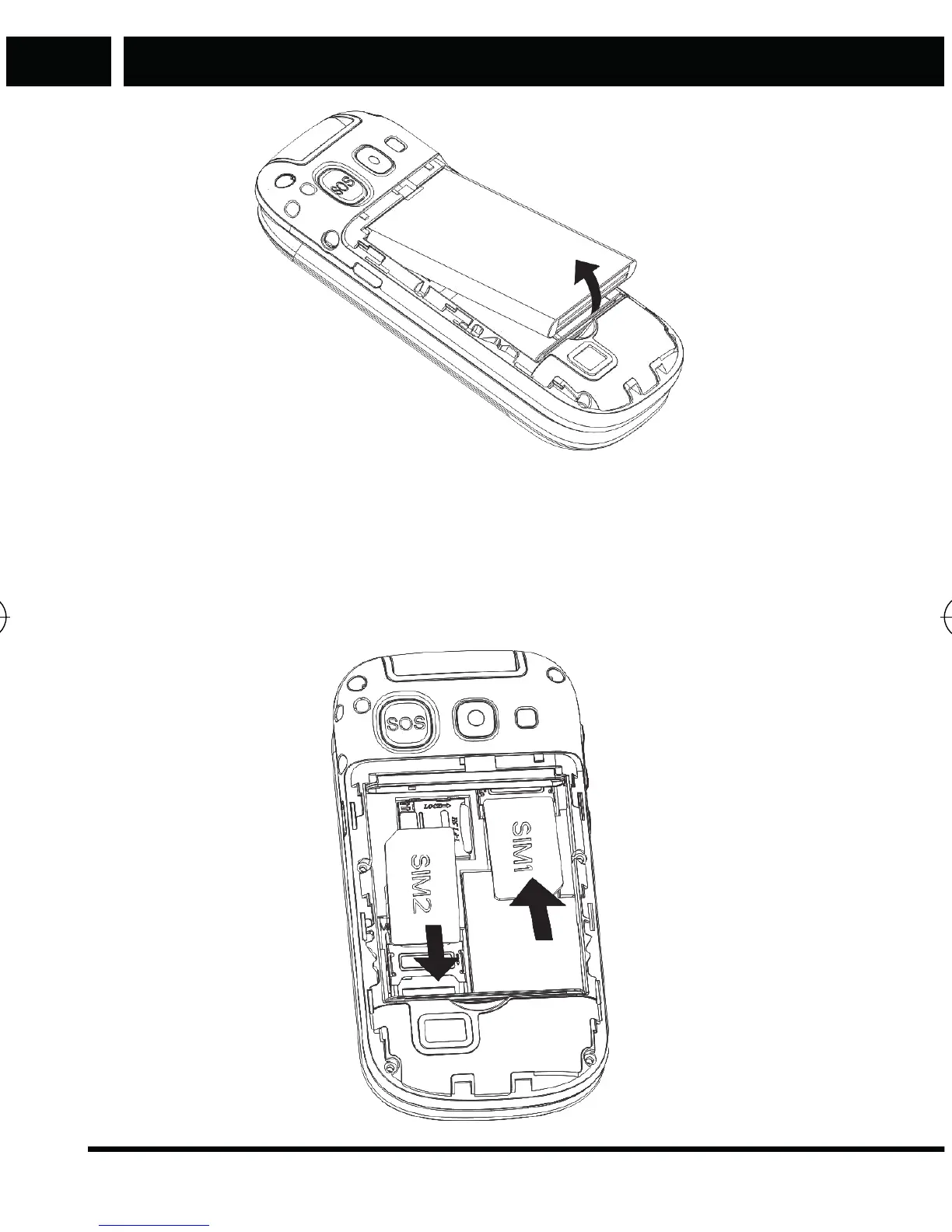
Insert the SIM card in the appropriate slots with contacts facing downwards
so that the contacts on the SIM card touch the built-in SIM contacts in the
phone. Insert the SIM 1 card into the upper right slot, with cut corner located
in the lower right corner of the slot, insert SIM 2 card into the lower left slot,
with the cut corner located in the upper left corner of the slot.
Element P006S EN CZ SK HU PL.indb 14 24.04.2017 23:41:20



 To Next Page