EasyManua.ls Logo

Sencor SLE 1955M4 - Page 19

Sencor SLE 1955M4
36 pages
Print Icon
To Next Page IconTo Next Page
To Previous Page IconTo Previous Page
Loading...
5.
Basic
controls
5.1.
Turning
the
television
on
and
off
How
to
turn
the
television
on
and
off
Basic
controls
1
Insert
the
power
cord
plug
into
a
power
socket.
2.
Toturn
on
the
television
press
the
©
button
on
the
remote
control
or
the
STANDBY
button
on
the
television.
3.
Anormal
picture
will
appear
on
the
television
after
approx.
15
seconds.
In
the
event
hat
a
signal
is
missing,
the
message
"No
signal
will
appear
on
the
screen.
4.
you
need
to
temporarily
turn
off
the
television,
press
the
(D
button
on
the
remote
control
or
the
STANDBY
button
on
the
LCD
panel
of
the
television
and
the
elevision
will
switch
to
the
stand-by
mode.
9:
you
want
to
turn
off
the
television
completely,
uou
should
turn
off
the
power
switches
or
to
pull
the
power
cable
out
of
the
power
socket.
6.
After
turning
the
television
off,
you
should
wait
at
least
5
seconds
before
turning
he
television
on
again.
5.2.
Installation
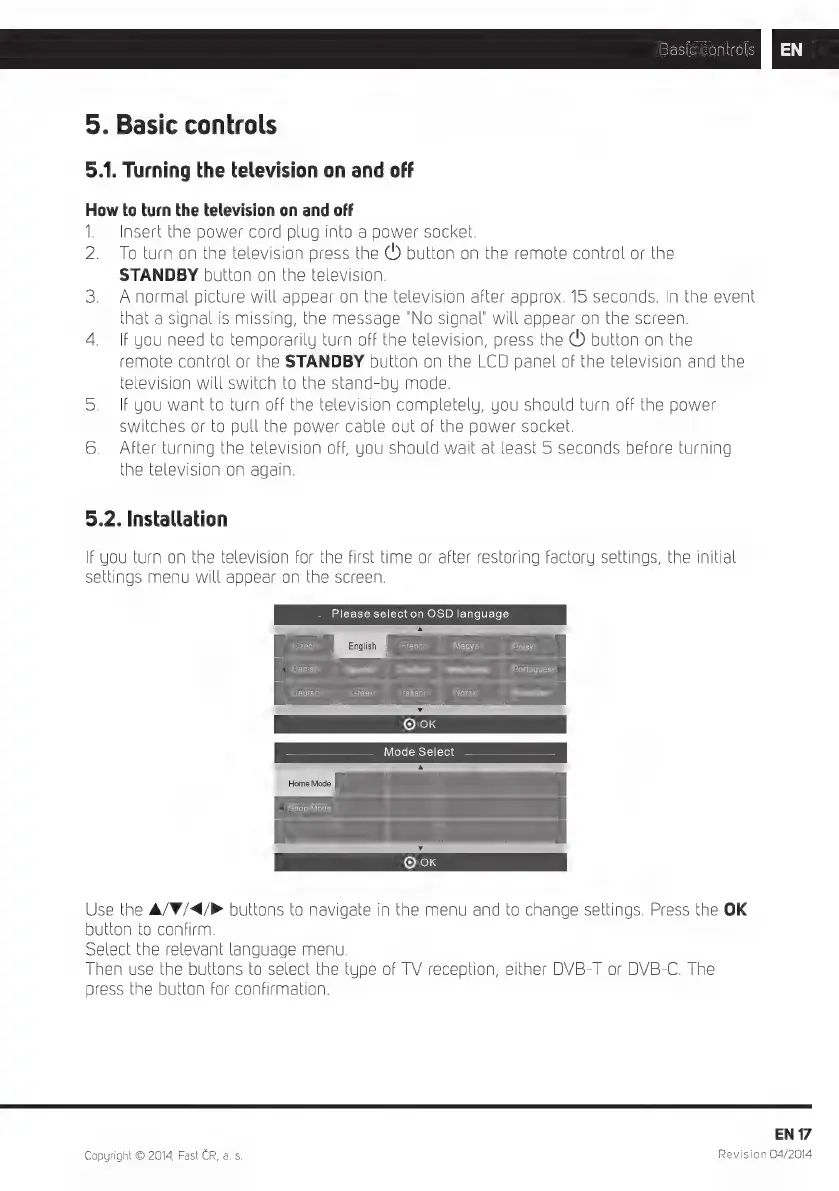
If
you
turn
on
the
television
for
the
first
time
or
after
restoring
factory
settings,
the
initial
settings
menu
will
appeer
on
the
screen.
Please
select
on
OSD
language
A
Czech
PEWS
Deutsch
Greek
Ital
[O)
English
|
French
DIETE
Polski
Portuguese
iano
Norsk
Y
OK
Mode
Select
Home
Mode
Shop
Mode
A
[O)
Y
OK
Use
the
A/W/<4/®
buttons
to
navigate
in
the
menu
and
to
change
settings.
Press
the
OK
button
to
confirm.
Select
the
relevant
language
menu.
Then
use
the
buttons
to
select
the
type
of
TV
reception,
either
DVB-T
or
DVB-C.
The
press
the
button
for
confirmation.
Copyright
©
2014,
Fast
CR,
a. s.
EN
17
Revision
04/2014

Related product manuals