EasyManua.ls Logo

Sencor SLE 1955M4 - Page 22

Sencor SLE 1955M4
36 pages
Print Icon
To Next Page IconTo Next Page
To Previous Page IconTo Previous Page
Loading...
ic
controls
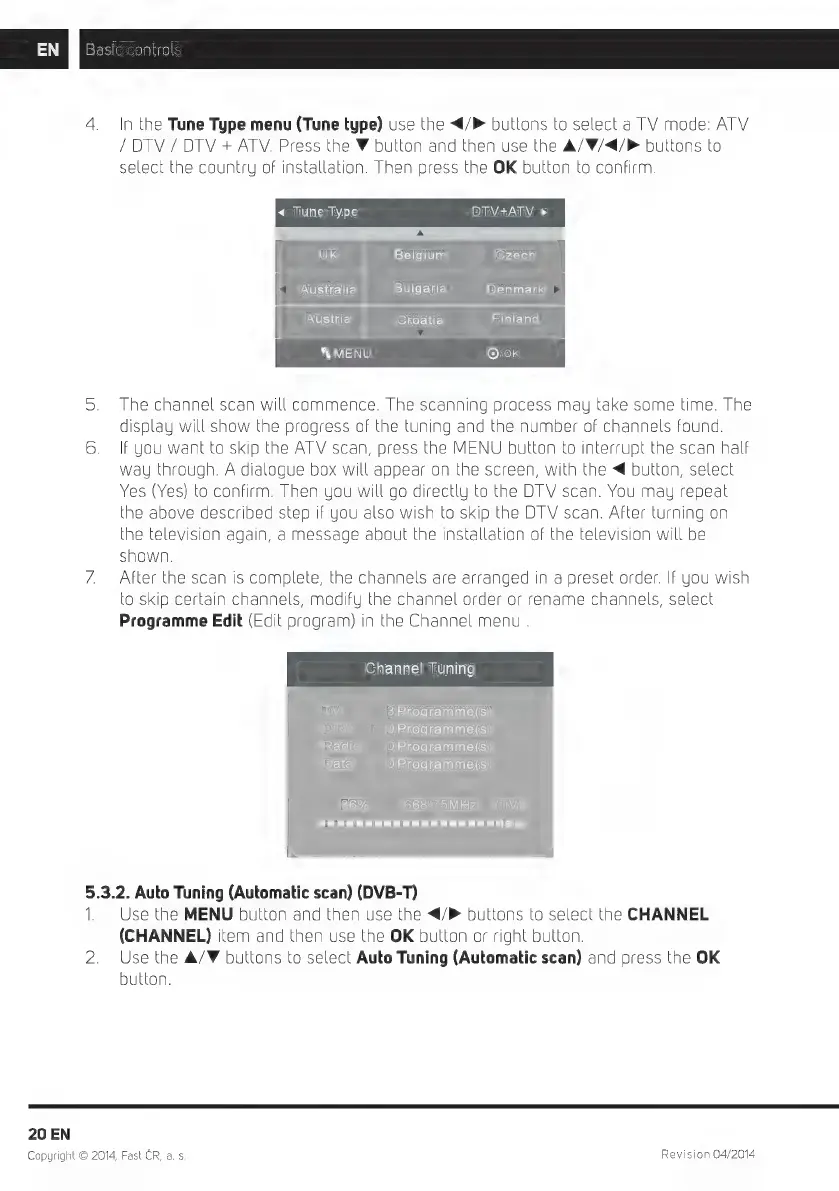
4.
In
the
Tune
Type
menu
(Tune
type)
use
the
</P
buttons
to
select
a
TV
mode:
ATV
/
DTV
/
DTV
+
ATV.
Press
the
W
button
and
then
use
the
A/W/<4/P
buttons
to
select
the
country
of
installation.
Then
press
the
OK
button
to
confirm.
<
Tune
Type
DTV+ATV
>
UK
Belgium
Czech
Australia
Bulgaria
Denmark
Austria
Croatia
Finland
X
MENU
[Oe
5.
The
channel
scan
will
commence.
The
scanning
process
may
take
some
time.
The
display
will
show
the
progress
of
the
tuning
and
the
number
of
channels
found.
6.
If
you
want
to
skip
the
ATV
scan,
press
the
MENU
button
to
interrupt
the
scan
half
way
through.
A
dialogue
box
will
appear
on
the
screen,
with
the
<
button,
select
Yes
(Yes)
to
confirm.
Then
you
will
go
directly
to
the
DTV
scan.
You
may
repeat
he
above
described
step
if
you
also
wish
to
skip
the
DTV
scan.
After
turning
on
he
television
again,
a
message
about
the
installation
of
the
television
will
be
shown.
7.
After
the
scan
is
complete,
the
channels
are
arranged
in
a
preset
order.
If
you
wish
0
skip
certain
channels,
modify
the
channel
order
or
rename
channels,
select
Programme
Edit
(Edit
program)
in
the
Channel
menu
.
Channel
Tuning
TV
:
3Programme(s)
DTV
:
OProgramme(s)
Radio
:
OProgramme(s)
Data
:
OProgramme(s)
36%...
668.75MHz
(TV)
LE
aT
5.3.2.
Auto
Tuning
(Automatic
scan)
(DVB-T)
1.
Use
the
MENU
button
and
then
use
the
</>
buttons
to
select
the
CHANNEL
(CHANNEL)
item
and
then
use
the
OK
button
or
right
button.
2.
Use
the
A/V
buttons
to
select
Auto
Tuning
(Automatic
scan)
and
press
the
OK
button.
20
EN
Copyright
©
2014,
Fast
CR,
a.
s.
Revision
04/2014

Related product manuals