EasyManua.ls Logo

Sencor SLE 1955M4 - Page 27

Sencor SLE 1955M4
36 pages
Print Icon
To Next Page IconTo Next Page
To Previous Page IconTo Previous Page
Loading...
Basic
controls
AN
ATTENTION
For
the
software
update,
use
only
the
software
supplied
and
approved
by
the
manufacturer
and
follow
the
provided
instructions.
Otherwise,
a
serious
malfunction
may
occur
that
is
not
covered
by
the
warranty.
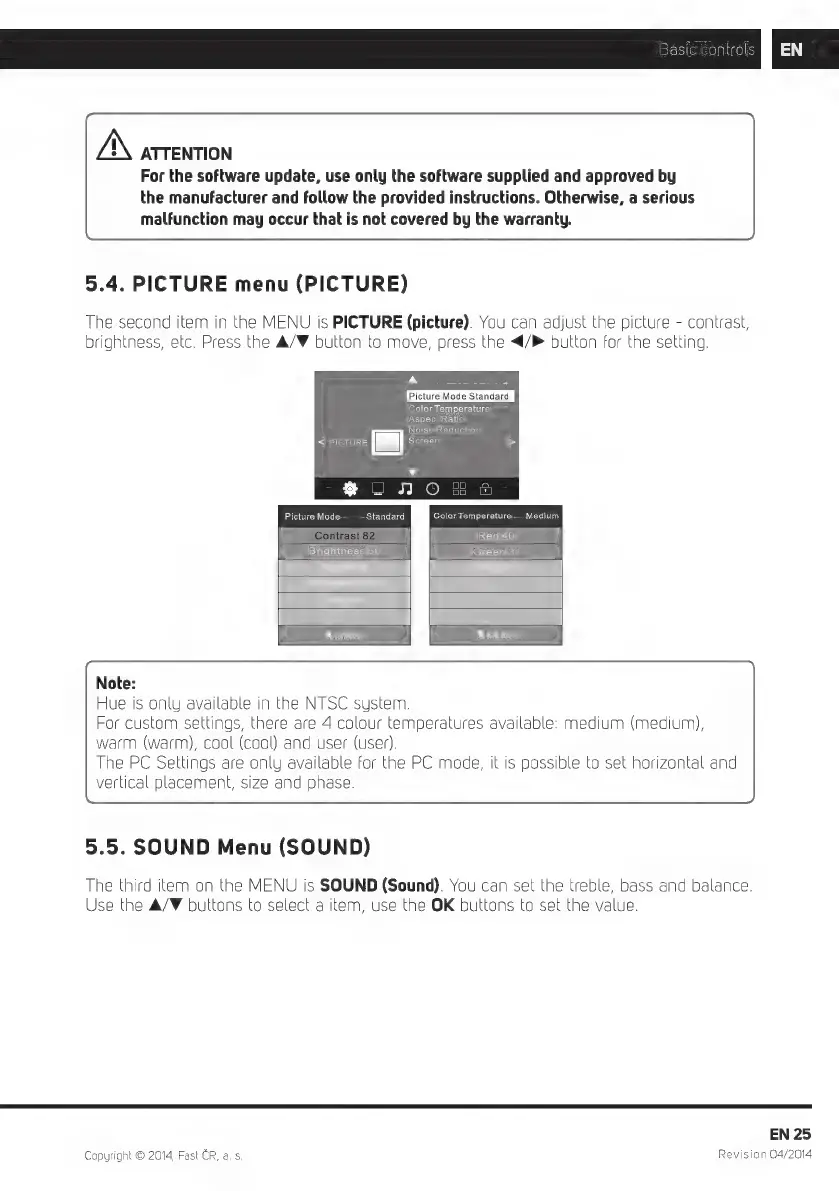
5.4.
PICTURE
menu
(PICTURE)
The
second
item
in
the
MENU
is
PICTURE
(picture).
You
can
adjust
the
picture
-
contrast,
brightness,
etc.
Press
the
A/F
button
to
move,
press
the
</>
button
for
the
setting.
A
Picture
Mode
Standard
Color
Temperature
Aspect
Ratio
Noise
Reduction
<
PICTURE
LJ]
Screen
v
go
$
2
ao
G
Picture
Mode
Standard
Color
Temperature
Medium
Red
40
Brightness
50
Green
31
Note:
Hue
is
only
available
in
the
NTSC
system.
For
custom
settings,
there
are
4
colour
temperatures
available:
medium
(medium),
warm
(warm),
cool
(cool)
and
user
(user).
The
PC
Settings
are
only
available
for
the
PC
mode,
it
is
possible
to
set
horizontal
and
vertical
placement,
size
and
phase.
5.5.
SOUND
Menu
(SOUND)
The
third
item
on
the
MENU
is
SOUND
(Sound).
You
can
set
the
treble,
bass
and
balance.
Use
the
A/F
buttons
to
select
a
item,
use
the
OK
buttons
to
set
the
value.
EN
25
Copyright
©
2014,
Fast
CR,
a. s.
Revision
04/2014

Related product manuals