EasyManua.ls Logo

Sencor SLE 1955M4 - Page 26

Sencor SLE 1955M4
36 pages
Print Icon
To Next Page IconTo Next Page
To Previous Page IconTo Previous Page
Loading...
Basic
controls
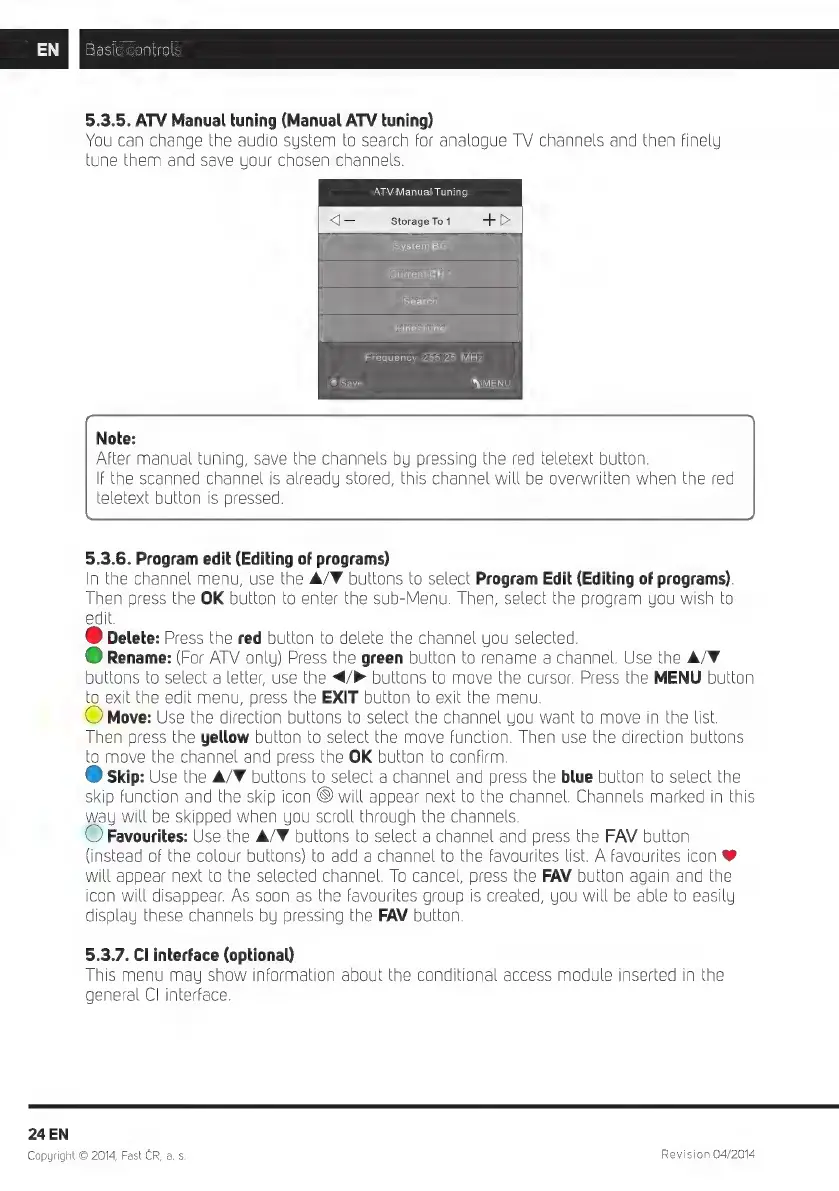
5.3.5.
ATV
Manual
tuning
(Manual
ATV
tuning)
You
can
change
the
audio
system
to
search
for
analogue
TV
channels
and
then
finely
tune
them
and
save
your
chosen
channels.
ATV
Manual
Tuning
q=
Storage
To
1
+
>
System
BG
Current
CH
1
Search
Fine-Tune
Frequency
255.25
MHz
@
Save
MENU
Note:
After
manual
tuning,
save
the
channels
by
pressing
the
red
teletext
button.
IF
the
scanned
channel
is
already
stored,
this
channel
will
be
overwritten
when
the
red
teletext
button
is
pressed.
5.3.6.
Program
edit
(Editing
of
programs)
[n
the
channel
menu,
use
the
A/F
buttons
to
select
Program
Edit
(Editing
of
programs).
Then
press
the
OK
button
to
enter
the
sub-Menu.
Then,
select
the
program
you
wish
to
edit.
@
Delete:
Press
the
red
button
to
delete
the
channe
you
selected.
@
Rename:
(For
ATV
only)
Press
the
green
button
to
rename
a
channel.
Use
the
A/V
buttons
to
select
a
letter,
use
the
</P
buttons
to
move
the
cursor.
Press
the
MENU
button
to
exit
the
edit
menu,
press
the
EXIT
button
to
exit
the
menu.
Move:
Use
the
direction
buttons
to
select
the
channel
you
want
to
move
in
the
list.
Then
press
the
yellow
button
to
select
the
move
function.
Then
use
the
direction
buttons
to
move
the
channel
and
press
the
OK
button
to
confirm.
Q
skip:
Use
the
A/F
buttons
to
select
a
channel
and
press
the
blue
button
to
select
the
skip
function
and
the
skip
icon
©
will
appear
next
to
the
channel.
Channels
marked
in
this
way
will
be
skipped
when
uou
scroll
through
the
channels.
©
Favourites:
Use
the
A/V
buttons
to
select
a
channel
and
press
the
FAV
button
(instead
of
the
colour
buttons)
to
add
a
channel
to
the
favourites
list.
A
favourites
icon
@
will
appear
next
to
the
selected
channel.
To
cancel,
press
the
FAV
button
again
and
the
icon
will
disappear.
As
soon
as
the
favourites
group
is
created,
you
will
be
able
to
easily
display
these
channels
by
pressing
the
FAV
button.
5.3.7.
Cl
interface
(optional)
T
his
menu
may
show
information
about
the
conditional
access
module
inserted
in
the
general
CI
interface.
24
EN
Copyright
O
2014,
Fast
CR,
a. s.
Revision
04/2014

Related product manuals