EasyManua.ls Logo

Sencor SLE 1955M4 - Page 31

Sencor SLE 1955M4
36 pages
Print Icon
To Next Page IconTo Next Page
To Previous Page IconTo Previous Page
Loading...
USB
plauer
6.
USB
player
Press
the
source
button
and
in
the
list
select
USB,
open
the
USB
menu
by
pressing
the
OK
button.
Check
that
the
USB
device
is
connected
to
the
slot.
You
can
select
from
four
types
of
media:
photo
(photographs),
music
(music),
movie
(film)
and
text.
Select
the
type
of
media
by
pressing
</>,
then
enter
the
disk
menu
by
pressing
the
OK
button.
IS:
a
>
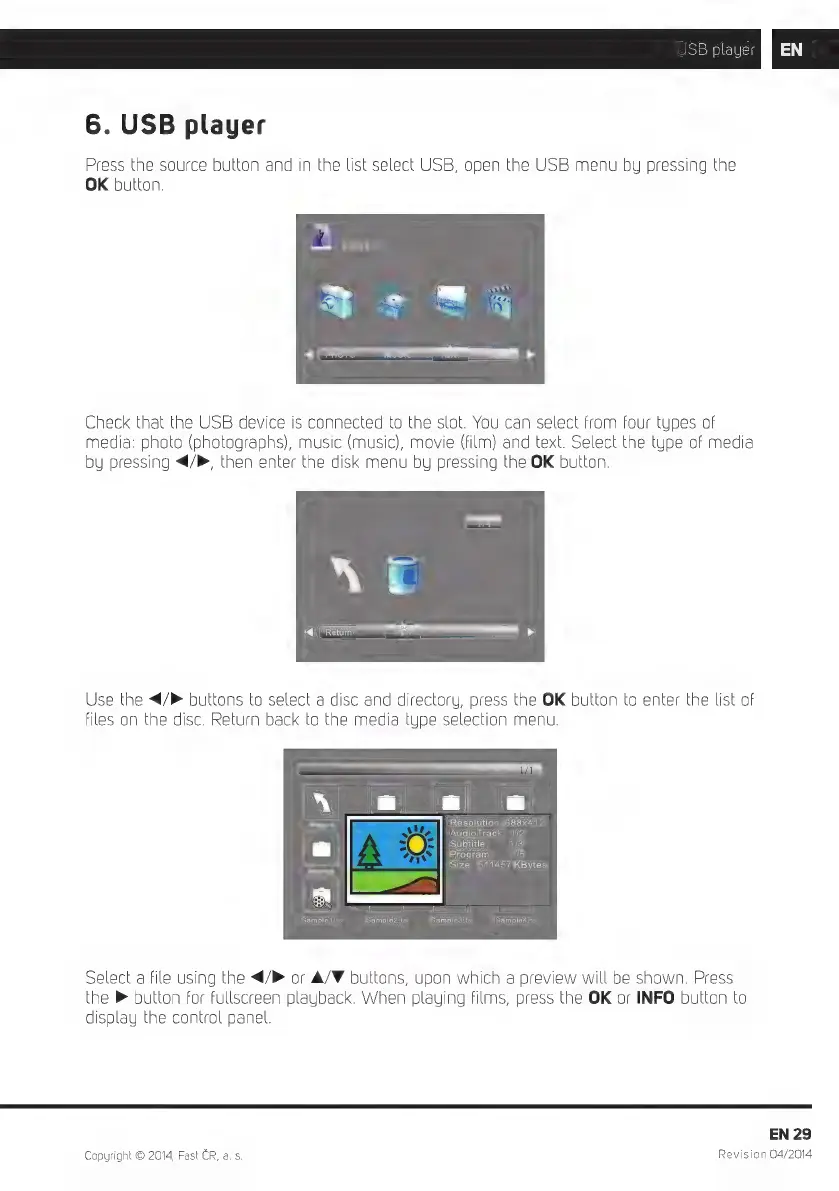
Use
the
</P
buttons
to
select
a
disc
and
directory,
press
the
OK
button
to
enter
the
list
of
files
on
the
disc.
Return
back
to
the
media
type
selection
menu.
Ne
a|
a
Resolution:
688x412
AudioTrack:
1/2
Subtitle:
1/3
Program:
1/5
Size:
511457
KBytes
==]
==]
Sample1.ts
Sample2.ts
Sample3.ts
Sample4.ts
Select
a
file
using
the
</
or
A/F
buttons,
upon
which
a
preview
will
be
shown.
Press
the
®
button
for
fullscreen
playback.
When
playing
films,
press
the
OK
or
INFO
button
to
display
the
control
panel.
EN
29
Copyright
©
2014,
Fast
CR,
a.
s.
Revision
04/2014

Related product manuals