Need help?
Do you have a question about the Sencor SMW 6023DS and is the answer not in the manual?
This document provides a comprehensive instruction manual for the Sencor SMW 6023DS Microwave Oven, covering its functions, usage, and maintenance.
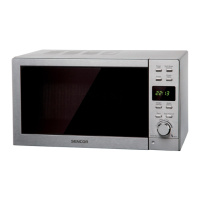
The Sencor SMW 6023DS is a microwave oven designed for heating, cooking, and drying food. It features various cooking modes and controls to facilitate a range of culinary tasks. The oven is equipped with a digital display that shows cooking time, power level, and clock time.
Key functions include:
The microwave oven is designed for user-friendly operation with a clear control panel and intuitive settings.
Setting the Digital Clock: The clock can be set in a 24-hour cycle. To set the time, press the "CLOCK" button, turn the "MENU/TIME" knob to set hours, press "CLOCK" again for confirmation, turn the "MENU/TIME" knob to set minutes, and finally press "CLOCK" to confirm. The clock time can be checked during cooking by pressing the "CLOCK" button once.
Microwave Cooking Operation: To initiate microwave cooking, first press the "POWER LEVEL" button repeatedly to select the desired power level (100%, 80%, 60%, 40%, 20%, or 0%). Then, turn the "MENU/TIME" knob clockwise to set the cooking time (up to 95 minutes). Finally, press the "START/QUICK START" button to begin cooking. During cooking, the current power level can be checked by pressing the "POWER LEVEL" button, and the display will temporarily show the power level before returning to the countdown timer.
Defrosting Procedures: For Weight Defrost, place the food in the oven, press "WEIGHT DEFROST," use "WEIGHT ADJUST" to set the food's weight, and press "START/QUICK START." The oven will beep during the process, prompting the user to turn the food over. For Speed Defrost, place the food in the oven, press "SPEED DEFROST," turn the "MENU/TIME" knob to set the defrost time, and press "START/QUICK START." This function also includes prompts to turn the food.
Multi-Stage Cooking Setup: To use multi-stage cooking, first input the settings for the first cooking program (power and time). Then, press the "MULTI STAGE COOKING" button. Next, input the settings for the second cooking program. Finally, press "START/QUICK START" to begin. Note that weight defrost, speed defrost, or auto cook cannot be set in multi-stage cooking programs. Indicator lights (1S, 2S) will show which stage the oven is operating in.
Auto Cook Selection: To use auto cook, turn the "MENU/TIME" knob anticlockwise to select the desired food code from the auto cook menu. Press the "WEIGHT ADJUST" button to set the weight of the food. Then, press "START/QUICK START" to begin cooking. The manual provides a table with food codes, units, and notes for optimal results.
Preset Function Setup: To set a preset cooking program, first set the desired cooking program (e.g., power level and cooking time). Then, press the "PRESET" button once. Turn the "MENU/TIME" knob to set the desired start hour, press "PRESET" again, and turn the "MENU/TIME" knob to set the minutes. Finally, press "START/QUICK START" to confirm the preset. The oven will automatically start the program at the scheduled time.
Child Lock Activation/Deactivation: To activate the child lock, press and hold the "STOP/CANCEL" button for 3 seconds. A beep will sound, and a lock indicator will appear on the display, rendering all buttons inoperable. To deactivate, press and hold the "STOP/CANCEL" button for 3 seconds again. A beep will sound, and the lock indicator will disappear.
Proper maintenance is crucial for the longevity and safe operation of the microwave oven.
General Cleaning:
Specific Cleaning Tasks:
Professional Service:
 General
| Type | Microwave Oven |
|---|---|
| Volume | 20 L |
| Control Type | Mechanical |
| Turntable Diameter | 24.5 cm |
| Weight | 13.5 kg |
| Color | Silver |
| Capacity | 20 L |
| Number of power levels | 5 |
| Colour | Silver |
| Dimensions (W x D x H) | 440 x 352 x 259 mm |

 To Next Page