EasyManua.ls Logo

Sencor SPT 300 - Page 9

Sencor SPT 300
11 pages
Print Icon
To Next Page IconTo Next Page
To Previous Page IconTo Previous Page
Loading...
RADIO
Operation
The
unit
is
designed
to
receive
FM
Stereo/FM
and
AM
radio
bands.
1.
Slide
the
FUNCTION
switch
on
the
top
of
the
unit
to
select
RADIO
mode.
2.
Slide
the
BAND
switch
on
the
side
of
the
unit
to
select
FM
ST,
FM
or
AM
band.
3.
Adjust
the
TUNING
knob
on
the
side
of
unit
to
tune
the
frequency
of
desired
radio
station.
4.
The
tuning
frequency
will
be
displayed
on
the
LCD
display.
5.
For
the
FM
stereo
mode,
please
slide
the
BAND
switch
to
FM
ST
position.
The
FM
ST.
indicator
will
be
lighted
up
when
the
reception
signal
is
strong.
6.
For
the
FM
mono
mode,
please
slide
the
BAND
switch
to
FM
position.
The
FM
ST.
indicator
will
be
turned
off.
7.
For
the
AM
mode,
please
slide
the
BAND
switch
to
AM
position.
Remark:
The
unit
has
built-in
AM
ferrite
bar
antenna,
which
can
provide
adequate
reception
in
most
areas.
If
the
AM
reception
is
weak,
try
to
adjust
the
location
of
the
unit
or
relocate
the
unit
to
improve
the
reception.
If
the
FM
reception
is
weak,
try
to
adjust
the
length
and
the
angle
of
the
FM
antenna
to
improve
the
signal
reception.
AUX-IN
Operation
Setting
up
(AUX-IN)
connection
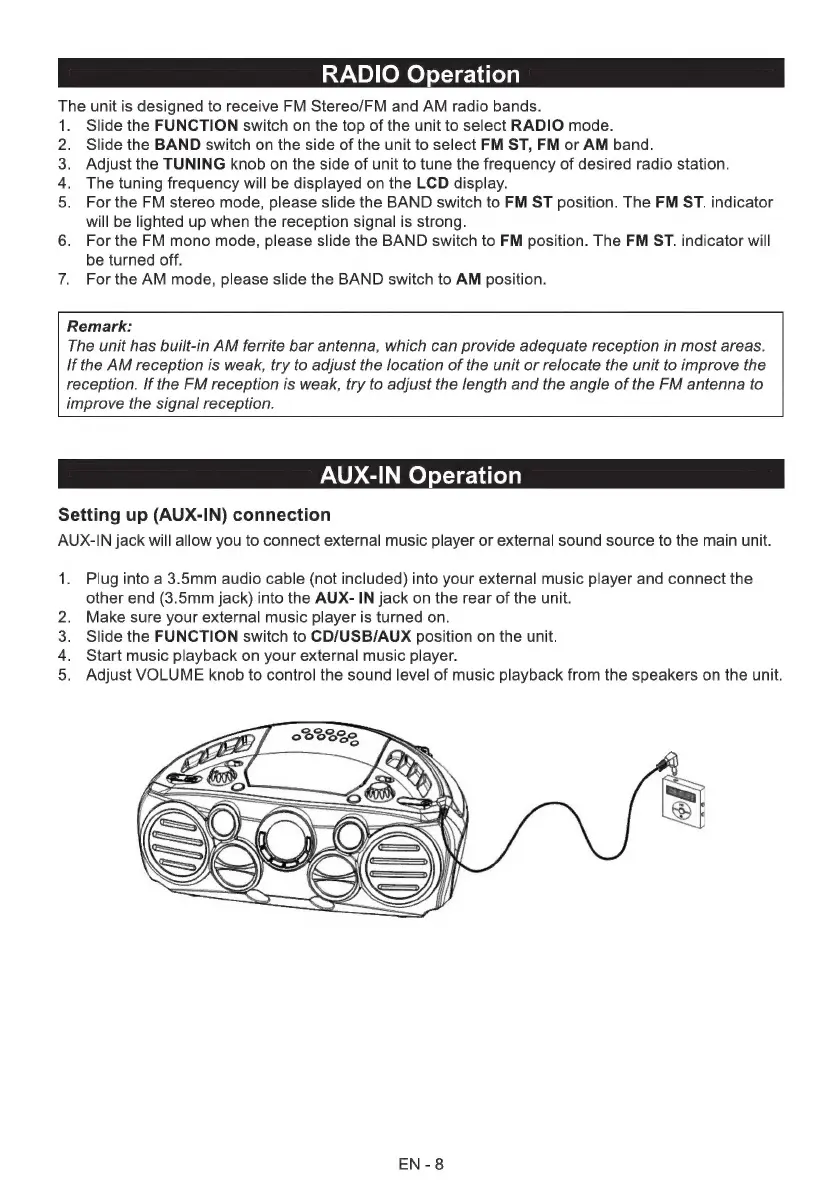
AUX-IN
jack
will
allow
you
to
connect
external
music
player
or
external
sound
source
to
the
main
unit.
1.
Plug
into
a
3.5mm
audio
cable
(not
included)
into
your
external
music
player
and
connect
the
other
end
(3.5mm
jack)
into
the
AUX-
IN
jack
on
the
rear
of
the
unit.
Make
sure
your
external
music
player
is
turned
on.
Slide
the
FUNCTION
switch
to
CD/USB/AUX
position
on
the
unit.
Start
music
playback
on
your
external
music
player.
Adjust
VOLUME
knob
to
control
the
sound
level
of
music
playback
from
the
speakers
on
the
unit.
оь
ом
ЕМ
-
8

Related product manuals