Need help?
Do you have a question about the SENEC HOME LI and is the answer not in the manual?
Identifies the intended users for the installation manual.
Outlines manufacturer liability and warranty conditions.
Specifies the applicability period of these instructions.
Explains symbols and conventions used throughout the manual.
Provides instructions for storing the product.
States the policy on unauthorized modifications to the product.
Explains how to identify the product, e.g., serial number.
Defines the proper applications and intended purpose of the system.
Lists uses and modifications that are expressly forbidden.
Specifies the qualifications required for installers.
Provides essential safety precautions for installation and operation.
Lists and describes components crucial for system safety.
Explains various safety symbols and their meanings.
Details the necessary personal protective equipment for installation.
Provides instructions for safe transportation of the product.
Guides through the steps for installing the system.
Specifies criteria for choosing a suitable installation site.
Instructions for temperature acclimation after shipping.
Details labels to be affixed to the system.
Defines the optimal and acceptable temperature ranges for operation.
Specifies required physical space and distances for installation.
Provides guidelines for storing the product.
Lists all components included in the product shipment.
Lists the necessary tools for proper installation.
Specifies required electrical components and cables.
Lists any other materials needed for installation.
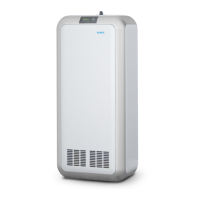
Provides a general overview of the product's physical aspects.
Describes the system's buttons, displays, and indicators.
Explains the bus system and jumper settings.
Details the various connections for the SENEC.Home Li.
Explains how the system operates and its core functions.
Describes the function of the integrated battery inverter.
Explains the operation of the charging and discharging system.
Details the specifications and management of the battery modules.
Provides detailed technical data for the system.
Lists requirements that must be met before installation begins.
Explains the need for a configuration password.
States the necessity of stable internet connectivity for warranty.
Guides selection of the appropriate connection method.
Details the connection procedure using a certified inverter.
Details the connection procedure using a non-certified inverter.
Describes connection when the metering point is ambiguous.
Explains how to connect the system to the building's electrical wiring.
Steps for preparing the physical location for installation.
Steps to prepare components and tools for assembly.
Detailed instructions for installing the battery modules.
Guides the connection to the AC power supply.
Instructions for connecting the photovoltaic inverter.
Steps for installing the optional mains backup feature.
Guides the initial setup and configuration of the system.
Instructions for the initial power-on sequence.
Steps to prepare the system and tools for configuration.
Walkthrough of the system's configuration wizard.
Details the procedure for the initial battery charging cycle.
Lists requirements for cascading multiple systems.
Explains how multiple systems work together in a cascade.
Provides instructions for configuring cascaded systems.
Final tasks to complete after installation and configuration.
Addresses common problems related to battery functionality.
Solutions for issues with the AC electrical connection.
Solutions for problems with data transmission and communication.
Addresses issues related to insufficient system capacity.
Solutions when local monitoring is inaccessible.
Addresses problems with mains power draw thresholds.
Solutions for issues with incomplete online monitoring data.
Addresses problems with displaying PV power generation.
Solutions when the SENEC.Inverter fails to start.
Lists mandatory requirements for registering the installed system.
Lists necessary documents for registering with the electricity supplier.
Explains how to use the front display for system control.
Details how the IP address is displayed and its meaning.
Interprets LED status indicators on the MCU.
Instructions for safely powering down battery modules for storage.
Guides on accessing and using the local monitoring interface.
Explains how to use the online monitoring platform.
Steps for creating an account on the online monitoring portal.
Describes the capabilities and features of the online monitoring system.
Lists and explains various system status indicators.
Details the different operating modes and statuses of the system.
Specific maintenance tasks for the battery modules.
Instructions for updating the system's software.
Information on obtaining spare parts and accessories.
A list of abbreviations used in the manual and their meanings.
 General
| Brand | SENEC |
|---|---|
| Model | HOME LI |
| Category | Camera Accessories |
| Language | English |

 To Next Page