EasyManua.ls Logo

Seneca XVAULT xNVR200 - User Manual

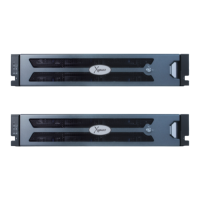
Seneca XVAULT xNVR200
52 pages
Print Icon
To Next Page IconTo Next Page
Loading...
xVault xNVR200/300/400 User Guide V2.0.0
XVAULT XNVR200/300/400
HARDWARE USER GUIDE
V3.0.0
NOTICE: First and most important level of data protection starts with uninterruptable power.
Question and Answer IconNeed help?

Do you have a question about the Seneca XVAULT xNVR200 and is the answer not in the manual?

Summary

III. BEST PRACTICES

Network Segregation and IP Addressing

Guidance on separating network segments and IP address allocation for optimal performance.

RAID Configuration and Rebuild Parameters

V. GETTING STARTED

REMOTE ACCESS TO THE MANAGEMENT GUI

CHANGING CAMERA;VIEWING;MANAGEMENT PORT IP ADDRESSES

CHANGING ISCSI;NAS PORT ATTRIBUTES

DEFAULT USERNAME AND PASWORD

VI. RAID MANAGEMENT

Creating a Mirrored OS Drive Pair

Step-by-step guide to creating a mirrored RAID set for the OS.

BIOS Level Bad Drive Rebuild;Restore

Procedure for rebuilding or restoring drives using the BIOS RAID utility.

USING MegaRAID STORAGE MANAGER

B. CREATE A RAID SET

Guide to creating new RAID sets (virtual drives) via MSM.

C. MOUNTING A RAID SET TO THE XNVR

Process of mounting a created RAID set to the xNVR operating system.

D. EXPANDING A RAID SET

E. CONFIGURING REBUILD, RECONSTRUCTION and BGI RATES

VII. CONFIGURING ALERTS

CONFIGURING SMTP MAIL SERVER AND EMAIL RECIPIENT

APPENDIX A

Seneca XVAULT xNVR200 Specifications

General IconGeneral
RAMUp to 64GB DDR4 ECC
StorageUp to 4x 3.5" or 2.5" HDD/SSD
RAID SupportRAID 0, 1, 5, 10
Network Interface2x Gigabit Ethernet
Operating SystemLinux