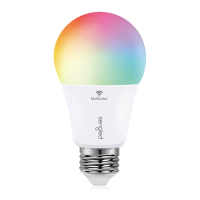
Congratulations on successfully set up your smart bulbs!
Reset Instructions:
To reset your Smart LED bulb, ensure that the bulb is on
and then quickly turn the bulb o and on at least 5 times
(using a light switch or power bar works best). If the reset
is successful, the bulb will flash three times. If it does not
flash three times, you will have to try again.
Once successfully reset, please try to pair it in your Alexa
app again.
Operation:
The following section outlines some of the popular
operational modes of the Sengled Smart Bluetooth Mesh
LED bulbs.
On / O
Smart LED bulbs can be controlled through a variety
of means:
• Manually via a wall switch
• Through Alexa app
• Through Voice Control
“Alexa, turn on first light”
“Alexa, turn o all lights.”
Dimming
Smart LED bulbs can be dimmed through the
following:
• Through Alexa app
• Through Voice Control
“Alexa, dim all lights to 10%.”
“Alexa, brighten all lights.”
Routine
Routines can be created with Alexa app. Use the
main manual of Alexa app and choose Routines to
start setup.
Away Lighting with Alexa Guard
Alexa can automatically turn your bulbs on and o to
make it look like someone’s home while you’re away.
Just set up Guard in the Alexa app and then tell
A
B
C
D
3
EN


 To Next Page