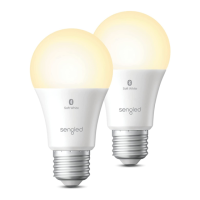
Operation:
The following section outlines some of the popular
operational modes of the Sengled Smart LED bulbs.
Applicable to all smart LED bulbs:
On / O
Smart LED bulbs can be controlled through a variety
of means:
• Manually via a wall switch
• Through Sengled Home app (including Widget)
• Through partner programs like Alexa,
Google Assistant, HomeKit, etc.
• Through Sengled Smart Light Switch
Dimming
Smart LED bulbs can be dimmed through the
following:
• Through Sengled Home app (including Widget)
• Through partner programs like Alexa,
Google Assistant, HomeKit, etc.
• Through Sengled Smart Light Switch
Note: Manual dimming via wall dimmers is not
supported.
Scheduling
Schedules can be created with Sengled Home app.
Check the in-app how-to pages through "Settings" for
the following two operations.
Third-Party Voice Control
• Set up Amazon Alexa by adding
Sengled Home Skill.
• Set up Google Assistant by adding
Sengled Home Service.
• Setup Apple HomeKit by “Add Accessory" from
iOS Home app. (Sengled smart hub E39-G8C
required)
A
B
C
D
3


 To Next Page