ADN Digital Conference System | 135
Using the “Conference Manager” software
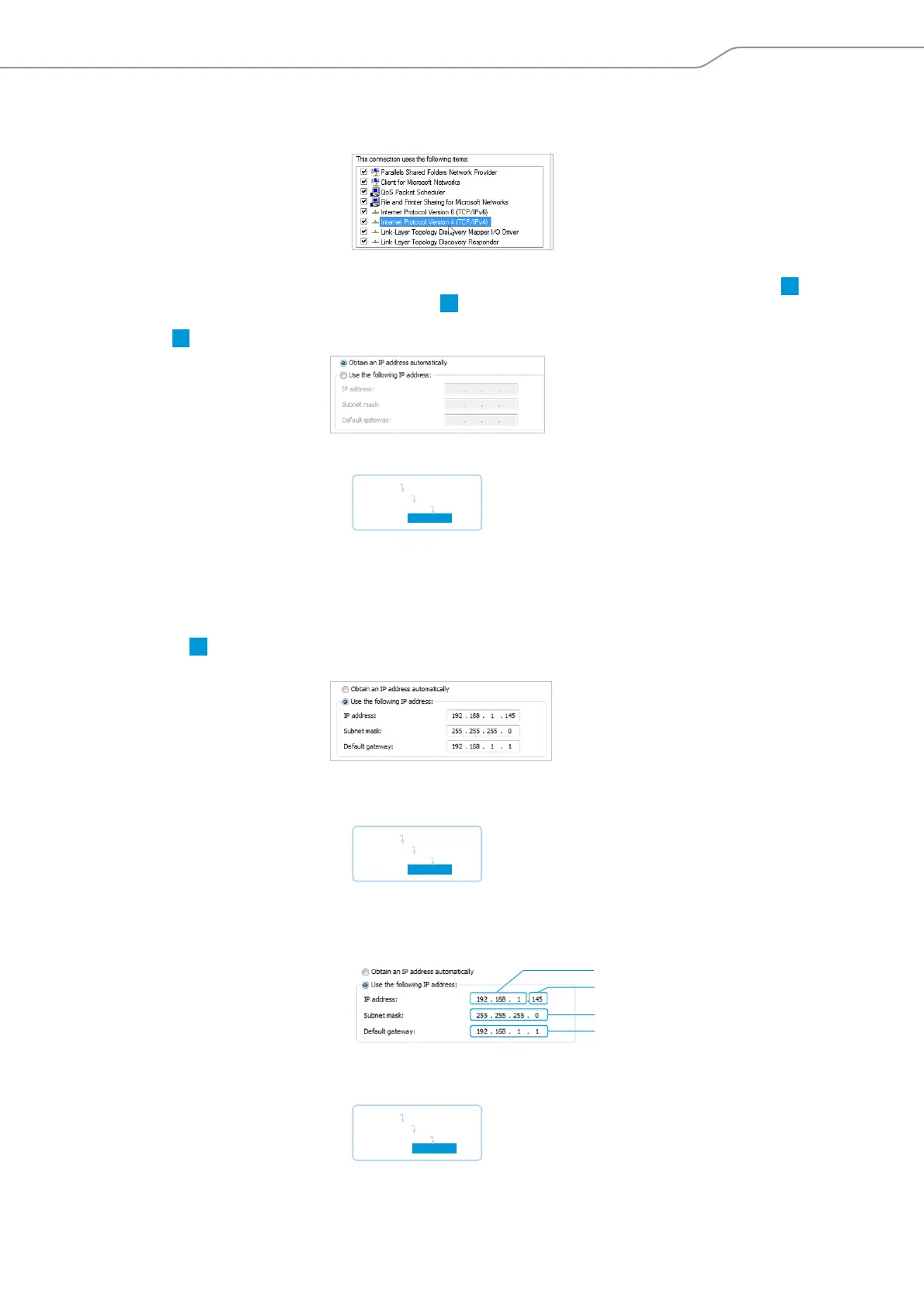
왘 In the “This connection uses the following items” box, double-click “Internet
Protocol Version 4 (TCP/IPv4)”.
The “Internet Protocol (TCP/IP) Properties” window appears.
Here you can see whet
her the Windows PC is assigned a dynamic IP address or
a static IP address in the network. Adjust your central unit as follows:
Dynamic IP address
The Windows PC is assigned a dynamic IP address in the network.
Setti
ngs to be
adjusted via the central unit (see page 113):
왘 On the central unit, call up the “IP Mode” menu item.
왘 Select “Dynamic IP”.
The central unit is automatically integrated in the network and no further steps
have to be taken.
Static IP address
The Windows PC is assigned a static IP address with a default gateway in the
network.
Setti
ngs to be adjusted via the central unit (see page 113):
왘 On the central unit, call up the “IP Mode” menu item.
왘 Select “Static IP”.
왘 Determine the network part of the IP addr
ess
of the Windows PC, the subnet
mask and the default gateway and note them down:
In this example, the network part is “192.168.1”.
왘 On the central unit, call up the “IP-Address” menu item.
B
Main Menu
Settings
Network
IP Mode
Main Menu
Settings
Network
IP Mode
IP network part
IP device part
Subnetz mask
Default gateway
Main Menu
Settings
Network
IP Address



 To Next Page