ADN Digital Conference System | 141
Using the “Conference Manager” software
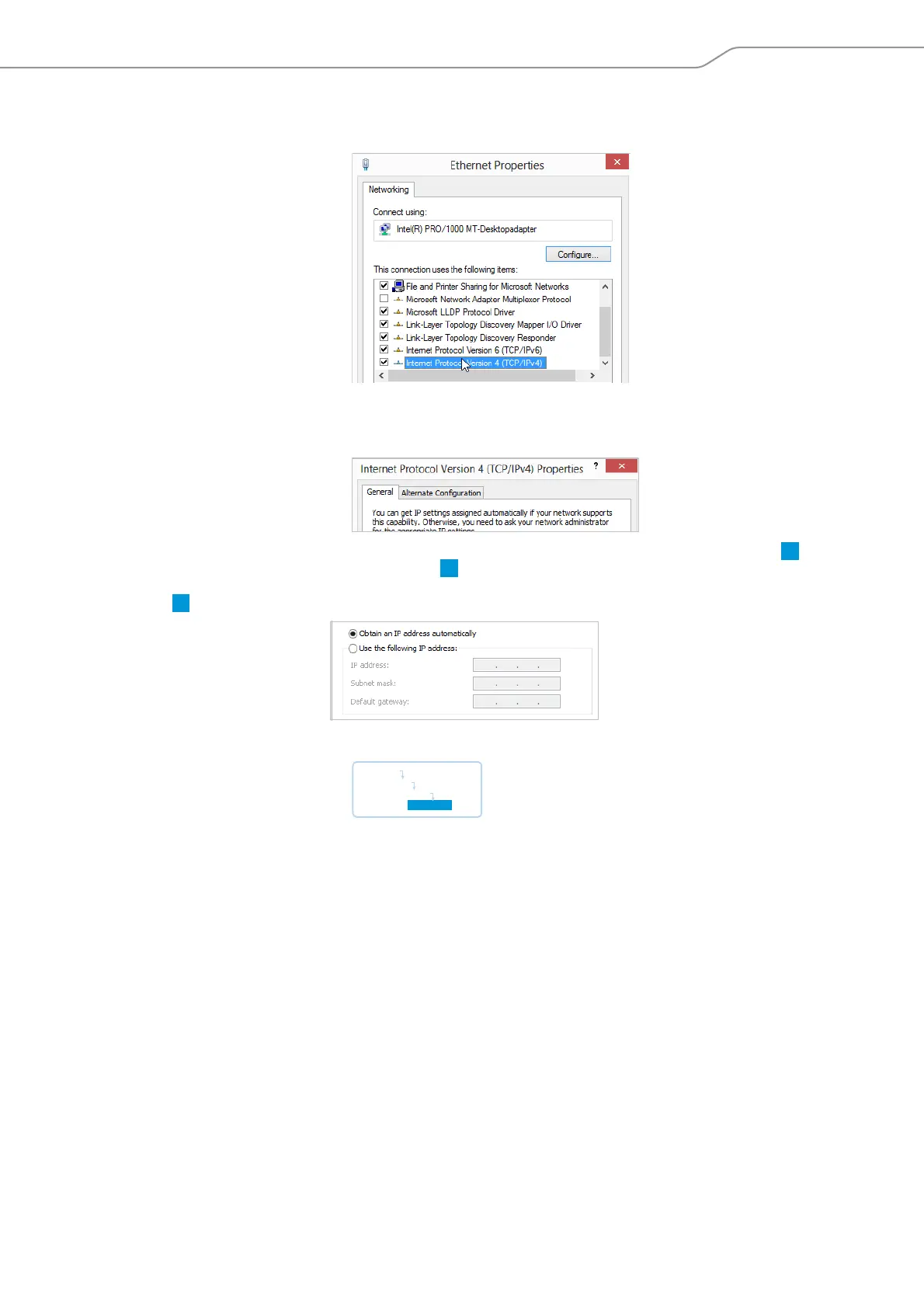
왘 Click the “Properties” button.
The “Ethernet Properties” window appears.
왘 In the “This connection uses the following items” box, double-click “Internet
Protocol Version 4 (TCP/IPv4)”.
The “Internet Protocol Version 4 (TCP/IPv4) Properties” window appears.
Here you can see whet
her the Windows PC is assigned a dynamic IP address or
a static IP address in the network. Adjust your central unit as follows:
Dynamic IP address
The Windows PC is assigned a dynamic IP address in the network .
Settings to be adjusted via the central unit (see page 113):
왘 On the central unit, call up the “IP Mode” menu item.
왘 Select “Dynamic IP”.
The centra
l unit is automatically integrated in the network and no further steps
have to be taken.
A
B
Main Menu
Settings
Network
IP Mode



 To Next Page