Product overview
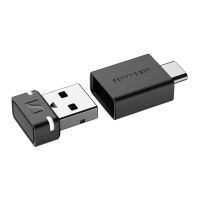
6 | BTD 600
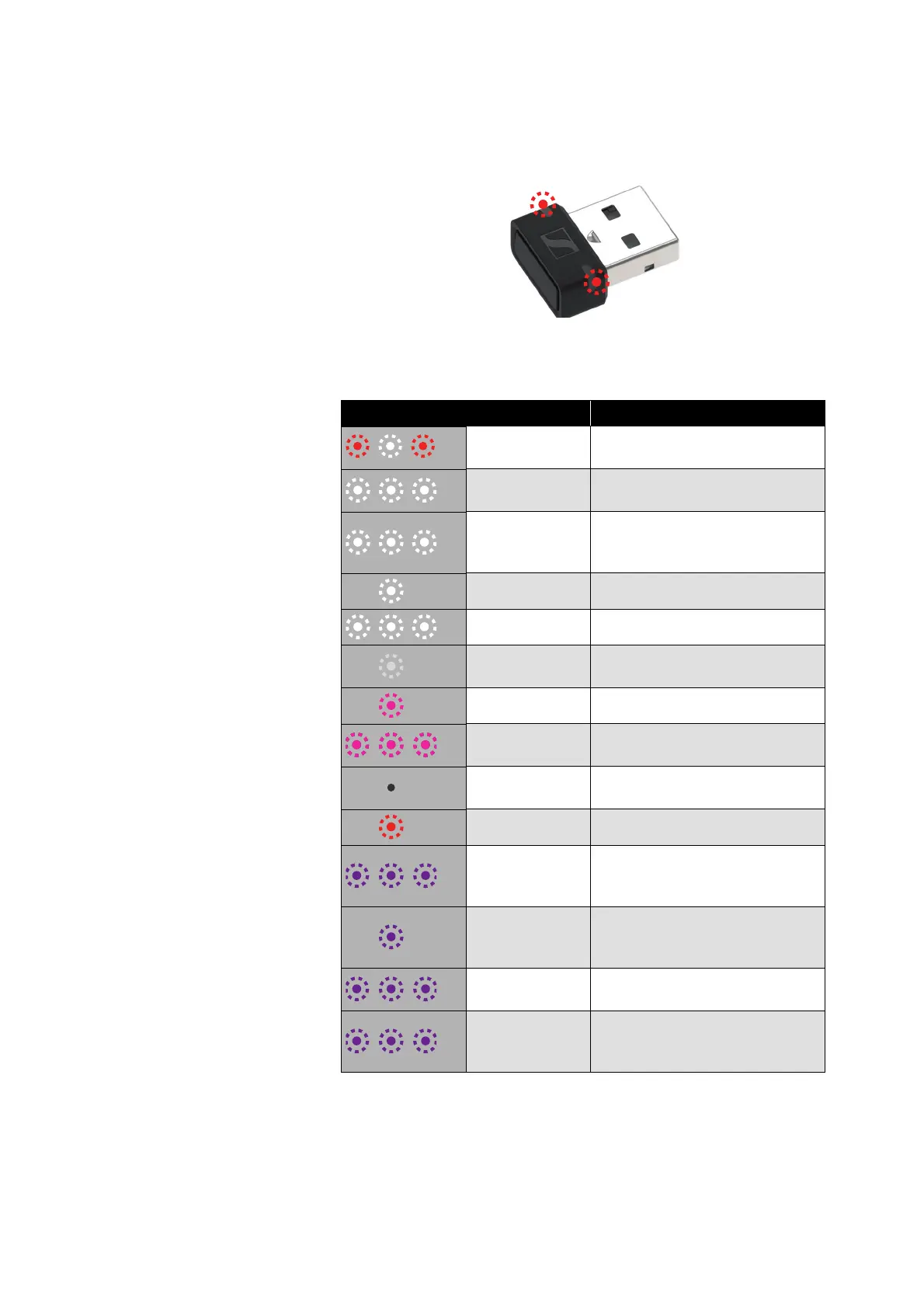
Overview of the status LEDs on the
dongle housing
The two status LEDs on the dongle housing indicate the operating
state of the dongle:
LEDs Operating state of the dongle
flash red-white
Pairing with headphones is
being performed
flash white 3x
Pairing with headphones suc-
cessful
repeatedly flash
white 3x for
20
seconds
Searches for paired head-
phones for up to 20 seconds
light up white Connected to headphones
flash white Incoming call
light up white
dimly
Audio coding via SBC codec
light up pink Audio coding via aptX codec
flash pink 3x
Dongle is being reset to factory
default settings
off
Connection to headphones dis-
connected
light up red Mute function is active
flash purple for
10 seconds
Searches for an installation of
Microsoft Teams for up to 10
seconds
light up purple
Installation of Microsoft Teams
found and connected to head
-
phones
flash purple
Incoming notification from Mic-
rosoft Teams
flash purple 3x
Starting Microsoft Teams via
the Microsoft Teams button of
the headphones failed


 To Next Page