Sennheiser Communications A/S
Industriparken 27, DK-2750 Ballerup, Denmark
www.eposaudio.com
Printed in China, Publ. 12/19, 770-00175/A02
UI 20 BL USB
USB Busy light with ringer
Quick Guide
Kurzanleitung
Guide express
Guida rapida
Guía rápida
Guia Rápido
Mini
handleiding
EN
DE
FR
IT
ES
PT
NL
Γρήγορος
οδηγός
Kvikvejledning
Snabbguide
Pikaopas
Skrócona
instrukcja
obsługi
EL
DA
SV
FI
PL
RU
ZH
TW
TR
JA
ID
KO
Краткое
руководство
䘯鸟Ⰶ꡶䭷⽂
䘯鸟䭷⽂
Hızlı Kılavuz
ؙ؎حؙؖ؎س
Panduan Cepat
찮읆많핂슪
www.eposaudio.com/support
PDF
xEPOS Connect
For manual congurations,
open EPOS Connect settings.
You can change for example:
- Colors - Pattern
- Brightness - Volume
- Ringtone - ON/OFF
USB-A
Download and install the free
EPOS Connect software
on your computer.
www.eposaudio.com
/connect
1
2
Connecting the Busy light | Busy light anschließen | Connecter la Busy light | Connessione della Busy light | Conexión de Busy light |
Ligar o Busy light | De Busy light aansluiten | Σύνδεση του Busy light | Tilslutning af Busy light | Ansluta Busy light | Busy light in kytkeminen |
Podłączanie diody zajętości | Подключение Busy light | 翫䱹䘐热䭷爙抧| 鸬䱸䘏烬䭷爙敘 | Meşgul ışığı birimini bağlama |
Busy light ך䱸竲 | Menghubungkan Busy light | #VTZMJHIU펾멾
Installing the Busy light | Busy light installieren | Installer le voyant
occupé (Busy light) | Installazione della Busy light | Instalación de
la luz de aviso Busy light | Instalação da Luz de Ocupado |
Installatie van het bezetlampje | Εγκατάσταση του Busy light |
Installering af Busy light | Installera Busy light | Merkkivalon
asennus | Instalowanie lampki zajętości | Установка
индикатора занятого состояния | 㸝鄳䘐热䭷爙抧|
㸜酣䘏简䭷爙敘 | Meşgul lambasının kurulumu |
ؽآ٦ٓٝفך鏣縧 | Menginstal Busy light | #VTZMJHIU컲
Changing settings | Einstellungen ändern | Modication des paramètres | Modica delle impostazioni | Modicar los ajustes |
Alterar denições | Instellingen wijzigen | Αλλαγή ρυθμίσεων | Ændring af indstillinger | Ändra inställningar | Muuta asetuksia |
Zmiana ustawień | Изменение настроек | 刿佖霃縨| 隵刿鏣㹀| Ayarların değiştirilmesi | 鏣㹀ך㢌刿 | Mengubah pengaturan | 컲헣쪎몋
Package contents | Lieferumfang | Contenu de la boîte |
Contenuti della confezione | Contenido del embalaje |
Conteúdo da embalagem | Inhoud verpakking |
Περιεχόμενα συσκευασίας | Pakkens indhold |
Innehåll i förpackningen | Pakkauksen sisältö | Zawartość
opakowania | Содержимое упаковки | 㤛鄳ⰻ㺂 | ⺪酣Ⰹ㺁|
Kutunun içeriği | ػح؛٦آⰻ㺁 | Isi kemasan | 힎뺂푷

 Need help?
 General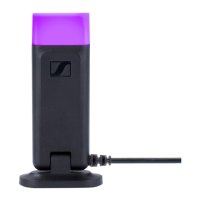

 To Next Page