Evolution Wireless Digital : INSTRUCTION MANUAL : EW-D ASA antenna splitter : Product overview
Product overview
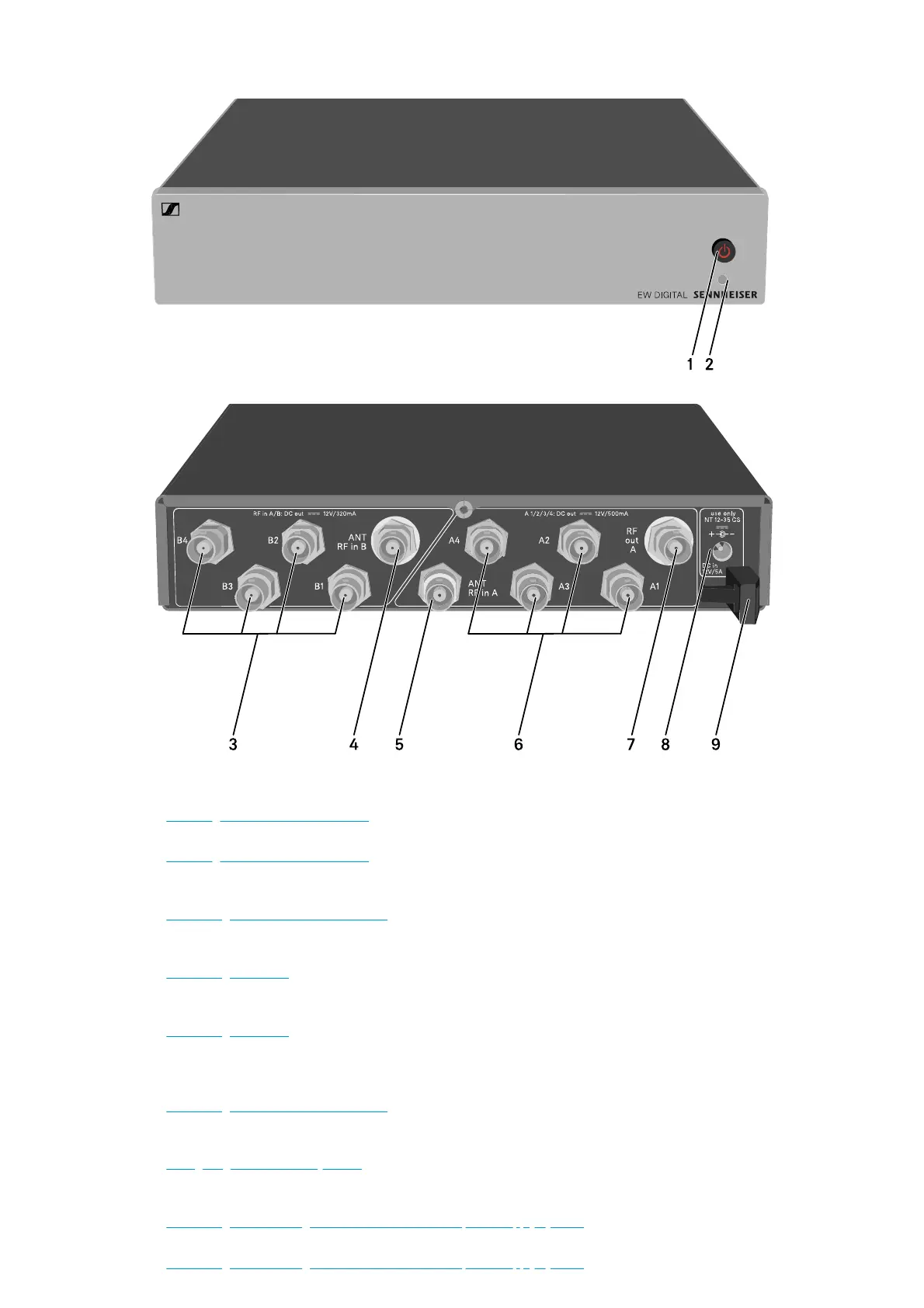
1 STANDBY button
• See „Switching the EW-D ASA on and off“
2 LED: Operation indicator
• See „Switching the EW-D ASA on and off“
3 4 BNC sockets B1 to B4
• RF outputs of diversity branch B for connection to the receiver
• See „Connecting receivers to the EW-D ASA“
4 ANT RF IN B BNC socket
• Antenna input of diversity branch B
• See „Connecting antennas“
5 ANT RF IN A BNC socket
• Antenna input of diversity branch A
• See „Connecting antennas“
6 4 BNC sockets A1 to A4
• RF outputs of diversity branch A for connection to the receiver
• Every one of these RF outputs can also provide voltage to a receiver.
• See „Connecting receivers to the EW-D ASA“
7 RF OUT A BNC socket
• RF output only for connecting an additional ASA 214 to build an 8-channel diversity system
• See „Configuring multi-channel systems“
8 DC in socket
• To connect the NT 12-35 CS power supply unit
• See „Connecting/disconnecting the EW-D ASA to/from the power supply system“
9 Strain relief for the connection cable of the power supply unit
• See „Connecting/disconnecting the EW-D ASA to/from the power supply system“
Questions?
support@sennheiser.com
Sennheiser electronic GmbH & Co. KG | Am Labor 1 | 30900 Wedemark | Germany


 To Next Page